MILD WINTER WEATHER MOD V1.0
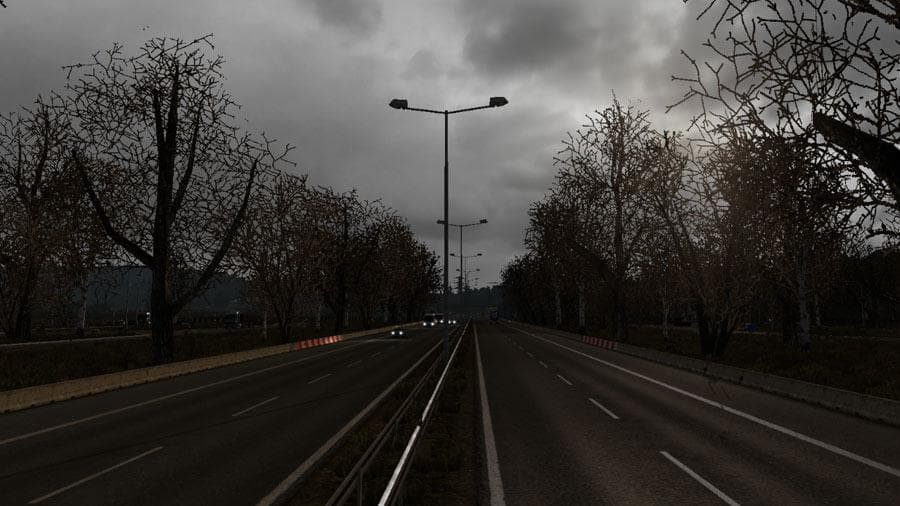
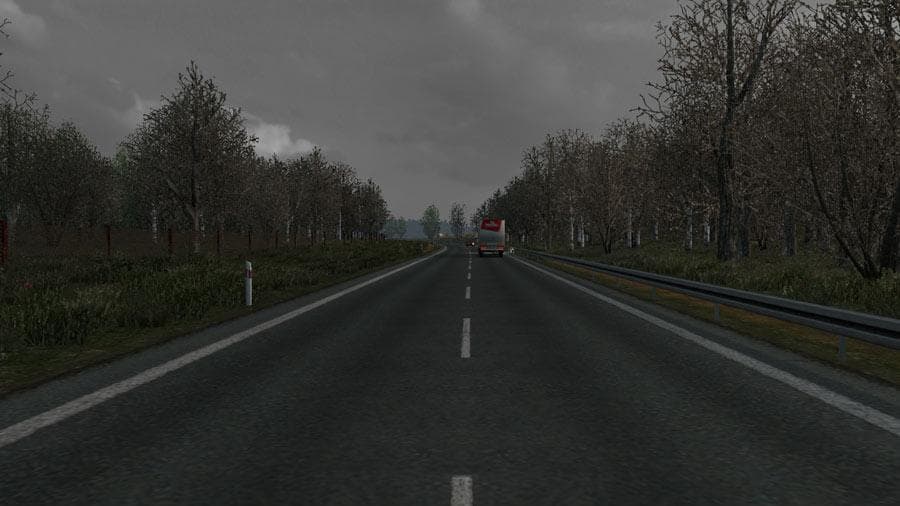
The "MILD WINTER WEATHER" mod version 1.0 for ETS2 simulates a mild winter environment with random grey sky, misty and sunny weather, and darker lighting and sk
The MILD WINTER WEATHER MOD V1.0 brings a subtle change to the game's environmental conditions by introducing milder winter weather effects. Instead of heavy snow or extreme cold visuals, this mod offers more gentle seasonal cues like random grey skies, misty mornings, and occasional sunny spells that give a different atmosphere to winter drives in Euro Truck Simulator 2. The lighting also shifts to darker tones during certain times, enhancing the overall mood without overwhelming the scenery.
Mods focused on weather and environment usually adjust textures, lighting, and skyboxes to create a specific ambiance or season feel. These kinds of mods are typically placed within map modifications or weather mod categories because they influence how regions look but don’t add new routes or cities. In ETS2, such mods often come as .scs files that you place in your mod folder and activate via the in-game menu.
When integrating this mild winter weather mod into a modded setup, it's wise to consider its position in your load order. Weather-related modifications should generally be loaded after map expansions to ensure their visual changes apply correctly over the base and added maps. Since this mod targets version 1.0 of ETS2, compatibility with later versions or other extensive map mods may require testing or adjustments.
Players who prefer a more nuanced and less intense winter environment might find this mod appealing. It’s suited for those who want some seasonal variation without the full challenge of harsh winter conditions affecting visibility or road grip. If your gameplay style leans toward immersive visuals but still values clear roads and milder climates during winter months, this fits nicely into your collection.
How to install
1. Download every .scs file from the source page (map mods often ship multiple files). 2. Copy all files to `Documents/Euro Truck Simulator 2/mod/`. 3. Enable each file in Mod Manager **in the order documented by the modder**. Load order matters for maps. 4. Start a new save or use an existing save that already supports the map's base regions.
After the mod loads, save your game inside a safe area (parking lot or service) before deciding whether to keep it. If the game refuses to load with the mod enabled, check that all required DLCs are installed and that the supported ETS2 version chips on this page include your installed game patch.
Known conflicts
No conflicts reported for this mod yet. Running a big mod list? Check your whole setup for conflicts →
Reviews
No ratings yetNo reviews yet — be the first to rate this mod.





