MF Farms
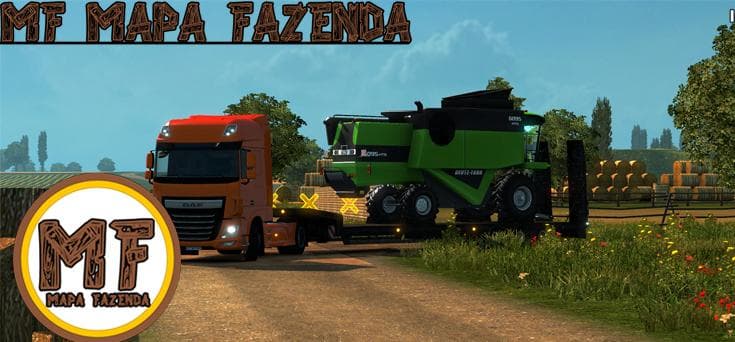
MF Farms is a map mod designed for Euro Truck Simulator 2, bringing new agricultural-themed areas and related features to the game world. The update introduces fresh farms, businesses, trailers, and additional map sections to explore. It’s tailored for ETS2 version 1.4, fitting well into setups that aim to expand or diversify the trucking landscape with rural elements.
Map mods like MF Farms add new roads, cities, and regions that players can drive through, enriching the base game’s environment. They typically come as .scs files and require careful attention to load order since conflicts or overlaps with other map mods can cause issues. Sometimes starting a new profile or having certain base-map DLCs installed is necessary for smooth integration.
This type of mod suits players who want more variety in their hauling routes beyond the standard highways and urban centers. Introducing farming areas and agricultural businesses changes the feel of deliveries, making the experience more immersive for those who enjoy scenic countryside drives. It also complements other map expansions focused on rural or industrial settings.
When using MF Farms alongside other map mods, it’s advisable to check compatibility notes and arrange load order thoughtfully to avoid conflicts. This helps ensure that added features like new trailers and business sites appear correctly without causing game instability or missing assets.
Truckers looking for a mix of farming landscapes with additional content such as trailers and businesses will find this mod appealing. It expands the game's scope by adding fresh points of interest tied to agriculture, making longer journeys feel less repetitive for drivers who prefer diverse environments.
How to install
1. Download every .scs file from the source page (map mods often ship multiple files). 2. Copy all files to `Documents/Euro Truck Simulator 2/mod/`. 3. Enable each file in Mod Manager **in the order documented by the modder**. Load order matters for maps. 4. Start a new save or use an existing save that already supports the map's base regions.
After the mod loads, save your game inside a safe area (parking lot or service) before deciding whether to keep it. If the game refuses to load with the mod enabled, check that all required DLCs are installed and that the supported ETS2 version chips on this page include your installed game patch.
Known conflicts
No conflicts reported for this mod yet. Running a big mod list? Check your whole setup for conflicts →
Reviews
No ratings yetNo reviews yet — be the first to rate this mod.





