Mercedes-Benz Sprinter 515 CDI v1 1.21.X
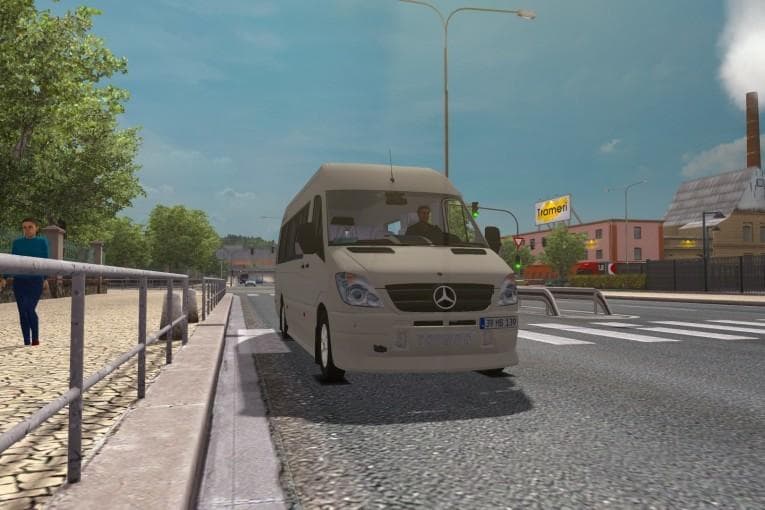
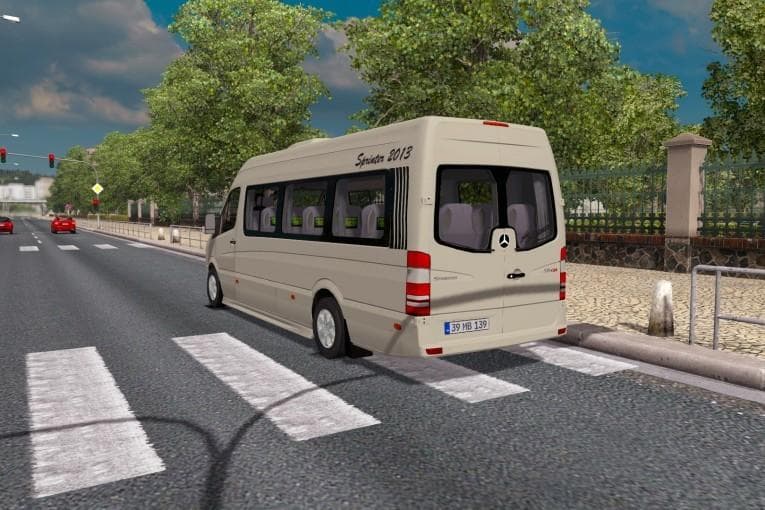
The Mercedes-Benz Sprinter 515 CDI v1 1.21.X is a truck mod for ETS2 version 1.21 and 1.19. Created by Euro truck simulator 2, it features added parts, physical
The Mercedes-Benz Sprinter 515 CDI v1 mod brings the well-known van model into Euro Truck Simulator 2, allowing players to drive a detailed and functional version of this vehicle. It fits within the trucks category, which means it adds a new drivable cab and chassis that can be purchased at in-game dealers. Typically, mods like this come with their own interior design, engine options, and paint jobs to customize your ride.
Truck mods such as this one expand the range of vehicles available in ETS2 beyond the base game selection. They often include physical features like multiple wheels and additional parts to enhance realism. This particular mod supports ETS2 versions 1.21 and 1.19, so it should work well on those game builds without causing issues.
When incorporating truck mods into a modded setup, it's generally advisable to pay attention to load order since truck files can sometimes conflict with other vehicle mods or gameplay extensions. Placing truck mods towards the end of your mod list usually helps ensure they override any conflicting files from earlier-loaded mods.
Players who enjoy driving smaller commercial vehicles or want more variety in their fleet might find this Mercedes-Benz Sprinter useful for making deliveries across different regions like Germany or France. Vans like this one offer a change of pace compared to heavy-duty trucks, often being used for lighter cargo loads or urban deliveries.
Since the creator is unknown and specific file size details aren't listed, users should make sure to back up their profiles before installing and test for any compatibility problems with other popular mods. It's common practice with truck mods to verify they integrate smoothly with map expansions or cargo packs you already have installed.
How to install
1. Download the .scs file from the original source linked above. 2. Copy the file to `Documents/Euro Truck Simulator 2/mod/`. 3. Launch ETS2, open the Mod Manager from the main menu, enable the mod, restart the game. 4. Visit any truck dealer to spawn the new truck.
After the mod loads, save your game inside a safe area (parking lot or service) before deciding whether to keep it. If the game refuses to load with the mod enabled, check that all required DLCs are installed and that the supported ETS2 version chips on this page include your installed game patch.
Reviews
No ratings yetNo reviews yet — be the first to rate this mod.





![Fuso Supergreat Hi Cab Truck [1.50 – 1.60] – Trucks mod for Euro Truck Simulator 2](/_next/image?url=https%3A%2F%2F802software.s3.us-east-1.amazonaws.com%2Fets2modspot%2Fscreenshots%2F7494%2F0.jpg&w=3840&q=75)