Mercedes Benz Axor + Addons Update v5
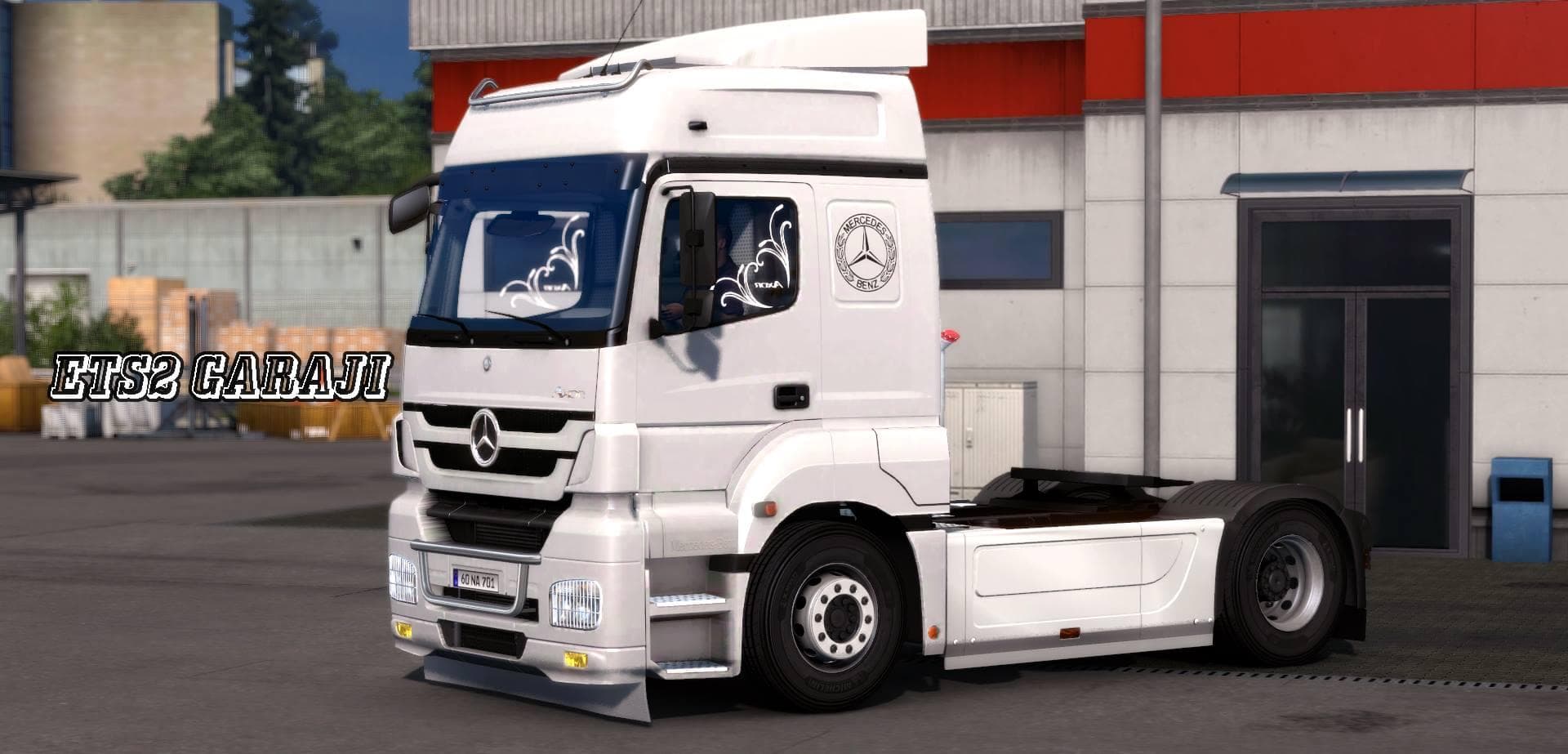
The Mercedes Benz Axor + Addons Update v5 mod for ETS2 includes bug fixes, new cabin accessories, and skinable cabs. Created by Euro Truck Simulator 2, this mod
This mod focuses on the Mercedes Benz Axor, offering a range of parts and addons that enhance the truck's appearance and customization options. It updates the model with fixes for cabin accessory DLC bugs and adds new elements like sideskirts and skinable cabs. These sorts of parts mods typically let you add or swap out components such as lights, mirrors, or exhausts directly in the truck customization menu.
Parts mods like this one are made to expand your ability to personalize specific truck models—in this case, the Mercedes Benz Axor. By installing these kinds of mods, you can tweak the look and sometimes the functionality of your rig, making it stand out among standard game trucks or other modded vehicles.
When adding parts mods to your setup, it's wise to consider load order since some mods can conflict if they alter similar files or features. Generally, parts mods should be loaded after map mods but before any gameplay-changing mods to avoid compatibility issues. Since this update addresses cabin accessory bugs, it might also smooth out conflicts related to official DLC content.
If you're building a heavily modded profile centered around European trucks or simply want more customization options for the Mercedes Benz Axor specifically, this addon pack fits well into that kind of setup. It’s particularly useful for players who value visual detail and want their Axor to have more unique styling touches than what's available by default.
This mod suits players who enjoy tinkering with their trucks beyond basic tuning—those who appreciate detailed accessories and want improved cabin features without having to switch vehicles entirely. It's a solid choice if you’ve encountered issues with cabin DLC accessories in previous versions or just want fresh skins for variety.
How to install
1. Download the file(s) from the original source linked above. 2. Drop them into `Documents/Euro Truck Simulator 2/mod/`. 3. Enable in Mod Manager and restart the game.
After the mod loads, save your game inside a safe area (parking lot or service) before deciding whether to keep it. If the game refuses to load with the mod enabled, check that all required DLCs are installed and that the supported ETS2 version chips on this page include your installed game patch.
Reviews
No ratings yetNo reviews yet — be the first to rate this mod.