MERCEDES BENZ 1934-33-32 V2.0
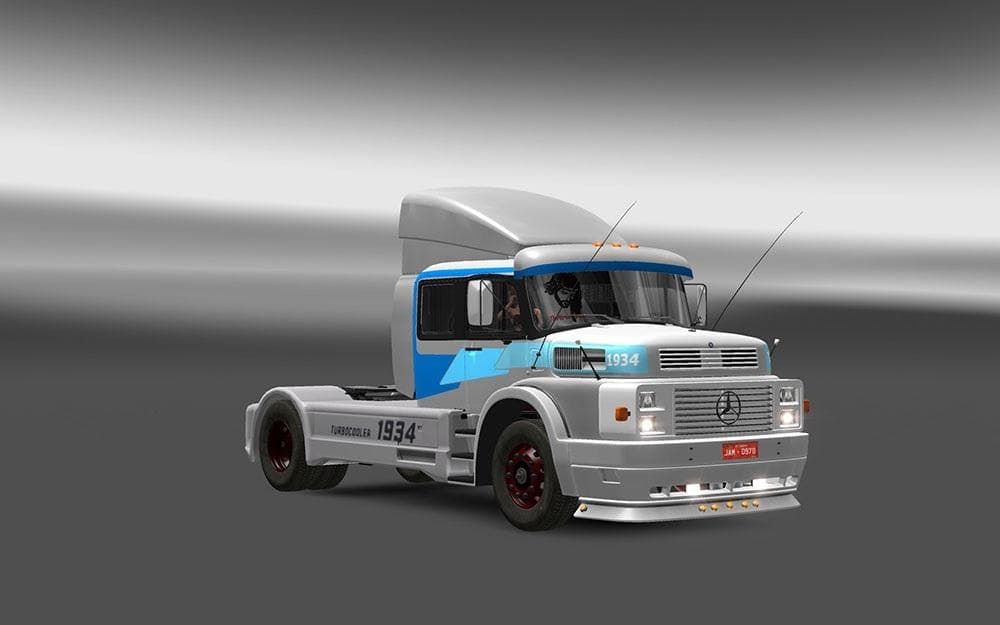
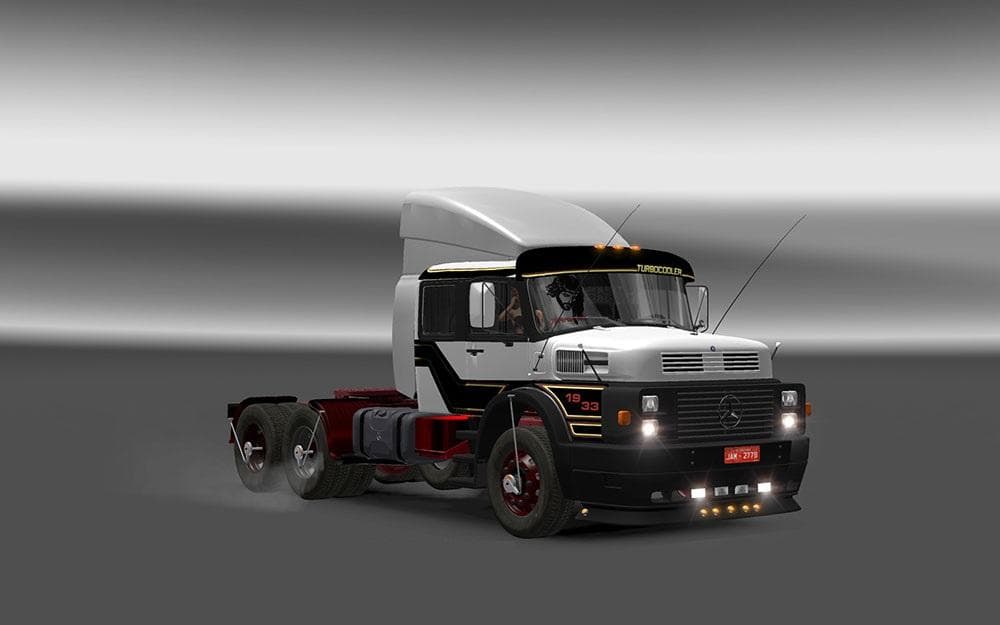
The MERCEDES BENZ 1934-33-32 mod version 2.0 adds new parts like the 1932 range, 1933, airfoil, bgrill option, and stairs. Created by Euro truck simulator 2, th
The MERCEDES BENZ 1934-33-32 V2.0 mod adds parts specifically designed for classic Mercedes Benz trucks from the early 1930s. It introduces a range of vintage accessories like the 1932 and 1933 truck variations, along with options such as an airfoil, a one-bar grill, and stairs. This sort of parts mod allows players to customize their trucks with period-appropriate components that can change the appearance and sometimes the aerodynamics of their vehicles in Euro Truck Simulator 2.
Parts mods like this one are installed through the truck customization menu, where you can select from various additional items to enhance your vehicle's look or performance. Since it targets specific Mercedes Benz models from the past, it fits well into setups focused on historical or vintage trucking themes. These mods usually work alongside other visual and tuning mods but may require careful load order management to avoid conflicts, especially when multiple parts mods affect the same truck model.
Compatibility depends on what other mods you're running, but generally, parts mods coexist without major issues if loaded properly. Users often place such mods after map or gameplay overhauls in their load order to ensure visual elements show correctly. If you use several parts mods for different brands or eras, checking for overlapping files or features is a good practice to keep things stable.
This mod will appeal mostly to players who enjoy classic trucks and want more authentic customization options for older Mercedes Benz models in ETS2. It's ideal if you're building a modded garage with vintage vehicles or simply want to add some historical flavor to your fleet. Whether you’re cruising through Germany, France, or other European countries included in ETS2's base game, these parts help recreate a period-correct look.
How to install
1. Download the file(s) from the original source linked above. 2. Drop them into `Documents/Euro Truck Simulator 2/mod/`. 3. Enable in Mod Manager and restart the game.
After the mod loads, save your game inside a safe area (parking lot or service) before deciding whether to keep it. If the game refuses to load with the mod enabled, check that all required DLCs are installed and that the supported ETS2 version chips on this page include your installed game patch.
Reviews
No ratings yetNo reviews yet — be the first to rate this mod.