MERCEDES BENZ 1934 V2.1
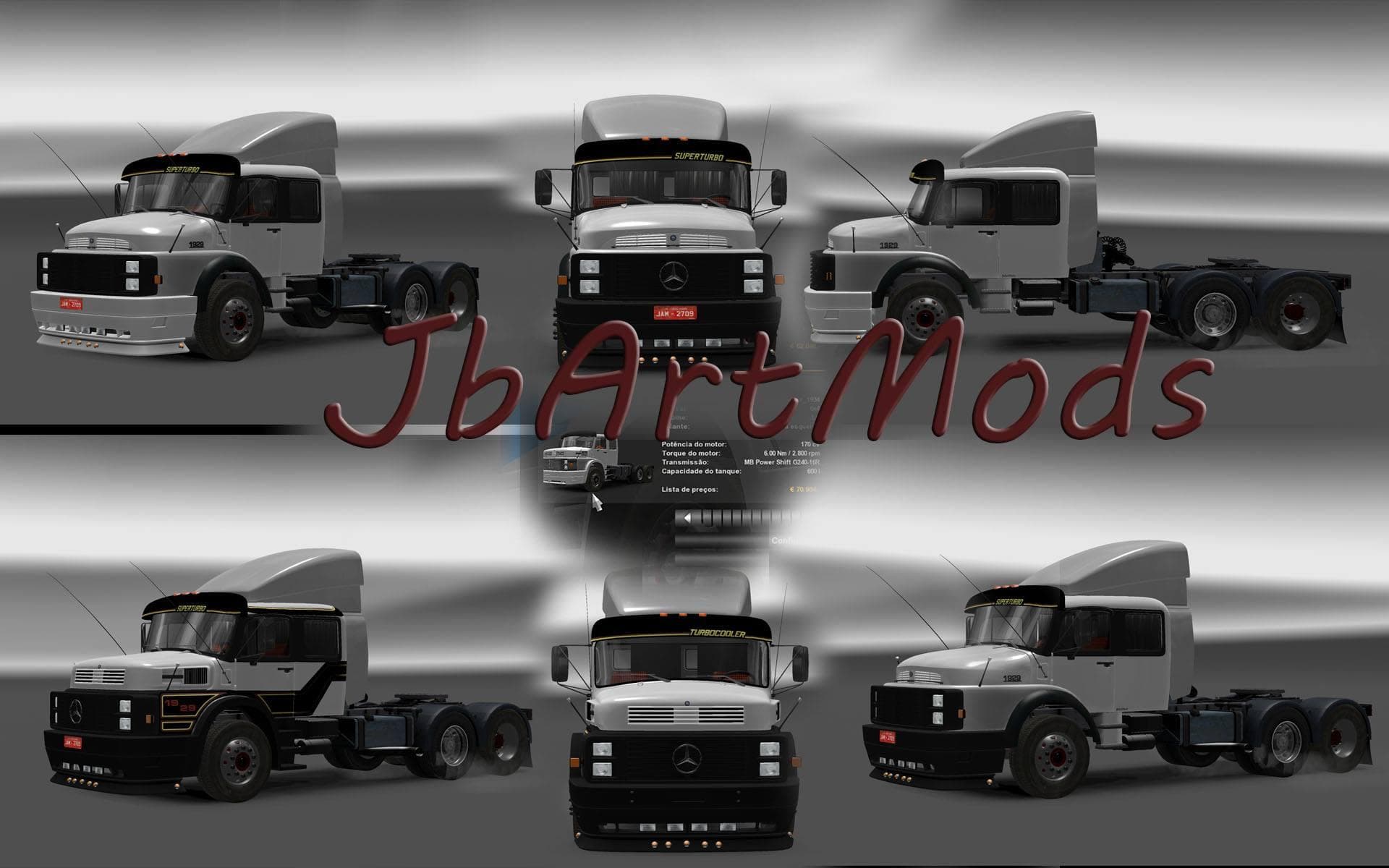
The MERCEDES BENZ 1934 truck mod version 2.1 was released by Euro Truck Simulator 2 with various repairs and updates, including improvements to the wheels and i
The MERCEDES BENZ 1934 V2.1 mod introduces a vintage truck model to Euro Truck Simulator 2, reflecting the style of Mercedes Benz from the mid-1930s. This type of truck mod typically adds a new drivable vehicle that players can buy at dealers within the game, offering a different driving experience compared to standard trucks.
Truck mods like this one usually come with their own set of interiors, engine options, and paint jobs, providing a unique feel and customization opportunities. The update mentioned for this mod includes repairs focused on the wheels and interior elements, which suggests ongoing improvements to maintain functionality and visual detail.
Integrating such a classic truck into a modded ETS2 setup can add variety for those who enjoy driving older or rare vehicles rather than modern trucks. These mods often work alongside other vehicle or map modifications but should be loaded considering potential conflicts with other truck models or tuning packs to ensure smooth gameplay.
For players who appreciate historical vehicles or want to diversify their garage with something out of the ordinary, this mod fits well. It's also suitable for those running a collection of vintage truck mods or seeking an alternative driving challenge within ETS2’s European environments.
Like most truck mods, it’s advisable to check load order if you have several installed because cab replacements or chassis alterations may interfere with one another. Keeping backup save files before adding new trucks is always wise when experimenting with multiple mods.
Overall, MERCEDES BENZ 1934 V2.1 offers a nostalgic option for drivers wanting to explore ETS2 beyond its modern fleet options without disrupting existing game features.
How to install
1. Download the .scs file from the original source linked above. 2. Copy the file to `Documents/Euro Truck Simulator 2/mod/`. 3. Launch ETS2, open the Mod Manager from the main menu, enable the mod, restart the game. 4. Visit any truck dealer to spawn the new truck.
After the mod loads, save your game inside a safe area (parking lot or service) before deciding whether to keep it. If the game refuses to load with the mod enabled, check that all required DLCs are installed and that the supported ETS2 version chips on this page include your installed game patch.
Reviews
No ratings yetNo reviews yet — be the first to rate this mod.