MERCEDES BENZ 1632 NG FIXED
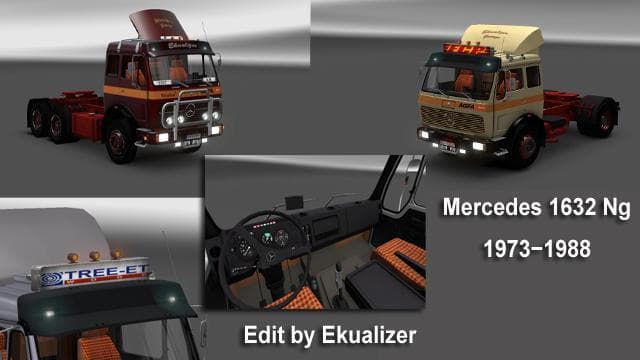
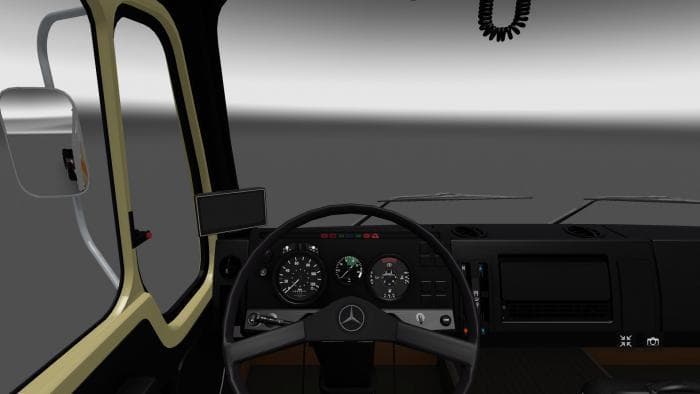
The MERCEDES BENZ 1632 NG FIXED mod adds an autonomous truck available for purchase at the Majestic dealer in ETS2. The specifications are based on the original
The MERCEDES BENZ 1632 NG FIXED mod adds a classic truck to Euro Truck Simulator 2, letting players drive a version modeled after the original specifications. This type of truck mod typically introduces a new cab and chassis that can be purchased from in-game dealers, expanding your fleet options beyond the base game. It usually includes unique interiors, engine setups, and paint jobs tailored to the model's style.
Truck mods like this one slot into your garage and showrooms, allowing you to diversify your driving experience with different handling characteristics and visual flair. Since it's available through the Majestic dealer, it integrates naturally with ETS2’s vehicle purchasing system without needing extra configuration. Players often add these trucks to their existing mod collections for more variety on long hauls.
When using truck mods, it's wise to pay attention to load order since some trucks might overwrite base game files or conflict with other vehicle packs. This particular mod should be compatible with most map expansions and other gameplay modifications if placed appropriately in the mod manager. Always check for dependencies or conflicts, especially if you run several truck mods simultaneously.
Fans of vintage Mercedes-Benz models or those looking for a nostalgic driving feel will find this mod appealing. It fits well for players who enjoy exploring various truck types across European and American maps alike, enhancing realism through authentic design elements pulled from original documentation.
Overall, this addition serves drivers who want more diversity in their garage without straying too far from familiar vehicle brands. While details like exact ETS2 version support are unknown, such mods generally require basic installation steps: downloading the file and activating it via the game's mod manager before starting a new profile or loading an existing save.
How to install
1. Download the .scs file from the original source linked above. 2. Copy the file to `Documents/Euro Truck Simulator 2/mod/`. 3. Launch ETS2, open the Mod Manager from the main menu, enable the mod, restart the game. 4. Visit any truck dealer to spawn the new truck.
After the mod loads, save your game inside a safe area (parking lot or service) before deciding whether to keep it. If the game refuses to load with the mod enabled, check that all required DLCs are installed and that the supported ETS2 version chips on this page include your installed game patch.
Reviews
No ratings yetNo reviews yet — be the first to rate this mod.





![Fuso Supergreat Hi Cab Truck [1.50 – 1.60] – Trucks mod for Euro Truck Simulator 2](/_next/image?url=https%3A%2F%2F802software.s3.us-east-1.amazonaws.com%2Fets2modspot%2Fscreenshots%2F7494%2F0.jpg&w=3840&q=75)