MB ACTROS 2009 COLORED GRILL V2.0
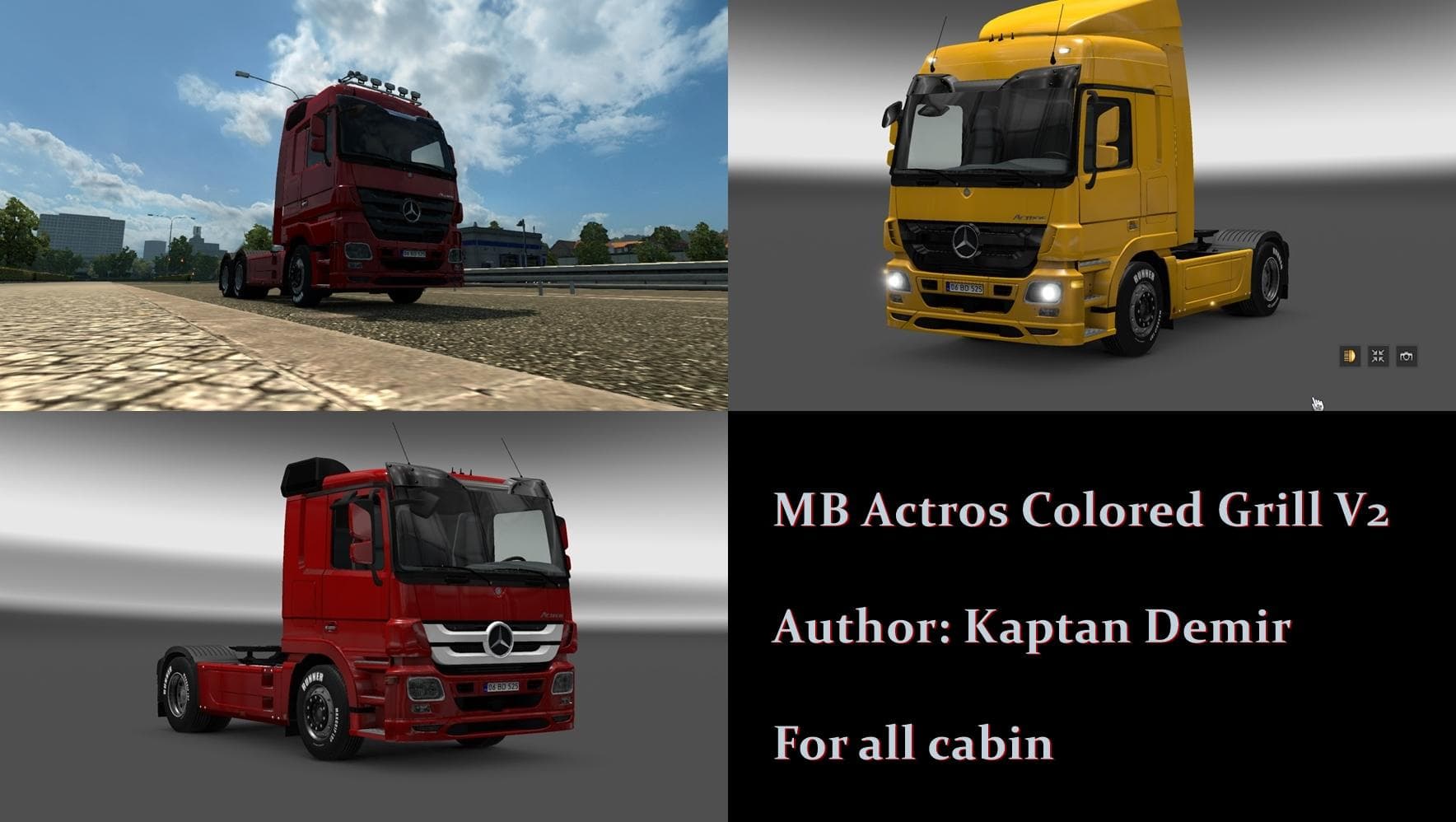
The "MB ACTROS 2009 COLORED GRILL" mod version 2.0 offers a colored grill for all cabin types in Euro Truck Simulator 2. Created by Euro truck simulator 2, the
The MB ACTROS 2009 COLORED GRILL V2.0 is a parts mod designed for the Mercedes-Benz Actros 2009 truck model in Euro Truck Simulator 2. It adds a colored grill option that players can apply to their trucks through the customization menu, offering a visual tweak to the front end of this classic cabin style. This kind of mod focuses on enhancing the aesthetic appeal of specific truck models by providing new or altered accessories.
Parts and tuning mods like this one allow players to personalize their vehicles beyond the standard options available in ETS2. They typically include items such as bull bars, lights, exhausts, mirrors, or interior decorations. Mods that target particular brands or models—such as Mercedes-Benz Actros—help maintain authenticity while giving more freedom for individual expression within the game’s existing customization system.
When integrating parts mods into a modded setup, it’s generally advisable to check their compatibility with other truck-specific mods and ensure they load in an order that prevents conflicts. Since parts mods alter components visible on your truck, they usually need to be loaded after any major model replacements but before any skin mods that might also affect the same area.
This colored grill mod will mainly appeal to players who enjoy customizing their trucks with subtle but noticeable details. Fans of the Actros 2009 who want to add some color variety to their truck’s front end without changing its overall look would find this mod useful. It's also suitable for those who appreciate fine-tuning visual elements on their rigs.
Overall, if you’re running an Actros 2009 and want a bit more color customization in your parts selection, this mod fits right into that niche. It slots easily into ETS2's truck customization workflow and complements broader tuning setups focusing on brand-specific enhancements.
How to install
1. Download the file(s) from the original source linked above. 2. Drop them into `Documents/Euro Truck Simulator 2/mod/`. 3. Enable in Mod Manager and restart the game.
After the mod loads, save your game inside a safe area (parking lot or service) before deciding whether to keep it. If the game refuses to load with the mod enabled, check that all required DLCs are installed and that the supported ETS2 version chips on this page include your installed game patch.
Reviews
No ratings yetNo reviews yet — be the first to rate this mod.