Mapa Brasil Paradiso v1.60

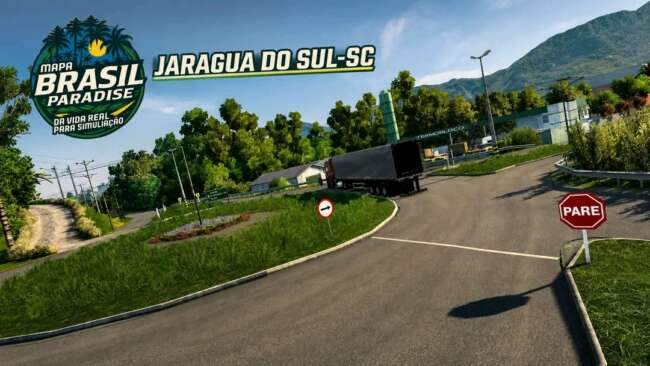
Mapa Brasil Paradiso version 1.60 by ets2mods adds new cities like Rio Negrinho, São Bento do Sul, and Corupá, along with new companies. Check the description f
Mapa Brasil Paradiso v1.60 is a map mod designed to expand the drivable areas within Euro Truck Simulator 2 by adding new cities, roads, and business locations in Brazil. The update introduces expanded sections like Rio Negrinho and new towns such as São Bento do Sul and Corupá, enriching the game's environment with more delivery options and exploration opportunities. Map mods like this one alter the base game world by providing fresh routes and regions, often requiring players to consider compatibility with other map expansions or DLC content.
These types of mods are typically packaged as .scs files that must be loaded in a proper order to avoid conflicts. Because Mapa Brasil Paradiso modifies core map data, it's usually recommended to start a new profile or ensure your existing setup supports the mod's version—in this case ETS2 1.60—to prevent issues. This mod fits well into a collection of other map expansions but may need careful placement in the load order if combined with multiple map mods.
Players who enjoy exploring diverse locations beyond the default European routes will find this mod valuable for extending their virtual trucking experience into South America. It offers new challenges with additional companies and towns to deliver cargo between, enhancing both gameplay variety and immersion for those interested in Brazilian geography within ETS2.
While it doesn't specify exact file size or other technical requirements, users should always check for any additional dependencies or DLCs that might be necessary when installing map mods like this one. Proper installation ensures smoother integration without disrupting existing saved games or causing crashes.
How to install
1. Download every .scs file from the source page (map mods often ship multiple files). 2. Copy all files to `Documents/Euro Truck Simulator 2/mod/`. 3. Enable each file in Mod Manager **in the order documented by the modder**. Load order matters for maps. 4. Start a new save or use an existing save that already supports the map's base regions.
After the mod loads, save your game inside a safe area (parking lot or service) before deciding whether to keep it. If the game refuses to load with the mod enabled, check that all required DLCs are installed and that the supported ETS2 version chips on this page include your installed game patch.
Known conflicts
No conflicts reported for this mod yet. Running a big mod list? Check your whole setup for conflicts →
Reviews
No ratings yetNo reviews yet — be the first to rate this mod.





