MAP OF TURKEY AND
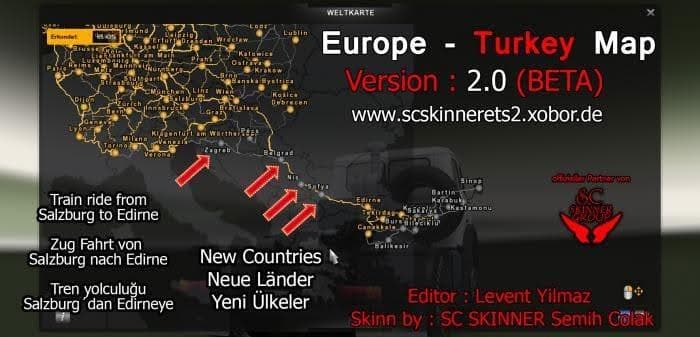
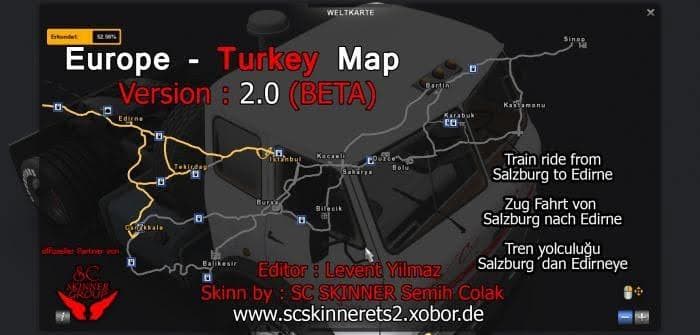
MAP OF TURKEY AND - ETS2 mods download is an ETS2 maps.
The MAP OF TURKEY AND mod expands the Euro Truck Simulator 2 world by adding detailed regions of Turkey and surrounding countries. This kind of map mod enhances the base game map, introducing new roads and cities that extend your driving experience beyond the standard boundaries. It acts as an addon, designed to complement the default map setup rather than replace it entirely.
Map mods like this one typically come in .scs files that players add to their mod manager. They require careful attention to load order because some depend on specific base maps or DLCs to work properly. In this case, the Map of Turkey mod requires the Scandinavia DLC, which adds further northern European regions and serves as a foundation for these new areas stretching towards Turkey.
Including this type of map expansion can fit well into a heavily modded profile where you want more variety in your freight routes and destinations. However, players should note that adding large map mods may need a fresh profile or at least some testing to ensure stability and compatibility with other map addons or gameplay mods.
This mod is suited for those who enjoy exploring extended territories in ETS2, especially if you're interested in trucking routes through Eastern Europe down into Turkey. It broadens the geographic scope and can bring new challenges and scenery for drivers tired of the vanilla map limits.
While specifics like version numbers or file sizes aren't known here, it's typical for such expansions to require the correct DLCs installed first. That way, all added cities and roads integrate smoothly into the existing game world without conflicts or errors.
Overall, if you want to drive from Europe towards Turkey within ETS2 with an expanded set of cities along your route, this map addon fits that niche well and is worth considering as part of a broader map enhancement setup.
How to install
1. Download every .scs file from the source page (map mods often ship multiple files). 2. Copy all files to `Documents/Euro Truck Simulator 2/mod/`. 3. Enable each file in Mod Manager **in the order documented by the modder**. Load order matters for maps. 4. Start a new save or use an existing save that already supports the map's base regions.
After the mod loads, save your game inside a safe area (parking lot or service) before deciding whether to keep it. If the game refuses to load with the mod enabled, check that all required DLCs are installed and that the supported ETS2 version chips on this page include your installed game patch.
Known conflicts
No conflicts reported for this mod yet. Running a big mod list? Check your whole setup for conflicts →
Reviews
No ratings yetNo reviews yet — be the first to rate this mod.





