MAP CONEXIONES V2.2
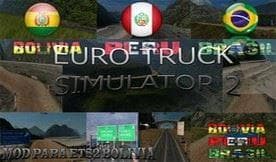
MAP CONEXIONES is a map mod for ETS2 version 1.21, created by Euro Truck Simulator 2. It includes Peru, Bolivia, and Brazil in one mod, with installation instru
MAP CONEXIONES V2.2 is a map mod for Euro Truck Simulator 2 that combines the countries of Peru, Bolivia, and Brazil into a single playable area. This type of mod expands the drivable world by adding new regions and roads not found in the base game. Players can explore South American landscapes and cities, which adds variety to their trucking experience beyond the default European settings.
Map mods like this one usually come as .scs files that need to be placed in the game’s mod folder. Since MAP CONEXIONES V2.2 supports ETS2 version 1.21, it’s tailored for older versions of the game, so compatibility with newer updates may require caution. Load order matters with maps; you want to avoid conflicts by placing larger map mods higher in the list and sometimes starting a fresh profile is recommended to prevent issues.
This particular mod fits well into a modded setup where you want to drive across less commonly represented parts of the world. It complements other map expansions but might not work alongside some that alter similar regions or base map files. Checking compatibility notes from other map creators or forums could help before mixing multiple extensive map mods.
Since it covers a large area spanning three countries, this mod is appealing to players interested in exploring South America in ETS2 rather than sticking to Europe or North America. The inclusion of diverse terrain and cross-border routes offers different challenges for long haul trucking enthusiasts who want something new.
Installing this mod involves downloading several compressed files, which suggests it’s fairly large and detailed compared to smaller maps or single-country additions. Players should ensure they have enough disk space and patience during installation to get everything set up properly.
How to install
1. Download every .scs file from the source page (map mods often ship multiple files). 2. Copy all files to `Documents/Euro Truck Simulator 2/mod/`. 3. Enable each file in Mod Manager **in the order documented by the modder**. Load order matters for maps. 4. Start a new save or use an existing save that already supports the map's base regions.
After the mod loads, save your game inside a safe area (parking lot or service) before deciding whether to keep it. If the game refuses to load with the mod enabled, check that all required DLCs are installed and that the supported ETS2 version chips on this page include your installed game patch.
Known conflicts
No conflicts reported for this mod yet. Running a big mod list? Check your whole setup for conflicts →
Reviews
No ratings yetNo reviews yet — be the first to rate this mod.





