MAP AROUND RUSSIA BETA
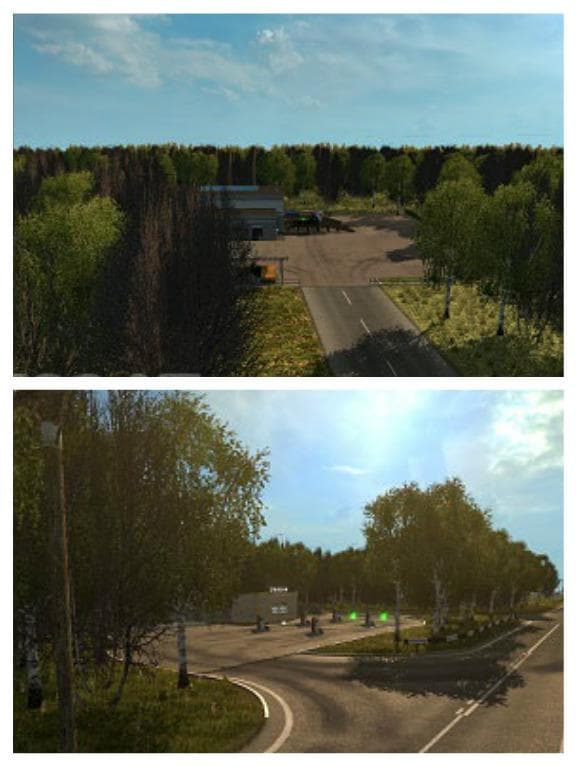
MAP AROUND RUSSIA BETA is an autonomous map mod for ETS2 versions 1.22 and 1.3. Created by Euro Truck Simulator 2, the file size and update information are curr
MAP AROUND RUSSIA BETA is a map modification for Euro Truck Simulator 2 that focuses on expanding the drivable area around Russia. This mod introduces new roads and regions for players who want to explore beyond the base game’s geography. As a beta version, it’s still in development but offers a fresh experience for those interested in Russian routes.
Map mods like this one add or overhaul large areas of the ETS2 world, often including cities, highways, and countryside to drive through. They typically come as .scs files and must be loaded carefully since their order can affect how they work alongside other mods or official DLCs. This mod supports ETS2 versions 1.22 and 1.3, so players should check compatibility with their current setup before installation.
Because MAP AROUND RUSSIA BETA is an autonomous map mod, it functions independently of other map expansions. However, users might need to consider how it fits with existing maps or DLCs they have installed to avoid conflicts. It may require starting a new profile depending on how drastically it changes the game world.
Players who enjoy driving long hauls across less common regions will find this mod appealing. It’s suitable for those wanting to add some variety and challenge by exploring parts of Russia not covered in the base game or other popular map packs.
When adding this type of mod, it's wise to follow load order guidelines provided by the community or mod author if available, as conflicts between map files can cause missing roads or crashes. Regular backups before adding any new map are also recommended due to potential instability with beta releases.
How to install
1. Download every .scs file from the source page (map mods often ship multiple files). 2. Copy all files to `Documents/Euro Truck Simulator 2/mod/`. 3. Enable each file in Mod Manager **in the order documented by the modder**. Load order matters for maps. 4. Start a new save or use an existing save that already supports the map's base regions.
After the mod loads, save your game inside a safe area (parking lot or service) before deciding whether to keep it. If the game refuses to load with the mod enabled, check that all required DLCs are installed and that the supported ETS2 version chips on this page include your installed game patch.
Known conflicts
No conflicts reported for this mod yet. Running a big mod list? Check your whole setup for conflicts →
Reviews
No ratings yetNo reviews yet — be the first to rate this mod.





