MAN TGA V1
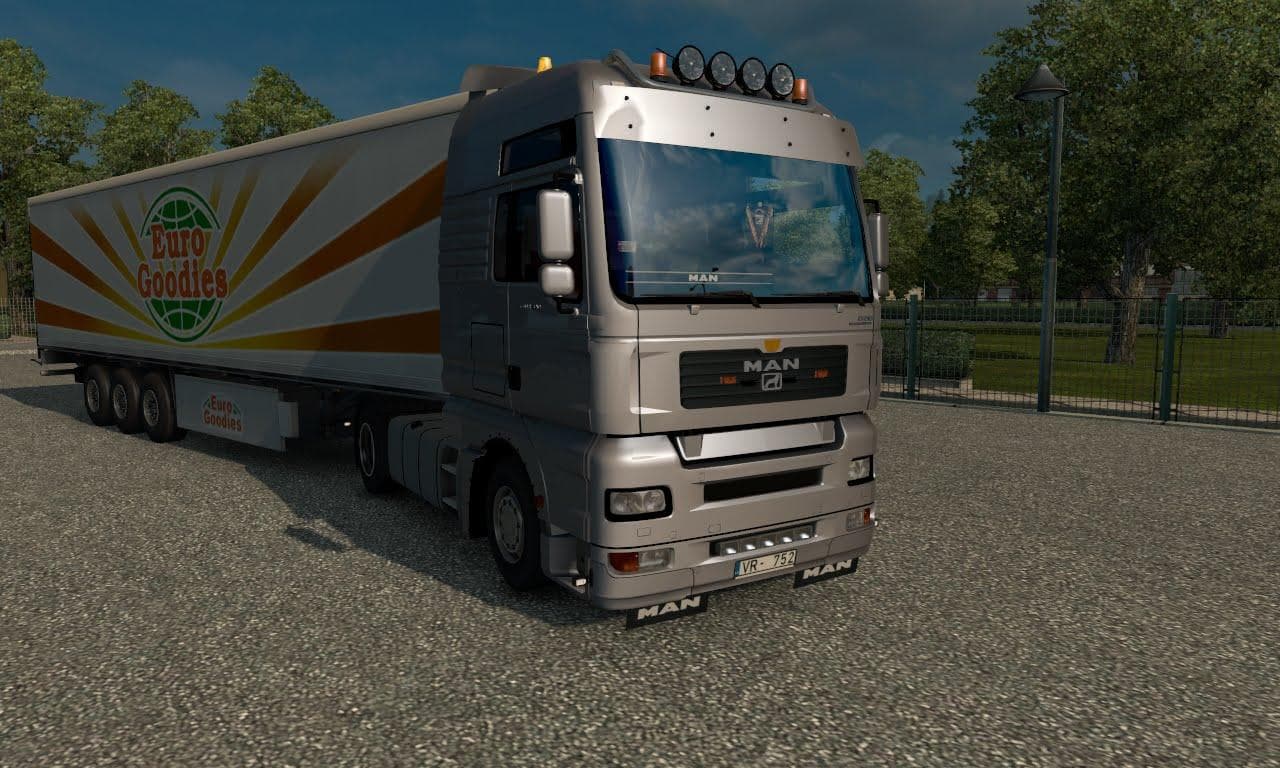
MAN TGA V1 is an ETS2 parts.
The MAN TGA V1 mod is a parts add-on designed specifically for the MAN TGA truck model in Euro Truck Simulator 2. It brings several customization options that let players tweak their trucks beyond the default setup, focusing on both aesthetics and minor functional details. This type of mod typically adds accessories such as light bars, spoilers, fog lights, horns, and various other exterior items that can be fitted via the truck customization menu.
Parts mods like this one enhance the visual and practical appeal of your rig by offering additional components you wouldn’t find in the base game. The MAN TGA V1 includes features such as a metallic paint finish, roof-mounted light bars, bumper fog lights, grille lighting, visors, and mudguards. These extras allow for a more personalized touch when configuring your vehicle to match your style or roleplay preferences.
When integrating this parts mod into a heavily modded ETS2 setup, it's important to consider load order and compatibility with other tuning packs or skin mods targeting the same truck model. Usually, parts mods should be loaded after any map or core gameplay modifications but before skins to ensure all elements display correctly without conflicts.
Truck enthusiasts who enjoy deep customization will find this mod appealing since it focuses on enhancing one specific truck brand with a variety of fitting accessories. It’s particularly suitable for those who prefer realistic upgrades that complement the MAN TGA’s design rather than completely altering its appearance.
While details about supported ETS2 versions or file size are not specified here, typical installation involves placing the mod file in your mods folder and activating it via the game’s mod manager. This kind of parts tuning mod fits well within an established collection aimed at refining truck visuals and gear.
How to install
1. Download the file(s) from the original source linked above. 2. Drop them into `Documents/Euro Truck Simulator 2/mod/`. 3. Enable in Mod Manager and restart the game.
After the mod loads, save your game inside a safe area (parking lot or service) before deciding whether to keep it. If the game refuses to load with the mod enabled, check that all required DLCs are installed and that the supported ETS2 version chips on this page include your installed game patch.
Reviews
No ratings yetNo reviews yet — be the first to rate this mod.