KENWOTH W900 LONG
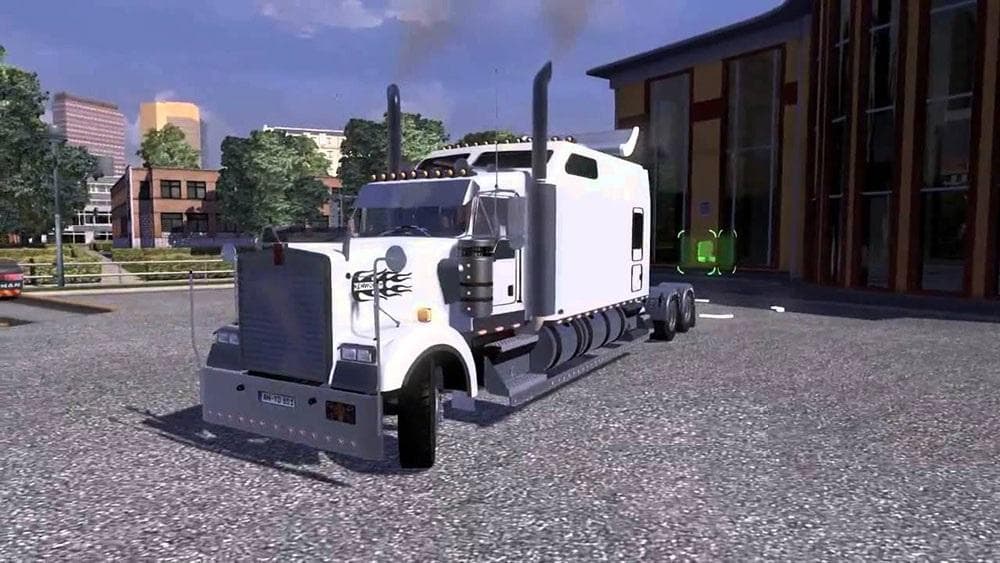
The KENWORTH W900 LONG mod version 2.0 for ETS2 offers improved compatibility with all game versions, fixes GPS view issues, removes speed limits, and addresses
The KENWOTH W900 LONG mod brings a detailed parts package for the iconic Kenworth W900 truck model in Euro Truck Simulator 2. This type of mod focuses on adding or enhancing accessories and customization options available in the truck shop, allowing players to personalize their rigs with specific parts suited for this classic American truck.
Parts mods like this one typically include additions such as bull bars, lighting upgrades, exhaust pipes, mirrors, and interior decorations. These enhancements are installed through the truck customization menu and can significantly change the visual profile of your vehicle. The mod's update notes mention fixes for mirror issues and interior details, which suggests improvements in both external and internal aesthetics.
When used within a modded setup, parts mods usually work well alongside paint jobs and map expansions without much conflict. However, load order matters since parts mods should generally be placed after core gameplay mods but before skin or paint mods to ensure textures and models display correctly. Compatibility can vary depending on other truck-specific modifications present in your profile.
This mod caters to players who want to replicate the classic long-nose Kenworth W900 with accurate accessories that reflect its rugged style. It's ideal for those who enjoy detailed truck tuning and prefer American trucks with distinctive looks on their ETS2 journeys across various regions such as Texas or California.
Given that this mod supports multiple ETS2 versions and addresses GPS view problems along with removing speed limits, it offers practical benefits beyond aesthetics. Truckers aiming for an authentic driving experience combined with extensive customization will find it a solid addition to their garage.
How to install
1. Download the file(s) from the original source linked above. 2. Drop them into `Documents/Euro Truck Simulator 2/mod/`. 3. Enable in Mod Manager and restart the game.
After the mod loads, save your game inside a safe area (parking lot or service) before deciding whether to keep it. If the game refuses to load with the mod enabled, check that all required DLCs are installed and that the supported ETS2 version chips on this page include your installed game patch.
Reviews
No ratings yetNo reviews yet — be the first to rate this mod.