Jurassic World Combo Pack
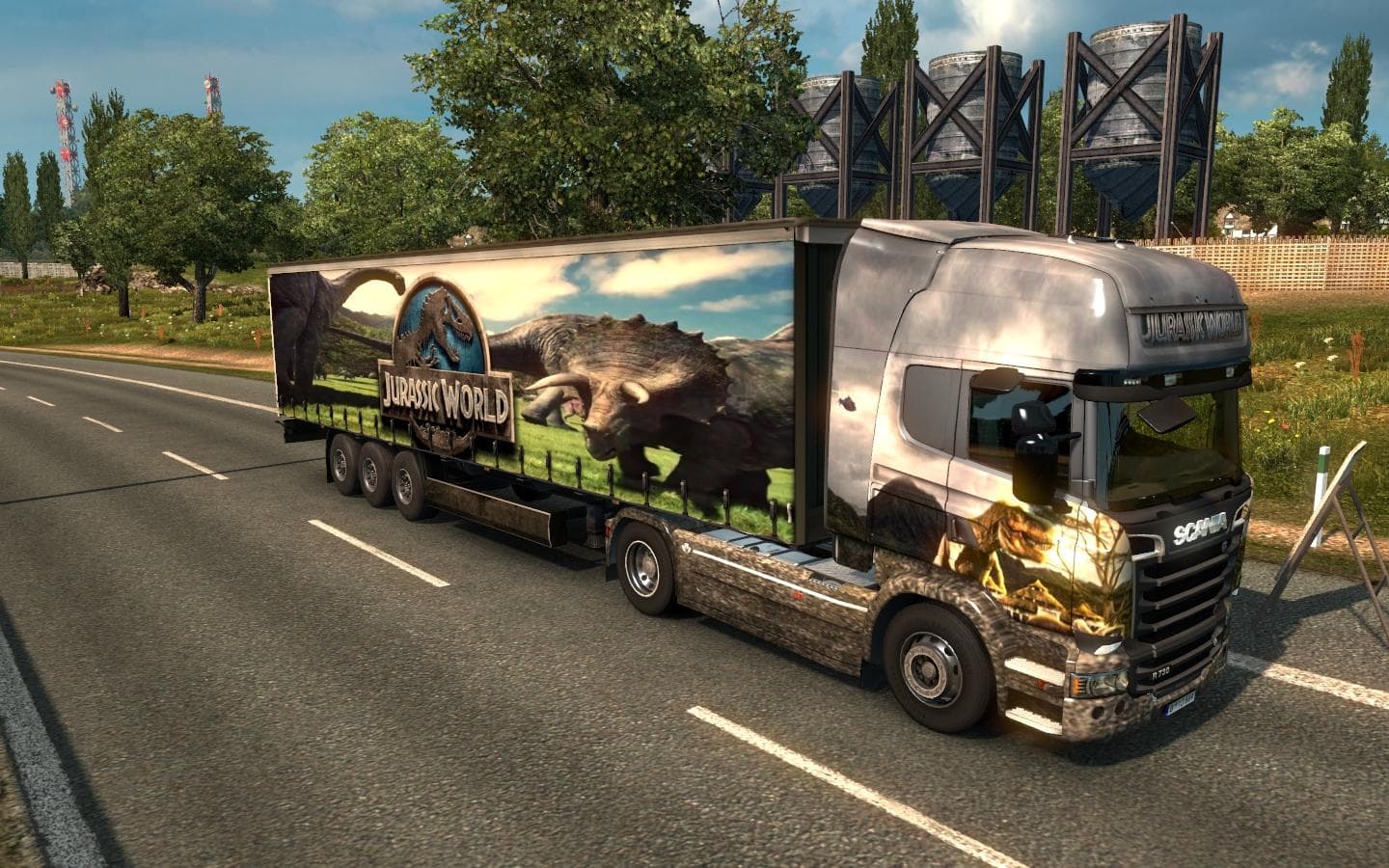
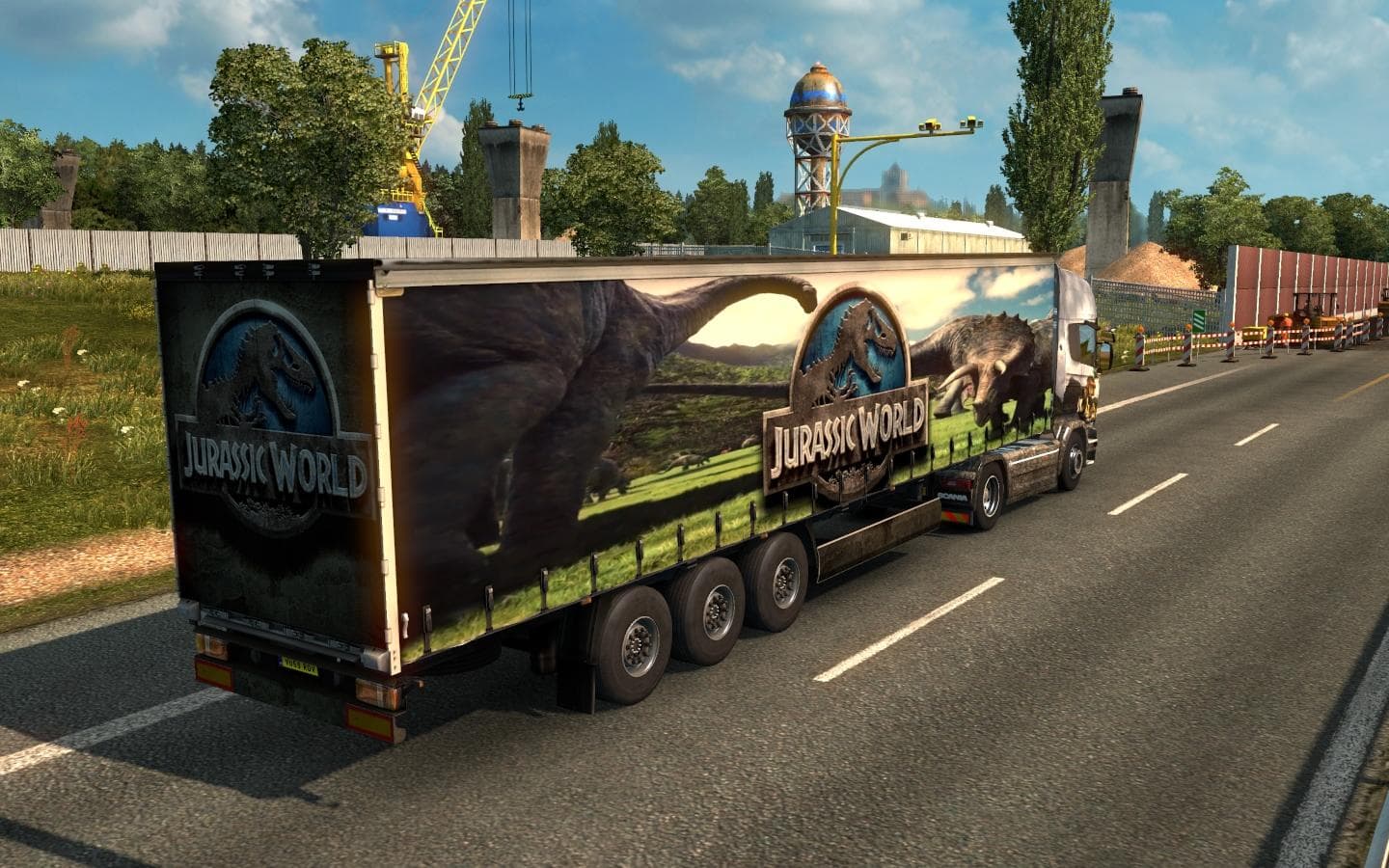
Jurassic World Combo Pack offers a truck and trailer combo with a standalone trailer that appears in traffic. The mod includes a skin for Scania Streamline topl
The Jurassic World Combo Pack is a skin mod designed for the Scania Streamline Topline truck and includes a matching trailer with a Jurassic World theme. This type of mod changes the visual appearance of existing trucks and trailers in Euro Truck Simulator 2 without altering their models, offering players a fresh look while keeping gameplay mechanics intact. The trailer included in this pack is standalone, which means it can also appear in traffic independently of the player’s vehicle, adding to immersion on the roads.
Skin mods like this one are applied through the paint shop inside ETS2. They require the base vehicle they were created for—in this case, the Scania Streamline Topline—so it’s essential to have that truck available for the skin to work properly. Because these mods only affect textures, they usually don't conflict much with other types of modifications, but load order can matter if you have multiple skins installed for the same vehicle.
In terms of fitting into a modded setup, skins like this can be layered with other compatible mods as long as they target different parts or vehicles. Since both files need to be placed in the game’s mod folder, players should ensure they're activated correctly in the mod manager. It’s wise to keep an eye on any updates to your base game or truck model that might impact skin compatibility over time.
This combo pack is suited for those who enjoy customizing their trucking experience with themed visuals and want their rigs to stand out on virtual highways. Fans of Jurassic World or those looking to add some variety to their fleet will appreciate having both truck and trailer matched up visually.
Because details like supported versions and file size aren’t specified, players should take usual precautions when installing by backing up game files and verifying compatibility with their current setup before use.
How to install
1. Download the .scs file. 2. Drop it into `Documents/Euro Truck Simulator 2/mod/`. 3. Enable in Mod Manager. 4. Apply the skin in the truck/trailer paint shop.
After the mod loads, save your game inside a safe area (parking lot or service) before deciding whether to keep it. If the game refuses to load with the mod enabled, check that all required DLCs are installed and that the supported ETS2 version chips on this page include your installed game patch.
Reviews
No ratings yetNo reviews yet — be the first to rate this mod.