JBK COMBO NORDSEE FISCH
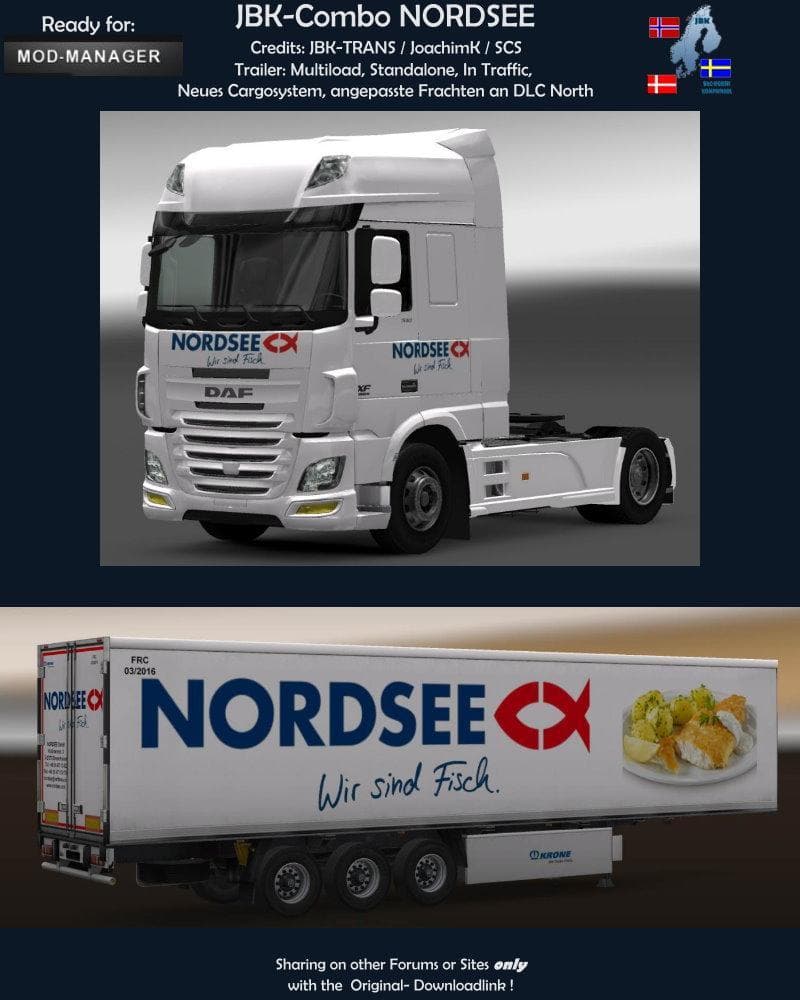
The JBK COMBO NORDSEE FISCH mod introduces a new trailer option to Euro Truck Simulator 2, expanding the variety of haulable trailers available in the game. Trailer mods like this one typically add unique trailer bodies or cargo types that players can own and find in the cargo selection menu or at trailer dealers. This particular mod has been tested on ETS2 versions 1.0 through 1.20, making it compatible with a range of game updates and expansions.
Trailer mods enhance gameplay by offering fresh hauling experiences and sometimes support features like multiload or integration with traffic systems. The JBK COMBO NORDSEE FISCH works as a standalone addition but also fits well into modded setups that include map DLCs and other cargo system enhancements. Since it’s compatible with ModManager, installation and activation are straightforward for users familiar with typical mod loading processes.
When using multiple trailer mods, it's wise to pay attention to load order to avoid conflicts; generally, standalone trailers like this one should be placed after map mods but before any overhaul packs that might affect cargo behavior. Compatibility with all maps and DLC means it won’t interfere with the core game or popular expansions, which is convenient if you run a large collection of mods.
This trailer mod will appeal to players who enjoy diversifying their fleet with different types of trailers and cargos. If you’re running a heavily modded profile featuring various European maps or specific DLCs like those from Denmark or the Netherlands, this mod adds an extra layer of variety without complicating your setup.
Overall, JBK COMBO NORDSEE FISCH is suited for truckers who want more hauling options while keeping things simple and compatible across different ETS2 versions and map expansions.
How to install
1. Download the .scs file. 2. Drop it into `Documents/Euro Truck Simulator 2/mod/`. 3. Enable in Mod Manager. 4. Trailer should appear in cargo selection or trailer dealer depending on the mod's design.
After the mod loads, save your game inside a safe area (parking lot or service) before deciding whether to keep it. If the game refuses to load with the mod enabled, check that all required DLCs are installed and that the supported ETS2 version chips on this page include your installed game patch.
Reviews
No ratings yetNo reviews yet — be the first to rate this mod.





