IVECO STRATOR POWERHOUSE SKIN
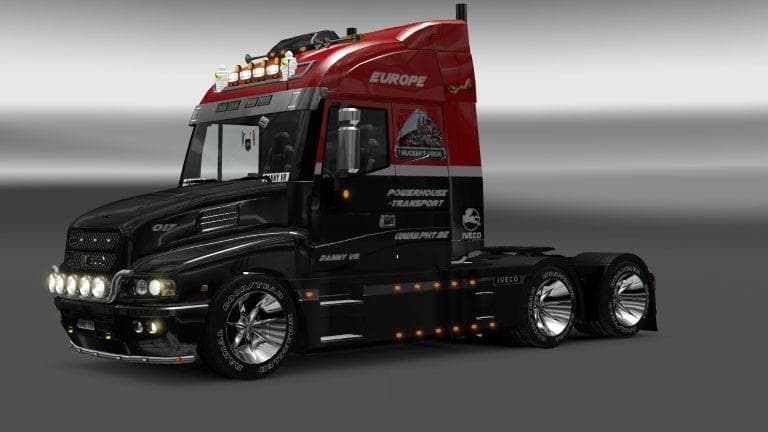
This mod is a skin for the Iveco Strator truck in ETS2, created by Euro Truck Simulator 2. The skin is based on the template of the Iveco Strator v2.0 and is a
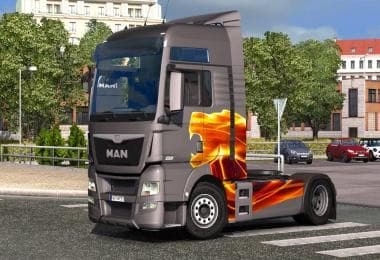
The IVECO STRATOR POWERHOUSE SKIN is a repaint mod designed specifically for the Iveco Strator truck model in Euro Truck Simulator 2. Rather than altering the truck's shape or performance, this mod changes its exterior appearance, giving players a fresh look without affecting gameplay mechanics. Skin mods like this one are applied in the paint shop and require the corresponding base vehicle—in this case, the Iveco Strator v2.0—to function correctly.
In ETS2, skin mods allow players to personalize their trucks with different colors, designs, or themes. They don’t add new vehicles or parts but simply reskin existing models to offer visual variety. This kind of modification fits well within a modded setup that already includes the base truck model it was made for. As long as the original Iveco Strator is installed, applying this skin should be straightforward.
When integrating skins into your collection of mods, it's useful to pay attention to load order so that skins override default textures without conflict. Since this is a cosmetic change only, it generally won’t clash with map or gameplay mods but might compete visually if multiple skins target the same truck and are loaded simultaneously.
This particular skin would appeal to players who enjoy customizing their trucks and want to give their Iveco Strator a distinctive look. If you’re running an Iveco-focused fleet or just appreciate more options for personalizing your rig’s exterior, adding new skins can refresh your driving experience.
Overall, skin mods like IVECO STRATOR POWERHOUSE SKIN provide a simple way to change up appearances without complicated installs or compatibility issues common in larger mods. They’re great for those who want to tweak aesthetics while keeping things light on resources.
How to install
1. Download the .scs file. 2. Drop it into `Documents/Euro Truck Simulator 2/mod/`. 3. Enable in Mod Manager. 4. Apply the skin in the truck/trailer paint shop.
After the mod loads, save your game inside a safe area (parking lot or service) before deciding whether to keep it. If the game refuses to load with the mod enabled, check that all required DLCs are installed and that the supported ETS2 version chips on this page include your installed game patch.
Reviews
No ratings yetNo reviews yet — be the first to rate this mod.