INVISIBLE RECRUITMENT AGENCY ICON
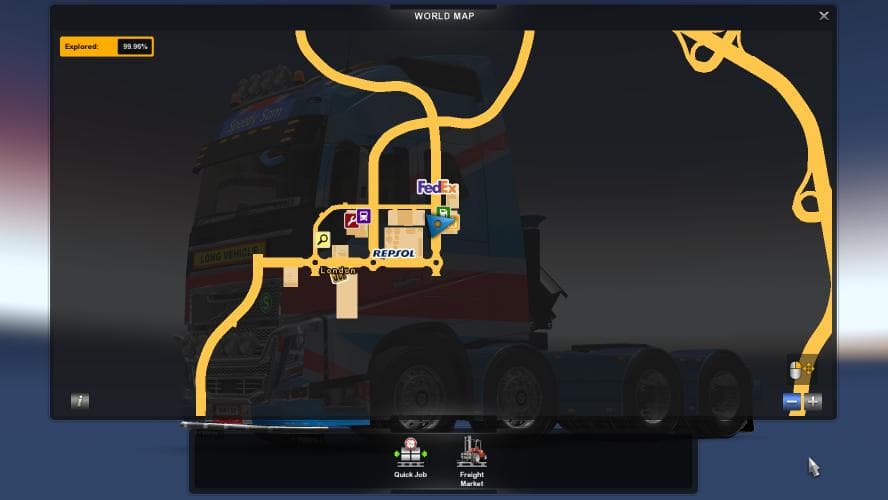
The "INVISIBLE RECRUITMENT AGENCY ICON" mod aims to help players achieve 100% map exploration in ETS2 by addressing missing locations. Details such as category,
The INVISIBLE RECRUITMENT AGENCY ICON mod changes the visual aspect of the recruitment agency icon in Euro Truck Simulator 2, making it invisible on the map. This type of modification can be useful for players who want a cleaner or less cluttered map interface without removing functionality.
Map mods generally alter or add to the drivable world, often introducing new areas or improving navigation elements. Although this mod doesn't add new roads or cities, it still falls under the map category as it affects map icons and how they appear during gameplay.
When integrating mods like this into a heavily modded setup, it's worth noting that map-related files are sensitive to load order. Players typically need to ensure that their chosen base maps and DLCs are compatible with any icon or display changes to avoid conflicts.
Invisible icons may help players focused on exploration percentages by removing distractions or misleading symbols that could interfere with tracking progress accurately. For those aiming to achieve full map exploration without confusion, this subtle tweak can make a difference.
This mod is suited for ETS2 drivers who prefer minimalistic HUD elements and want to customize their map view beyond what's available in default settings. It’s especially appealing if you’ve got several map expansions installed and want to keep your display clear without losing access to recruitment features.
How to install
1. Download every .scs file from the source page (map mods often ship multiple files). 2. Copy all files to `Documents/Euro Truck Simulator 2/mod/`. 3. Enable each file in Mod Manager **in the order documented by the modder**. Load order matters for maps. 4. Start a new save or use an existing save that already supports the map's base regions.
After the mod loads, save your game inside a safe area (parking lot or service) before deciding whether to keep it. If the game refuses to load with the mod enabled, check that all required DLCs are installed and that the supported ETS2 version chips on this page include your installed game patch.
Known conflicts
No conflicts reported for this mod yet. Running a big mod list? Check your whole setup for conflicts →
Reviews
No ratings yetNo reviews yet — be the first to rate this mod.





