Hybrid Plus 1-2 Road Connector v2 1.60
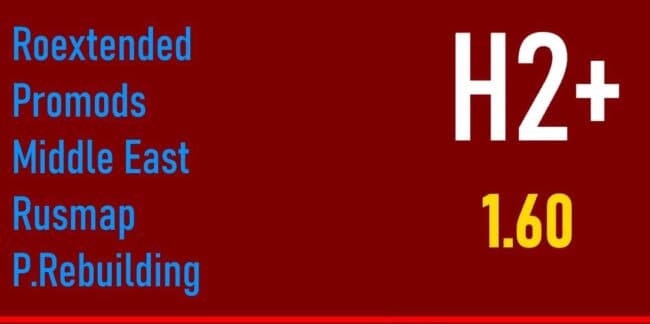
Hybrid Plus 1-2 Road Connector v2 1.60 is an ETS2 maps. Listed compatible with ETS2 1.60.
Hybrid Plus 1-2 Road Connector v2 1.60 is a map mod designed for Euro Truck Simulator 2 version 1.60, created by ets2mods. This mod focuses on connecting various popular map expansions such as Roextended, Rusmap, Promods, and Poland Rebuilding, enabling smoother transitions between these large-scale map packs. It acts as a bridge to unify different regions and roads from multiple mods into one cohesive driving experience.
Map mods like this one expand or alter the drivable world in ETS2 by adding new roads, cities, or regions. They typically come as .scs files and require careful attention to load order because overlapping content can cause conflicts or visual glitches. Hybrid Plus 1-2 Road Connector fits into setups where players run several extensive map mods simultaneously and want better connectivity between them without switching profiles or encountering dead ends.
When integrating this connector mod into a heavily modded setup, it's important to place it correctly in the mod manager’s load order—usually after the major map mods it links but before any other complementary enhancements. Some connectors also need specific base-map DLCs installed to function properly. Users should ensure compatibility with their existing collection of maps like Promods or Rusmap to avoid errors or missing roads.
This type of mod is especially useful for players who enjoy exploring vast areas covered by multiple map expansions but dislike the jarring breaks or loading screens when moving between them. It smooths out the driving routes and provides a more natural flow across European landscapes covered by popular mods.
Overall, if you're running a diverse array of map mods such as Roextended and Poland Rebuilding alongside Promods or Rusmap, this road connector will help unify those worlds into a single network of routes. It’s well suited for experienced ETS2 players who want an expanded and interconnected map setup without needing separate profiles for each region.
How to install
1. Download every .scs file from the source page (map mods often ship multiple files). 2. Copy all files to `Documents/Euro Truck Simulator 2/mod/`. 3. Enable each file in Mod Manager **in the order documented by the modder**. Load order matters for maps. 4. Start a new save or use an existing save that already supports the map's base regions.
After the mod loads, save your game inside a safe area (parking lot or service) before deciding whether to keep it. If the game refuses to load with the mod enabled, check that all required DLCs are installed and that the supported ETS2 version chips on this page include your installed game patch.
Known conflicts
No conflicts reported for this mod yet. Running a big mod list? Check your whole setup for conflicts →
Reviews
No ratings yetNo reviews yet — be the first to rate this mod.





