HALLOOWEHN V1.0
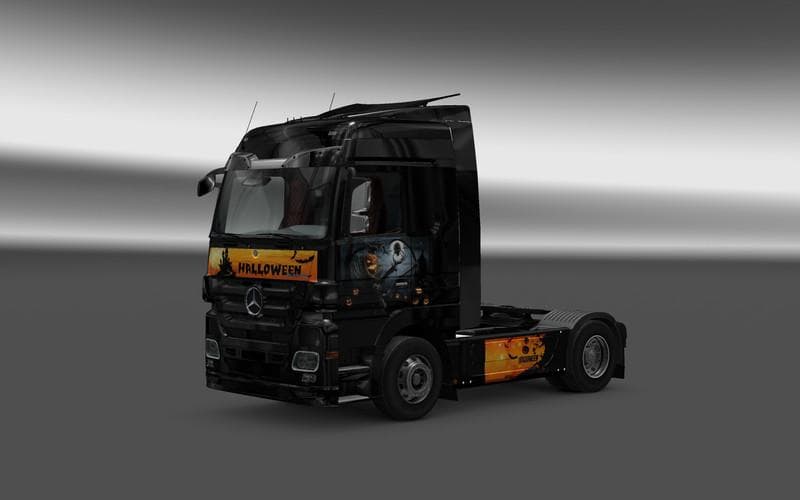
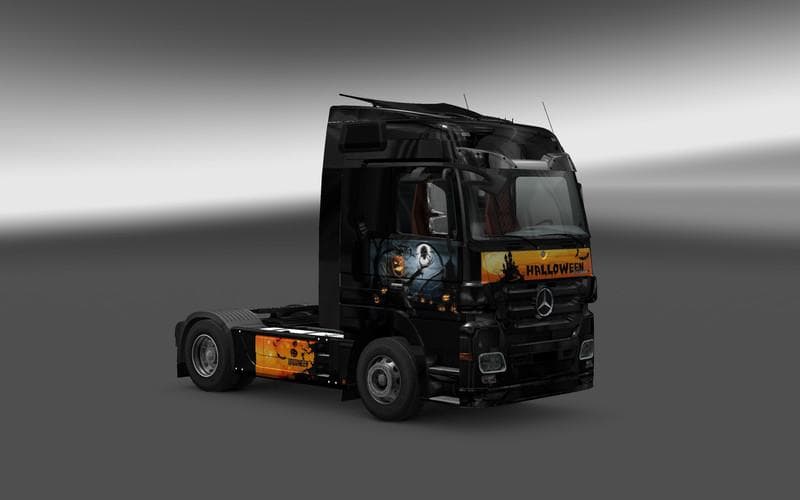
The HALLOOWEHN mod is a skins mod created by Euro truck simulator 2, version 1.0. It is the creator's first mod and includes a Halloween-themed skin for the Mer
HALLOOWEHN V1.0 is a skin mod designed for Euro Truck Simulator 2 that gives your truck a fresh visual makeover. This type of mod doesn't alter the truck's structure or performance but changes its exterior paint, allowing you to customize your vehicle's appearance in the paint shop. Since it's a repaint, it relies on the base model it was created for—in this case, likely tailored to a specific Mercedes Actros variant.
Skin mods like HALLOOWEHN typically fit well into modded setups because they don’t conflict with gameplay mechanics or physics. They simply swap out textures and colors, so they usually load smoothly alongside other mods such as map expansions or trailer packs. However, load order can matter if multiple skins target the same truck model; generally, the last skin loaded will take effect.
Because this mod supports ETS2 version 1.0, it’s intended for use with earlier game versions. Compatibility with newer versions isn’t specified, so users running more recent updates might need to check for issues or updates before installing.
Players who enjoy personalizing their trucks and want something different from the standard factory looks will find this skin appealing. It adds variety without requiring changes to driving or cargo features, making it a simple way to refresh your trucking experience visually.
Installing skin mods like HALLOOWEHN usually involves placing files into the mod folder and activating them in the game's mod manager. Since it's a first release from its creator, users may want to back up their profiles just in case of unexpected behavior.
Overall, if you’re looking to give your Mercedes Actros a new coat of paint reflective of seasonal or thematic styles without altering gameplay dynamics, this skin fits right into that niche.
How to install
1. Download the .scs file. 2. Drop it into `Documents/Euro Truck Simulator 2/mod/`. 3. Enable in Mod Manager. 4. Apply the skin in the truck/trailer paint shop.
After the mod loads, save your game inside a safe area (parking lot or service) before deciding whether to keep it. If the game refuses to load with the mod enabled, check that all required DLCs are installed and that the supported ETS2 version chips on this page include your installed game patch.
Reviews
No ratings yetNo reviews yet — be the first to rate this mod.