GOOGLE MAPS TERRAIN MAP BY GIBANICA
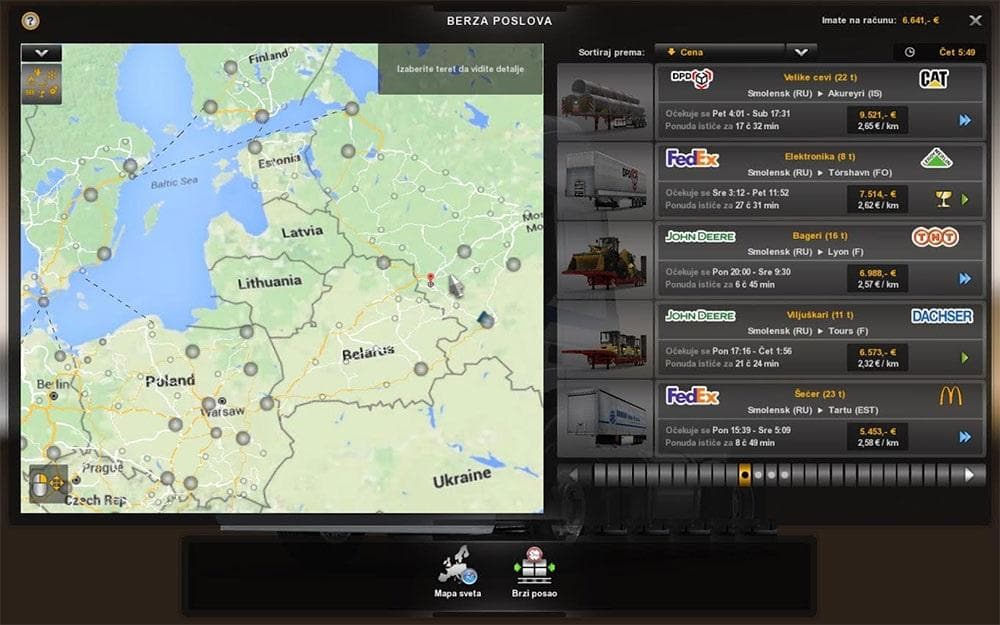
GOOGLE MAPS TERRAIN MAP BY GIBANICA is an ETS2 maps.
The Google Maps Terrain Map by Gibanica offers a different visual take for Euro Truck Simulator 2 by replacing the usual map background with terrain textures inspired by Google Maps. This mod adds a layer of geographical detail including country borders and capital cities, giving the in-game map a more realistic feel that some players might find useful or visually appealing.
Map mods like this one change how the world is presented on your GPS and main map screens, but they don't add new drivable areas or roads. Instead, they focus on enhancing the background graphics, making navigation and location awareness clearer or just more interesting to look at during long hauls.
When adding mods from the map category, it's crucial to pay attention to load order because some require specific base maps or DLCs to function correctly. Also, certain map backgrounds might conflict with other map-related mods, so testing them together in a new profile can help avoid issues. Since details about compatibility or required ETS2 versions are unknown here, proceed cautiously if you run other extensive map modifications.
Players who spend time exploring in ETS2 or those who prefer their GPS interface with more real-world context might appreciate this terrain-based overlay. It's especially relevant if you want a straightforward way to see countries and capitals without installing fully fledged map expansions that increase driving regions.
While it doesn't alter gameplay mechanics directly, using this type of mod can complement larger modded setups by improving the clarity of your navigation tools. It fits well for anyone looking to tweak the aesthetics of their in-game mapping experience without impacting routes or traffic.
How to install
1. Download every .scs file from the source page (map mods often ship multiple files). 2. Copy all files to `Documents/Euro Truck Simulator 2/mod/`. 3. Enable each file in Mod Manager **in the order documented by the modder**. Load order matters for maps. 4. Start a new save or use an existing save that already supports the map's base regions.
After the mod loads, save your game inside a safe area (parking lot or service) before deciding whether to keep it. If the game refuses to load with the mod enabled, check that all required DLCs are installed and that the supported ETS2 version chips on this page include your installed game patch.
Known conflicts
No conflicts reported for this mod yet. Running a big mod list? Check your whole setup for conflicts →
Reviews
No ratings yetNo reviews yet — be the first to rate this mod.





