GAME LOGOS FOR CABIN ACCESSORIES DLC 1.21.X
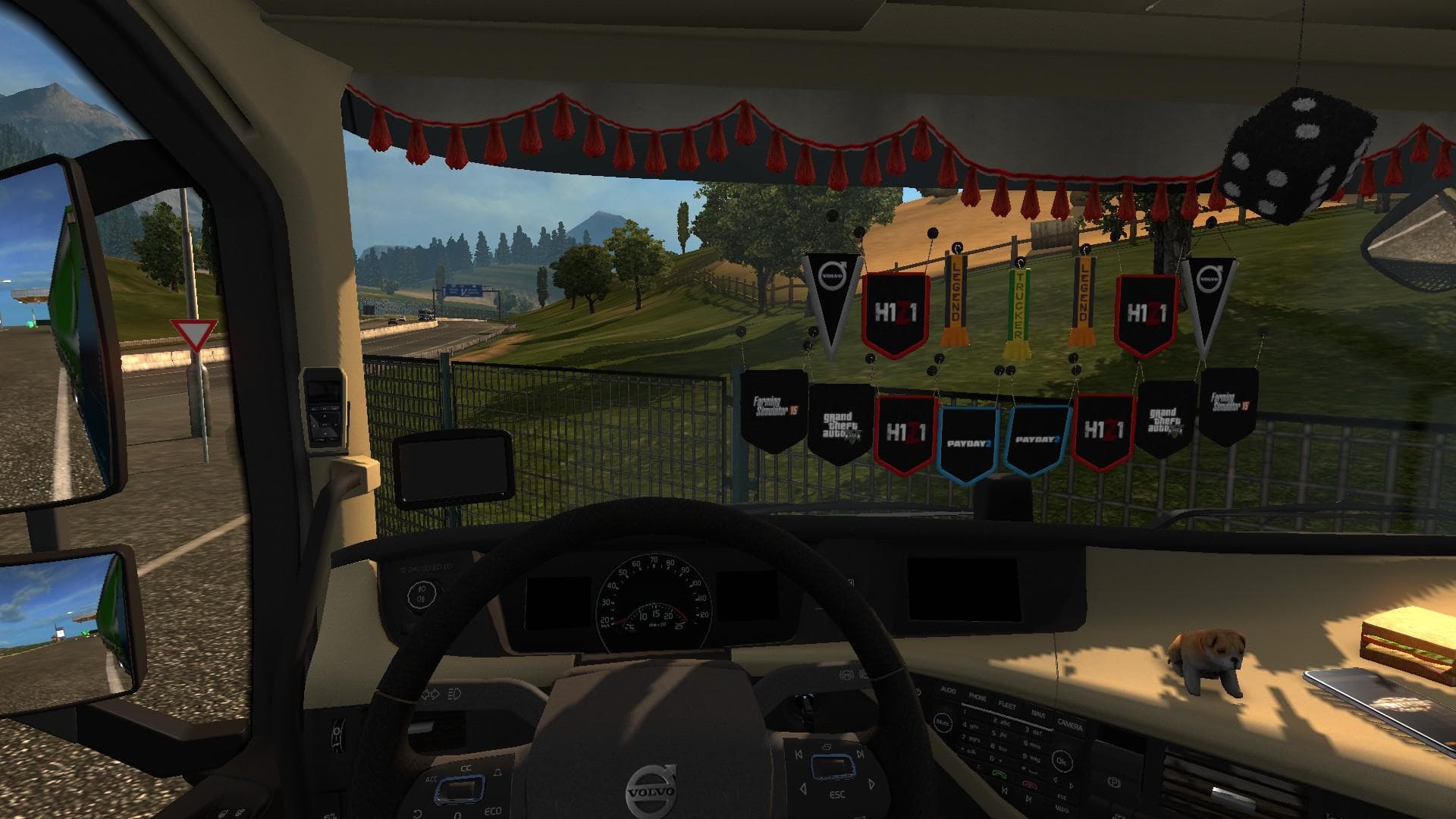
This skins mod for ETS2 version 1.21 adds game logos to cabin accessories, requiring the Cabin Accessories DLC. Created by Euro Truck Simulator 2, the mod credi
This mod introduces game logos onto various accessories available in the Cabin Accessories DLC for Euro Truck Simulator 2. It specifically requires that DLC to function, as it modifies the visual elements attached to your truck's cabin rather than the truck model itself. The version supports ETS2 1.21, so it's designed with compatibility for that update in mind.
Skin mods like this one work by repainting or adding textures to existing truck parts without altering their physical structure. In this case, the addition of logos on cabin accessories gives your vehicle a personalized look that stands out during your drives. These kinds of mods are applied through the paint shop interface and rely on having the base items installed first.
When setting up a modded environment, this skin mod fits nicely alongside other cosmetic enhancements or cabin customizations. Since it targets specific accessories from the Cabin Accessories DLC, it should be loaded after that DLC's files but generally won't conflict with unrelated mods. Users should keep their load order clean to avoid texture overrides or glitches common with overlapping skins.
Players who enjoy tweaking their trucks' appearance beyond just colors might find this mod appealing. It adds subtle branding details that can complement themed setups or roleplay scenarios without changing gameplay mechanics. Anyone running version 1.21 of ETS2 and owning the required DLC will be able to install it straightforwardly.
Given its focus on accessory skins, this mod is a good choice for those who like detailed customization options without heavy modifications. It's an easy way to add some flavor to your cabin's look using existing game assets enhanced with new decals.
How to install
1. Download the .scs file. 2. Drop it into `Documents/Euro Truck Simulator 2/mod/`. 3. Enable in Mod Manager. 4. Apply the skin in the truck/trailer paint shop.
After the mod loads, save your game inside a safe area (parking lot or service) before deciding whether to keep it. If the game refuses to load with the mod enabled, check that all required DLCs are installed and that the supported ETS2 version chips on this page include your installed game patch.
Reviews
No ratings yetNo reviews yet — be the first to rate this mod.





