FROSTY WINTER WEATHER MOD
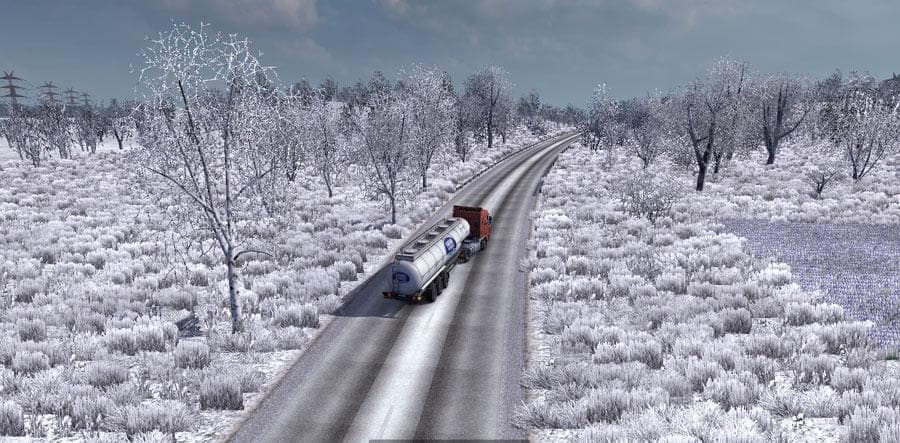
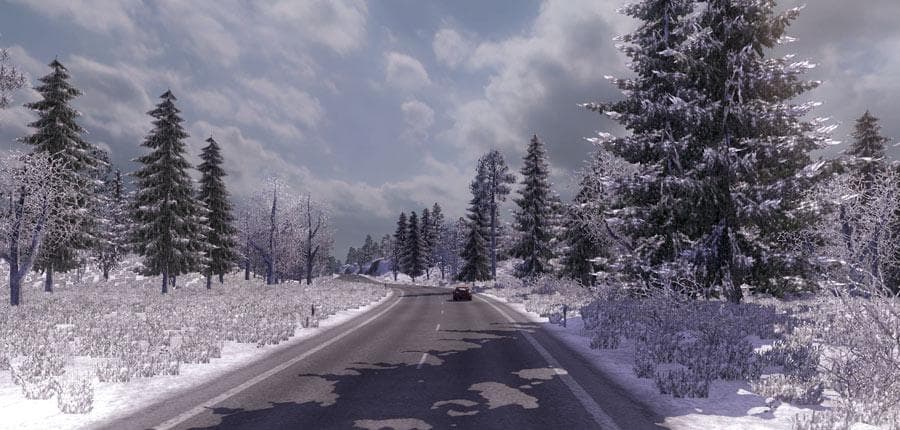
FROSTY WINTER WEATHER MOD - ETS2 mods download is an ETS2 maps.
The Frosty Winter Weather Mod brings a seasonal twist to Euro Truck Simulator 2 by simulating winter conditions. It modifies the game’s environment to include snow, sleet, and winter lighting effects, giving roads and landscapes a frosty appearance. This type of mod typically enhances immersion during colder months within the game world, making driving feel different due to changed visuals and weather patterns.
Map mods like this one usually come as .scs files that alter or expand the drivable areas or atmospheric conditions in ETS2. While this mod focuses on weather rather than new roads or cities, it still fits into the map category since it changes how parts of the map look and behave under winter conditions. Players often load these mods alongside others but should be mindful of their position in the load order for smooth performance.
Because map mods can sometimes conflict with each other or require specific base-map DLCs, it’s advisable to check compatibility before using them together. Winter weather mods might also impact visibility and road handling in the game, so pairing them with related environmental or graphics enhancements can create a more cohesive experience. Starting a fresh profile may sometimes help avoid issues with existing save data when using extensive map alterations.
Drivers who enjoy changing up their ETS2 experience with seasonal themes will find this mod appealing. It suits those looking for a more challenging or atmospheric drive through snowy routes without completely overhauling the map layout. Whether you prefer trucking across familiar territories like Germany or Sweden, adding winter weather effects can refresh your usual runs.
Overall, Frosty Winter Weather Mod offers a way to immerse yourself in colder climates by introducing authentic snow and sleet effects along with adjusted lighting. If you like your virtual trucking environment to reflect seasonal changes without drastic map expansions, this mod could fit neatly into your setup.
How to install
1. Download every .scs file from the source page (map mods often ship multiple files). 2. Copy all files to `Documents/Euro Truck Simulator 2/mod/`. 3. Enable each file in Mod Manager **in the order documented by the modder**. Load order matters for maps. 4. Start a new save or use an existing save that already supports the map's base regions.
After the mod loads, save your game inside a safe area (parking lot or service) before deciding whether to keep it. If the game refuses to load with the mod enabled, check that all required DLCs are installed and that the supported ETS2 version chips on this page include your installed game patch.
Known conflicts
No conflicts reported for this mod yet. Running a big mod list? Check your whole setup for conflicts →
Reviews
No ratings yetNo reviews yet — be the first to rate this mod.





