FROSTY WINTER WEATHER MOD V5.4
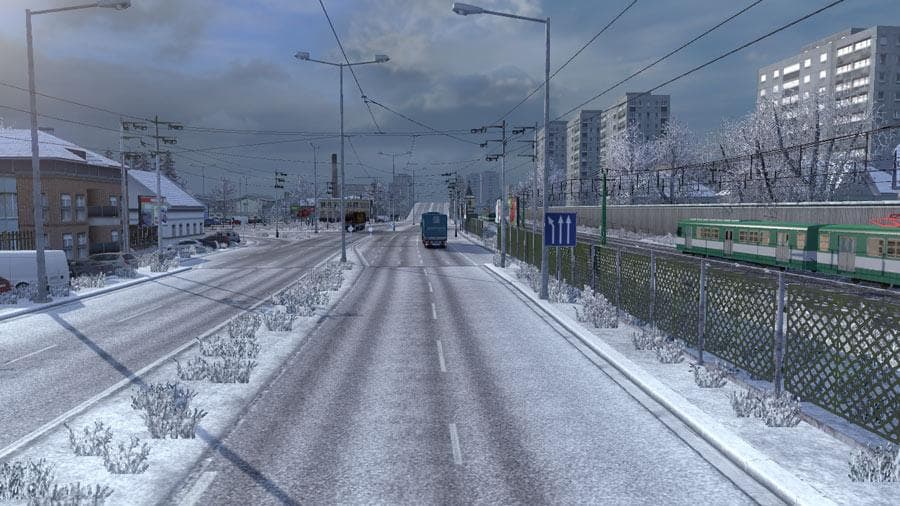
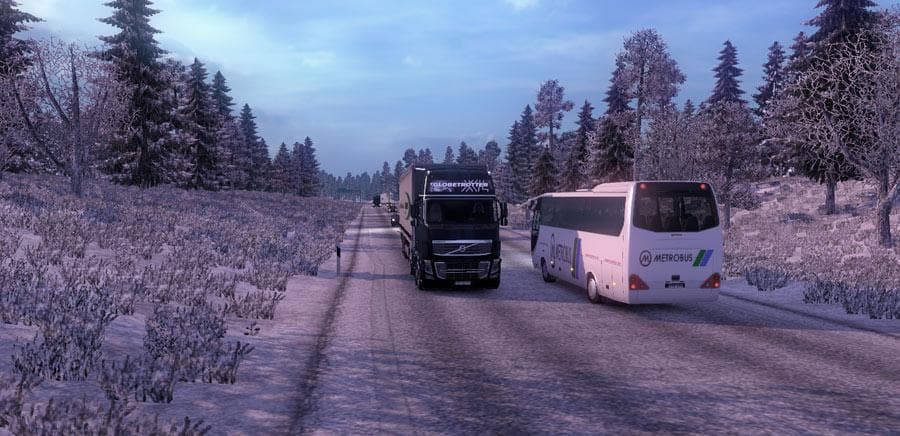
FROSTY WINTER WEATHER is a map mod for ETS2 that simulates winter conditions with features like snow/sleet instead of rain, winter lighting, and early morning f
FROSTY WINTER WEATHER MOD V5.4 brings a seasonal twist to Euro Truck Simulator 2 by introducing winter weather effects into the game. It changes typical rain to snow and sleet, adjusts lighting to reflect shorter daylight hours, and adds early morning fog for a chillier atmosphere. These kinds of mods enhance immersion by simulating cold climates without altering the map layout itself.
Map mods like this one generally focus on expanding or modifying the drivable world, but winter weather mods alter environmental conditions across existing maps. They come as .scs files that must be loaded in the correct order alongside other mods. Sometimes they require a fresh profile or compatibility with base-map DLCs to work properly.
When adding a winter weather mod to your setup, it’s wise to consider load order carefully since conflicts can arise with other visual or weather-related mods. Usually, these mods don’t interfere with map expansions but might clash with other weather effect packs if loaded improperly.
Players who want their trucking experience to reflect seasonal changes will find this mod useful. It’s especially appealing for those who enjoy driving through regions known for snowy winters such as northern Europe or northern US states where snow is common in reality.
This type of mod fits well within a modded ETS2 environment that already includes map expansions and realistic graphics enhancements. It provides an extra layer of atmosphere without changing routes or road designs, focusing purely on environmental immersion.
Overall, FROSTY WINTER WEATHER MOD V5.4 suits anyone looking to add some winter moodiness to their drives without swapping out maps or drastically altering gameplay mechanics.
How to install
1. Download every .scs file from the source page (map mods often ship multiple files). 2. Copy all files to `Documents/Euro Truck Simulator 2/mod/`. 3. Enable each file in Mod Manager **in the order documented by the modder**. Load order matters for maps. 4. Start a new save or use an existing save that already supports the map's base regions.
After the mod loads, save your game inside a safe area (parking lot or service) before deciding whether to keep it. If the game refuses to load with the mod enabled, check that all required DLCs are installed and that the supported ETS2 version chips on this page include your installed game patch.
Known conflicts
No conflicts reported for this mod yet. Running a big mod list? Check your whole setup for conflicts →
Reviews
No ratings yetNo reviews yet — be the first to rate this mod.





