FREIGHTLINER ARGOSY UPDATE
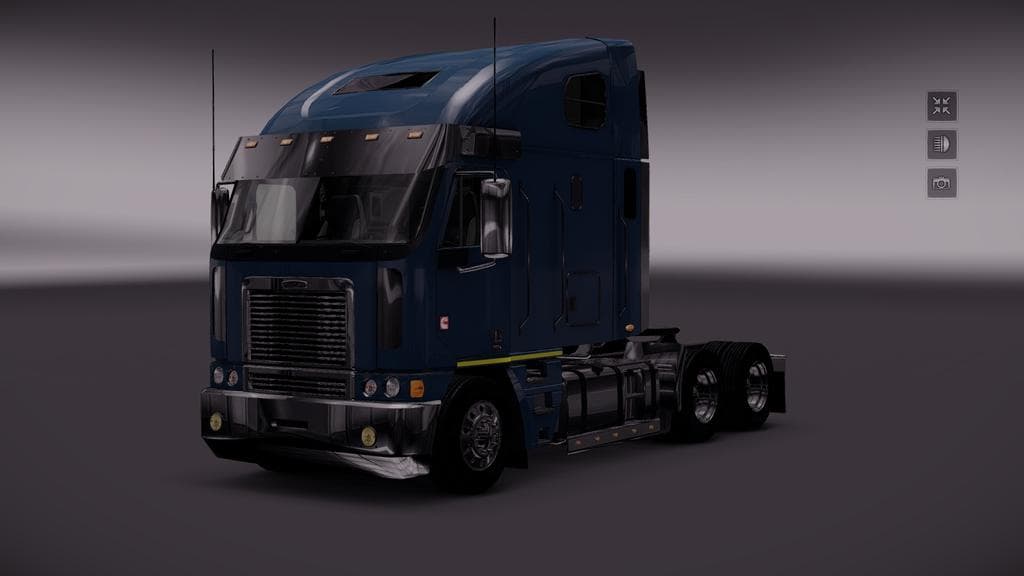
The FREIGHTLINER ARGOSY UPDATE mod brings the iconic Freightliner Argosy truck to Euro Truck Simulator 2, refreshed for compatibility with version 1.20. This type of mod adds a new truck model that players can buy from dealers in-game, complete with its own interior, engine options, and paint slots. Mods like this expand the variety of vehicles available beyond the base game trucks, letting you drive something different on your virtual routes.
Truck mods typically come with their own sound sets and visual upgrades to enhance immersion. In this update, metallic paint finishes and new sound effects have been included, improving the overall experience when driving the Argosy. These touches help the truck stand out compared to standard models while fitting neatly into a modded setup alongside other custom vehicles or map expansions.
When using multiple truck mods, it's wise to pay attention to load order since conflicts can arise if two mods try to modify similar files. Generally, placing updated truck mods like this one higher in your mod manager ensures they override older versions or conflicting assets. This keeps your garage organized and prevents issues when purchasing or customizing your trucks.
This mod is well-suited for players who appreciate classic American-style trucks and want more variety in their fleet. It's also a good pick for those running several vehicle mods looking to maintain compatibility with ETS2's 1.20 update. Anyone interested in expanding their collection with distinct cabs will find this Freightliner offering worth trying out.
Since it adds a fully drivable cab with unique features, it fits naturally into a comprehensive modded experience where trucks are as important as maps or cargo types. Just be sure your ETS2 version matches what's supported here to avoid any glitches or crashes during gameplay.
How to install
1. Download the .scs file from the original source linked above. 2. Copy the file to `Documents/Euro Truck Simulator 2/mod/`. 3. Launch ETS2, open the Mod Manager from the main menu, enable the mod, restart the game. 4. Visit any truck dealer to spawn the new truck.
After the mod loads, save your game inside a safe area (parking lot or service) before deciding whether to keep it. If the game refuses to load with the mod enabled, check that all required DLCs are installed and that the supported ETS2 version chips on this page include your installed game patch.
Reviews
No ratings yetNo reviews yet — be the first to rate this mod.





![Fuso Supergreat Hi Cab Truck [1.50 – 1.60] – Trucks mod for Euro Truck Simulator 2](/_next/image?url=https%3A%2F%2F802software.s3.us-east-1.amazonaws.com%2Fets2modspot%2Fscreenshots%2F7494%2F0.jpg&w=3840&q=75)