FOGGY WEATHER V1.0
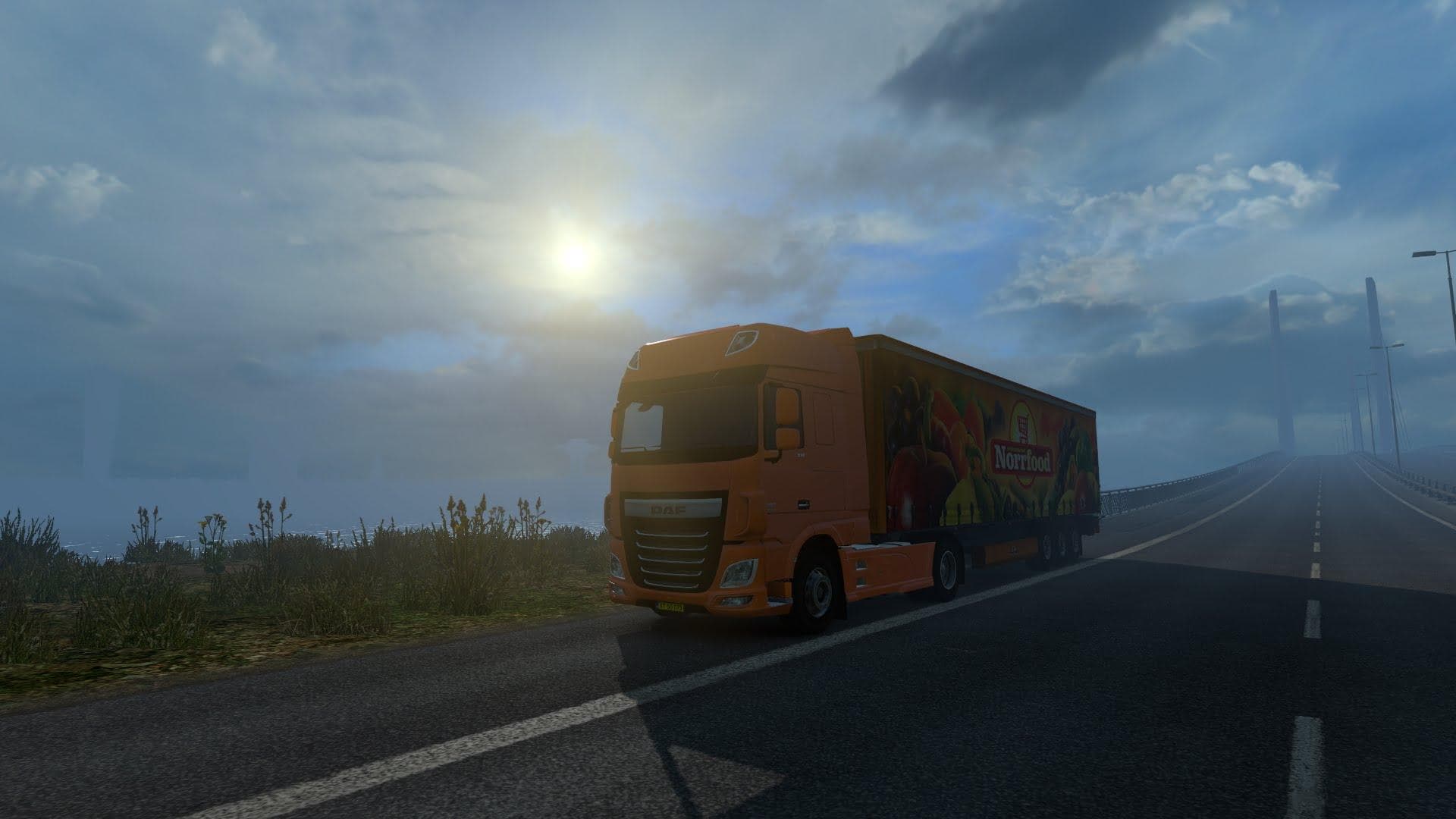
FOGGY WEATHER mod version 1.0 for ETS2 by Euro Truck Simulator 2 adds over 20 new variants of realistic fog for a unique driving experience.
FOGGY WEATHER V1.0 is a map mod designed to introduce realistic fog conditions into Euro Truck Simulator 2. Instead of changing roads or adding new cities, this mod focuses on enhancing the atmospheric effects players experience while driving, providing over twenty variations of fog to make the environment feel more immersive and challenging.
Map mods like this one usually come as .scs files and need to be placed in the mod folder. Since they can affect how the game renders weather and visibility, it's wise to check load order when using multiple map or weather-related mods. Some might require starting a fresh profile or ensuring compatibility with certain base map DLCs for smooth operation.
This fog-focused mod fits well in setups that aim for heightened realism or atmospheric diversity during gameplay. Players who prefer a more dynamic and sometimes unpredictable driving environment will find this mod adds a subtle but noticeable change to their routes across various ETS2 regions.
While the exact compatibility details aren't specified, users should keep an eye on how this mod interacts with other visual enhancements like weather or lighting mods. Proper load order can prevent conflicts that might otherwise degrade performance or cause visual glitches related to fog effects.
Drivers who enjoy the challenge of limited visibility conditions might appreciate what FOGGY WEATHER brings to their virtual trucking experience. It doesn't alter maps geographically but enriches the sensory aspect of long hauls, making familiar routes feel different under foggy skies.
How to install
1. Download every .scs file from the source page (map mods often ship multiple files). 2. Copy all files to `Documents/Euro Truck Simulator 2/mod/`. 3. Enable each file in Mod Manager **in the order documented by the modder**. Load order matters for maps. 4. Start a new save or use an existing save that already supports the map's base regions.
After the mod loads, save your game inside a safe area (parking lot or service) before deciding whether to keep it. If the game refuses to load with the mod enabled, check that all required DLCs are installed and that the supported ETS2 version chips on this page include your installed game patch.
Known conflicts
No conflicts reported for this mod yet. Running a big mod list? Check your whole setup for conflicts →
Reviews
No ratings yetNo reviews yet — be the first to rate this mod.





