FIXED WEATHER CHRISTMAS EDITION V2.2
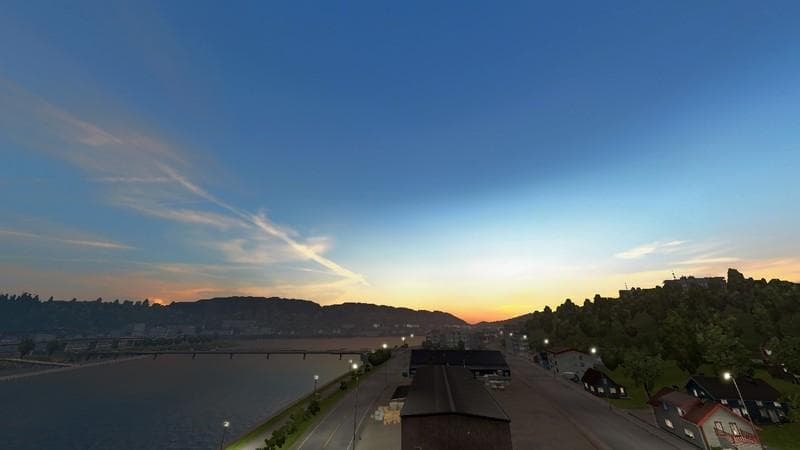
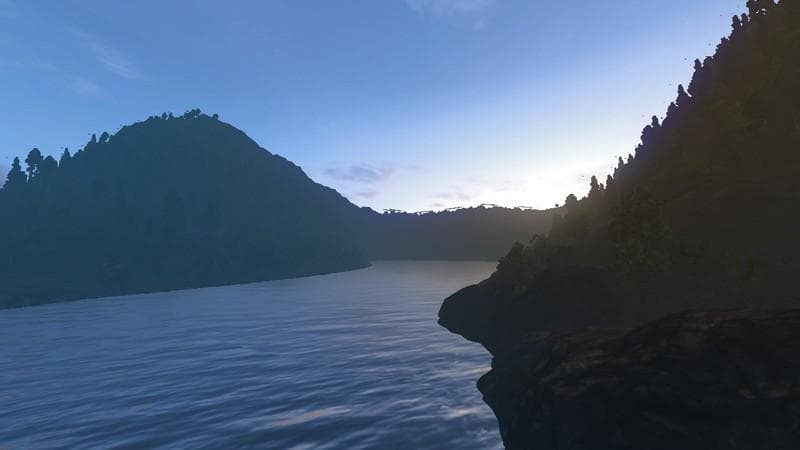
FIXED WEATHER CHRISTMAS EDITION is an ETS2 unknown.
FIXED WEATHER CHRISTMAS EDITION V2.2 is a map mod for Euro Truck Simulator 2 that adjusts the in-game weather conditions with a seasonal twist. It focuses on refining lighting and atmospheric effects to better reflect a mid-summer setting with darker nights and corrected fog. Mods like this typically come as .scs files and alter how the game's environment looks and feels while driving.
Map mods in ETS2 usually add or modify regions, roads, or cities, but some concentrate solely on visual atmosphere changes like weather and lighting. These kinds of mods can enhance immersion by tweaking natural elements without altering geography itself. Since this mod adjusts environmental aspects, it fits well alongside other map expansions or gameplay mods that don't conflict with weather settings.
Load order is an important consideration for map mods, as they often need to be placed correctly relative to base game files and other map-related additions. While specific compatibility details aren't provided here, it's generally advisable to test these kinds of weather-focused map mods separately or after major expansions to avoid conflicts. A fresh profile might sometimes help when installing new map content or extensive weather changes.
Players interested in more realistic or seasonally themed visuals during their long hauls could find this mod appealing. It offers subtle but noticeable improvements to sun lighting and night darkness that can enhance the driving experience without drastically changing the core game world. Those who enjoy customizing their ETS2 environment will appreciate having another option for environmental variety.
How to install
1. Download every .scs file from the source page (map mods often ship multiple files). 2. Copy all files to `Documents/Euro Truck Simulator 2/mod/`. 3. Enable each file in Mod Manager **in the order documented by the modder**. Load order matters for maps. 4. Start a new save or use an existing save that already supports the map's base regions.
After the mod loads, save your game inside a safe area (parking lot or service) before deciding whether to keep it. If the game refuses to load with the mod enabled, check that all required DLCs are installed and that the supported ETS2 version chips on this page include your installed game patch.
Known conflicts
No conflicts reported for this mod yet. Running a big mod list? Check your whole setup for conflicts →
Reviews
No ratings yetNo reviews yet — be the first to rate this mod.





