EUROPAMAP IN COLOR FOR TSM 6.2
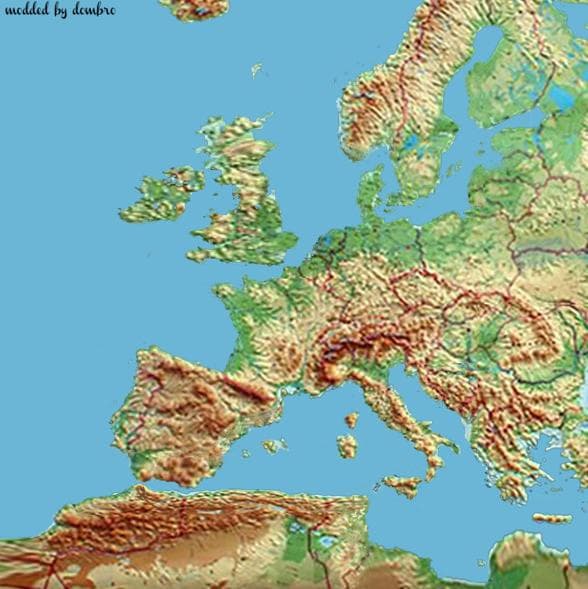
EUROPAMAP IN COLOR FOR TSM 6.2 is a map mod for ETS2 version 1.22, created by Euro Truck Simulator 2. It features a new colorful Europamap designed for TSM 6.2,
This mod updates the color scheme of the Europamap specifically for TSM version 6.2. It’s designed to work alongside the Truck Simulation Map expansion, adding a fresh visual layer to the European regions you’re already familiar with in ETS2 version 1.22. By changing the map’s colors, it can help distinguish various areas more clearly while driving across countries like Germany, France, and Italy.
Map mods like this one generally alter or enhance the in-game world by introducing new landscapes, cities, or roads — or simply changing how existing elements look. They usually come as .scs files that need to be loaded properly in your mod manager. Since they affect core game content, their placement in the load order matters a lot; this helps avoid conflicts with other map expansions or base game files.
The Europamap color update fits well in setups where players use TSM 6.2 alongside official DLCs such as East and North expansions that cover large parts of Europe. It’s important to note that some map mods require a clean profile or specific DLCs installed to function correctly without glitches. Users should check compatibility before adding it on top of other extensive map modifications.
For those who enjoy long-haul trucking across Europe with enhanced visuals and want their maps to reflect a clearer regional distinction through color changes, this mod offers a simple but effective tweak. It doesn’t add new roads or cities but improves how existing areas are presented on your screen during deliveries.
Since the mod targets ETS2 version 1.22 and integrates with TSM 6.2, it suits players sticking to this game build who want a slightly refreshed look without overhauling their entire map setup. It’s an easy addition if you prefer subtle visual improvements rather than extensive gameplay changes.
How to install
1. Download every .scs file from the source page (map mods often ship multiple files). 2. Copy all files to `Documents/Euro Truck Simulator 2/mod/`. 3. Enable each file in Mod Manager **in the order documented by the modder**. Load order matters for maps. 4. Start a new save or use an existing save that already supports the map's base regions.
After the mod loads, save your game inside a safe area (parking lot or service) before deciding whether to keep it. If the game refuses to load with the mod enabled, check that all required DLCs are installed and that the supported ETS2 version chips on this page include your installed game patch.
Known conflicts
No conflicts reported for this mod yet. Running a big mod list? Check your whole setup for conflicts →
Reviews
No ratings yetNo reviews yet — be the first to rate this mod.





