ELDI ROMANIA TRAILER
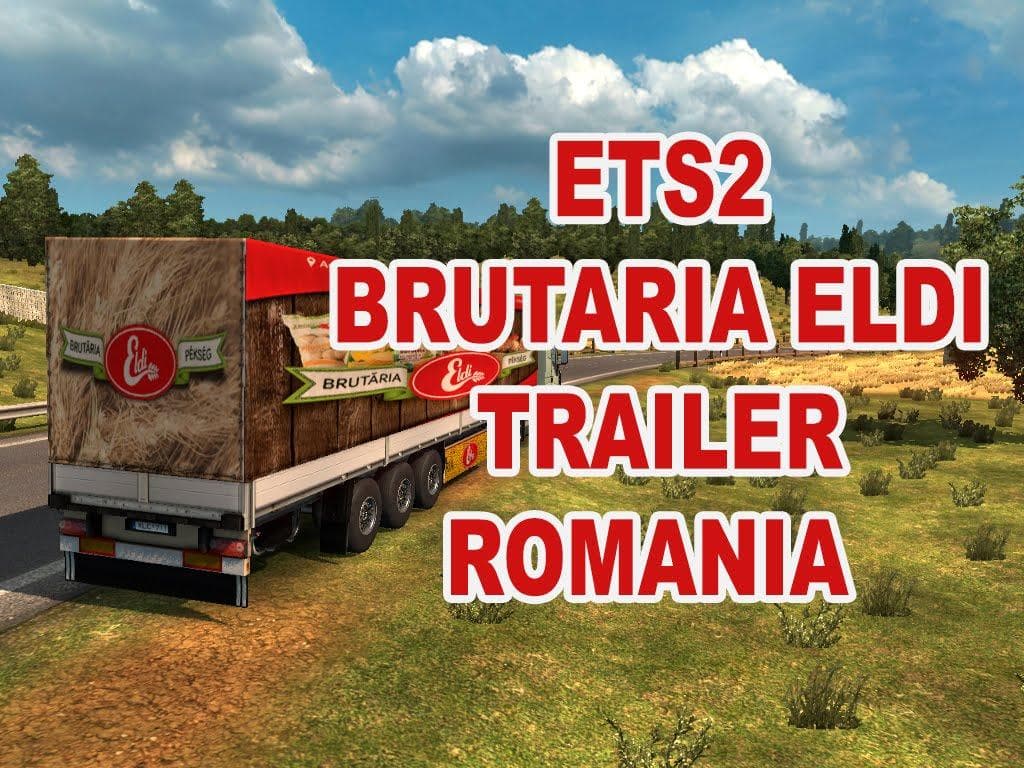
The ELDI ROMANIA TRAILER mod for ETS2 version 1.22 is a trailer replacement created by Euro Truck Simulator 2. The file size is 684 KB and credits go to allinon
The ELDI ROMANIA TRAILER mod brings a new trailer option into Euro Truck Simulator 2, specifically designed for version 1.22 of the game. It replaces an existing trailer model, offering players a fresh hauling experience with a Romanian-themed trailer body. This kind of mod typically adds new haulable trailers or custom cargo options to the game’s selection, expanding what you can own and drive around Europe.
Trailer mods like this one are installed by placing the .scs file into your ETS2 mod folder and activating it in the game’s mod manager. They appear either in the trailer dealer or cargo market, letting you pick up jobs using their unique trailer models. Since this mod replaces another trailer model, it’s wise to check your load order to avoid conflicts with similar replacements.
In a heavily modded setup, compatibility is key for trailer mods because they often swap out default assets or add their own textures. Keeping them lower in the load order than map mods but above graphics tweaks usually works well. Because this mod targets an older ETS2 version (1.22), some users might need to run it on that specific version or with appropriate compatibility patches.
Players who enjoy driving trailers with regional themes might appreciate this addition, especially if they want something different from the standard trailers offered in-game. It suits those looking to diversify their fleet and explore hauling with unique trailer designs linked to Romania.
While details like the creator and exact file size aren’t known here, the mod’s focus on a single country’s style suggests it complements other Eastern European map or vehicle mods nicely. If your profile includes trucking across countries like Romania or nearby areas such as Bulgaria or Hungary, this could blend well visually and thematically.
How to install
1. Download the .scs file. 2. Drop it into `Documents/Euro Truck Simulator 2/mod/`. 3. Enable in Mod Manager. 4. Trailer should appear in cargo selection or trailer dealer depending on the mod's design.
After the mod loads, save your game inside a safe area (parking lot or service) before deciding whether to keep it. If the game refuses to load with the mod enabled, check that all required DLCs are installed and that the supported ETS2 version chips on this page include your installed game patch.
Reviews
No ratings yetNo reviews yet — be the first to rate this mod.





