EHL Trailer v3.0
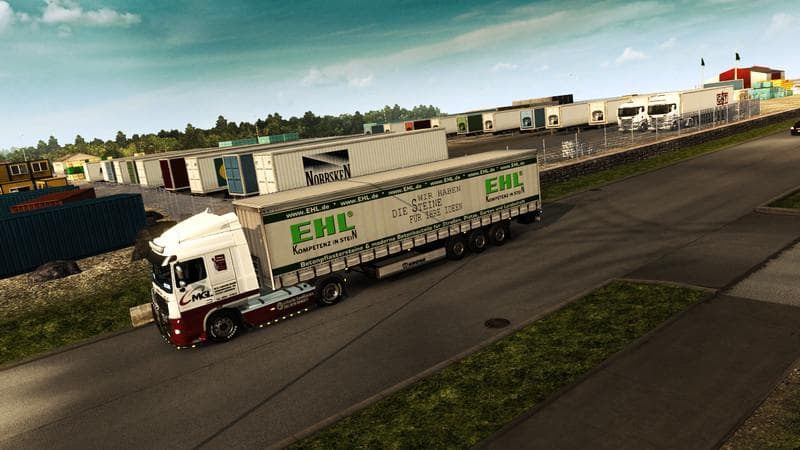
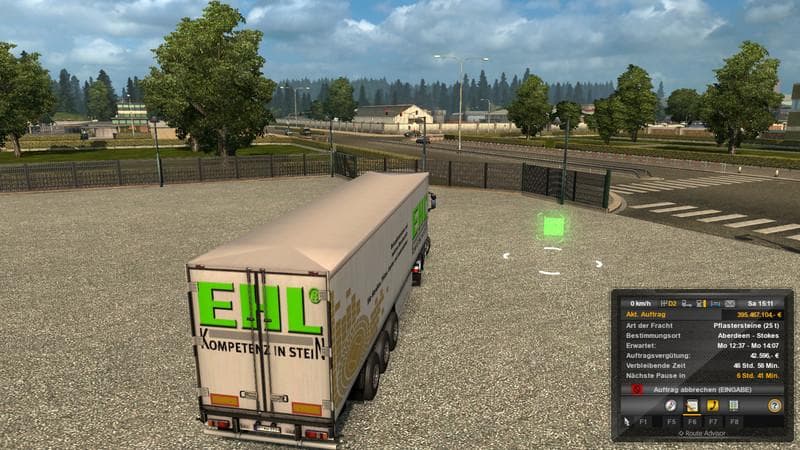
The EHL Trailer mod version 3.0 for Euro Truck Simulator 2 adds a Krone Profiliner with new skins while removing the flatbed and fridge trailers. The manifest h
EHL Trailer v3.0 is a trailer mod that updates the types of trailers available for hauling in Euro Truck Simulator 2. This version has removed certain trailer types like the flatbed and fridge trailers, replacing them with a Krone Profiliner that comes with new skins and an adjusted manifest to address traffic-related issues. Mods like this expand the variety of cargo options players can find in the trailer dealer or during freight selection, adding some diversity to what you can haul across Europe.
Trailer mods generally work by introducing new ownable trailers or cargo types into the game, which appear alongside stock options. They often affect both visual appearance and gameplay by offering different trailer models and sometimes custom cargo categories. Installing these mods usually involves placing their files in the mod folder and enabling them in the game’s mod manager. Since they alter game assets related to trailers, load order can matter if you use multiple trailer packs, especially to avoid conflicts between similar content.
In a modded setup, EHL Trailer v3.0 fits well for players looking to refresh their trailer roster without overhauling all haulable options. Its removal of certain trailers suggests it aims to streamline or fix issues rather than just add more content. When using this mod alongside others that modify trailers or traffic behavior, you might want to check compatibility notes or test for any overlapping changes in manifests or vehicle lists.
This kind of mod appeals most to ETS2 players who enjoy customizing their fleet and want a bit of variety beyond vanilla trailers without piling on too many extras. It’s also useful if you’ve experienced traffic bugs related to trailers since it includes adjustments aimed at reducing those problems through manifest edits.
How to install
1. Download the .scs file. 2. Drop it into `Documents/Euro Truck Simulator 2/mod/`. 3. Enable in Mod Manager. 4. Trailer should appear in cargo selection or trailer dealer depending on the mod's design.
After the mod loads, save your game inside a safe area (parking lot or service) before deciding whether to keep it. If the game refuses to load with the mod enabled, check that all required DLCs are installed and that the supported ETS2 version chips on this page include your installed game patch.
Reviews
No ratings yetNo reviews yet — be the first to rate this mod.





