EARODYNAMIC DUTCH LZV TRAILER
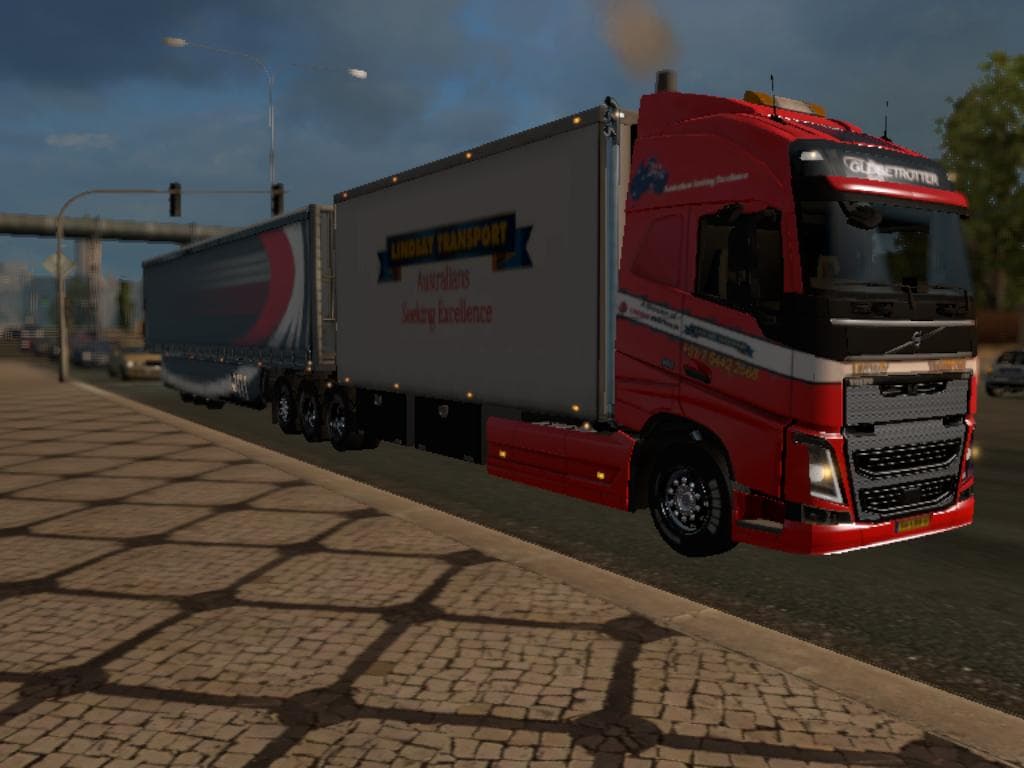
This mod is a trailer skin for the earodynamic with Dutch plates designed for the 25-meter Volvo truck in Euro Truck Simulator 2. Created by SCSSoftware and Emi
The EARODYNAMIC DUTCH LZV TRAILER mod brings a specific trailer skin designed for the aerodynamic 25-meter Volvo truck, featuring Dutch license plates. This type of mod modifies the appearance of trailers rather than adding new cargo or trailer models. In Euro Truck Simulator 2, trailer skins like this one let you customize your haulage visuals to match particular regions or personal preferences without affecting gameplay mechanics.
Trailer mods usually appear in the cargo selection or at trailer dealers, allowing players to own and use them during their transport runs. Since this is a skin modification for an existing trailer model, it typically requires having the base aerodynamic trailer already installed to function properly. It's common for such skins to be compatible with other mods as long as they don't overwrite the same files, so careful load order management can prevent conflicts.
In a modded setup, adding regional skins such as this Dutch LZV trailer helps create a more immersive environment when driving through or representing certain countries like the Netherlands. Players focusing on realism or regional authenticity might find this addition appealing as it subtly enhances the visual diversity of their fleet without altering core gameplay elements.
Those who enjoy customizing their truck and trailer combinations will appreciate having a variety of skin options that reflect different license plates and designs. This mod fits well for drivers who prefer hauling with longer vehicles like LZVs and want their trailers to carry distinct national identifiers on them.
Overall, if you’re running an aerodynamic Volvo setup and want a touch of Dutch style on your trailers, this skin provides that option. It’s straightforward to install alongside other cosmetic mods but always check compatibility especially if using multiple trailer skins or overhaul packs.
How to install
1. Download the .scs file. 2. Drop it into `Documents/Euro Truck Simulator 2/mod/`. 3. Enable in Mod Manager. 4. Trailer should appear in cargo selection or trailer dealer depending on the mod's design.
After the mod loads, save your game inside a safe area (parking lot or service) before deciding whether to keep it. If the game refuses to load with the mod enabled, check that all required DLCs are installed and that the supported ETS2 version chips on this page include your installed game patch.
Reviews
No ratings yetNo reviews yet — be the first to rate this mod.





