EARLY AND LATE AUTUMN WEATHER MOD V4.1
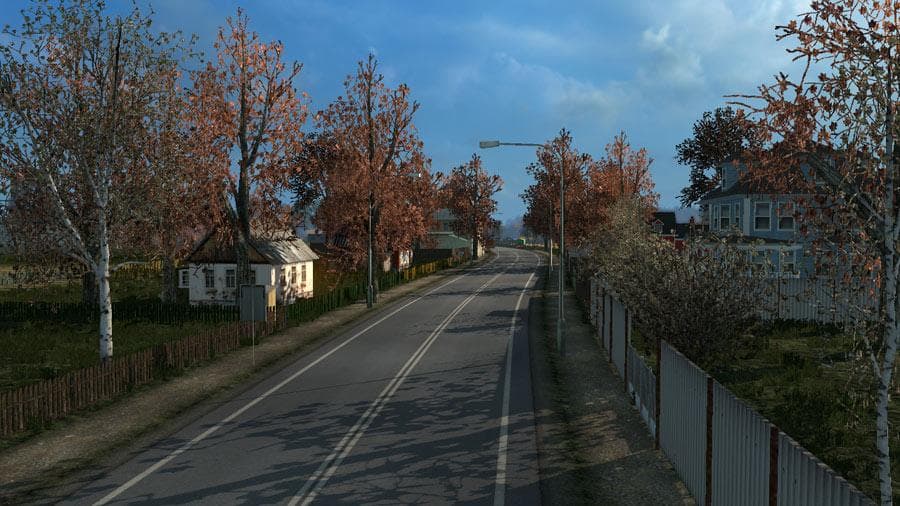
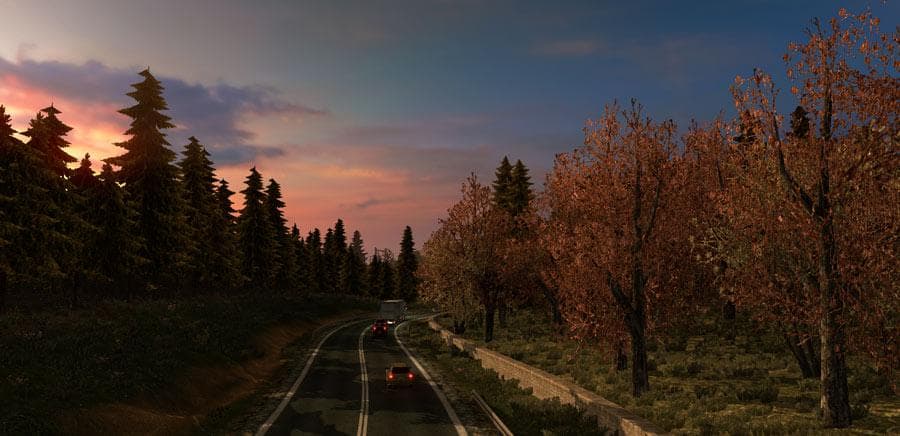
This mod version 4.1 by Euro Truck Simulator 2 simulates early and late autumn weather, with features like less leaves on trees and autumnal colors in early aut
EARLY AND LATE AUTUMN WEATHER MOD V4.1 brings seasonal changes to the game's environment by simulating different stages of autumn. It adjusts visual elements like tree foliage, reducing leaves and adding autumnal colors during early autumn, while also showing fallen leaves on sidewalks. This kind of map mod modifies the game's atmosphere rather than expanding roads or cities, focusing instead on weather and scenery aesthetics within the existing map.
Map mods in Euro Truck Simulator 2 typically come as .scs files that alter or enhance various parts of the game world. While many add new areas or routes, this one focuses on environmental details that influence how familiar locations look during specific times of year. Players usually install these mods by placing them in their mod folder and managing load order carefully, especially since some map-related mods require a clean profile or certain DLCs for compatibility.
Mods that adjust weather and seasonal visuals fit well in setups aiming for immersive trucking experiences with varied atmospheric conditions. Since it changes environmental textures rather than map layout, it's less likely to conflict with large-scale map expansions but still benefits from being loaded alongside compatible graphical mods. Users should watch load order if combining multiple weather or map alteration mods to avoid unexpected visual overlaps.
This mod suits players who enjoy subtle seasonal shifts in ETS2’s world without altering geography or adding new locations. It's ideal for those wanting a bit more realism through changing foliage and road-side details as they drive through familiar regions during autumn months. Anyone looking to enhance immersion with **autumnal colours** and natural decay effects will find it useful.
How to install
1. Download every .scs file from the source page (map mods often ship multiple files). 2. Copy all files to `Documents/Euro Truck Simulator 2/mod/`. 3. Enable each file in Mod Manager **in the order documented by the modder**. Load order matters for maps. 4. Start a new save or use an existing save that already supports the map's base regions.
After the mod loads, save your game inside a safe area (parking lot or service) before deciding whether to keep it. If the game refuses to load with the mod enabled, check that all required DLCs are installed and that the supported ETS2 version chips on this page include your installed game patch.
Known conflicts
No conflicts reported for this mod yet. Running a big mod list? Check your whole setup for conflicts →
Reviews
No ratings yetNo reviews yet — be the first to rate this mod.





