EAA NORMAL MAP V3.0.1
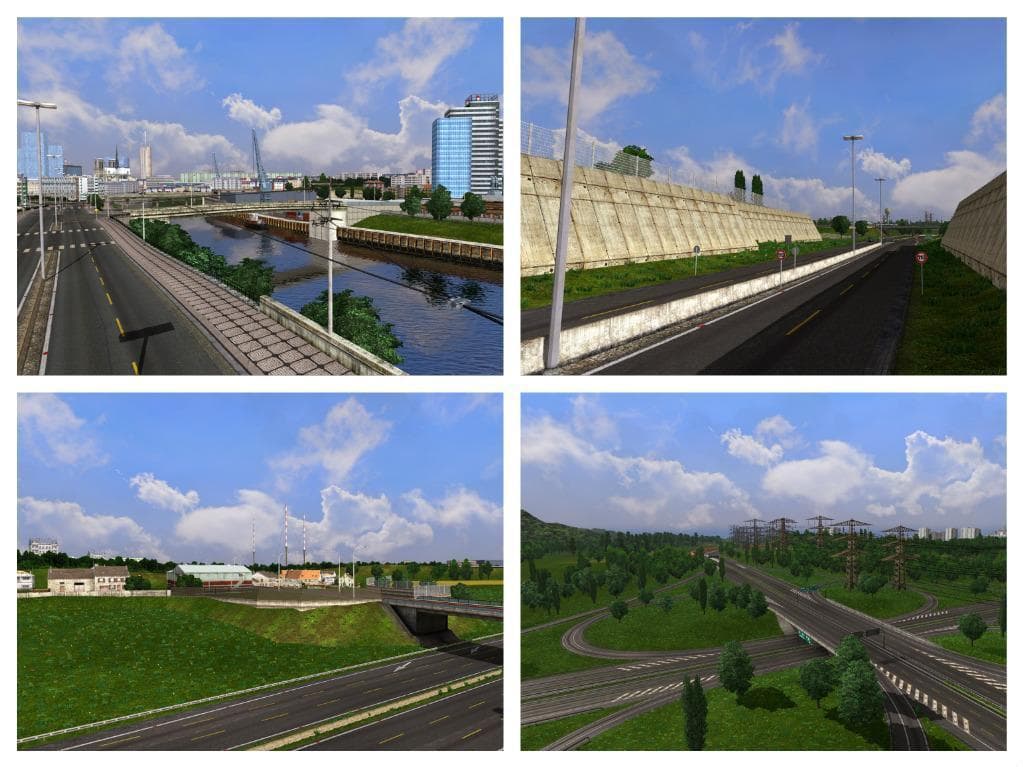
EAA NORMAL MAP is a map mod for ETS2 by Euro Truck Simulator 2. Version 0.1 includes bug fixes and compatibility with RusMap and TSM. File size is 323.0 MB.
EAA NORMAL MAP V3.0.1 is a map mod designed to fix minor bugs and improve compatibility with other popular map expansions like RusMap and TSM. It comes as a sizable download, reflecting the detailed adjustments it applies to the base game world in Euro Truck Simulator 2. Map mods like this one typically update or add new areas, roads, or features to the driving environment, enhancing exploration possibilities beyond the standard map.
In ETS2, map mods are delivered as .scs files that players add to their mod folder and then activate through the game's mod manager. They’re sensitive to load order because conflicts can arise when multiple maps overlap or try to modify the same regions. Ensuring EAA NORMAL MAP V3.0.1 loads alongside RusMap and TSM without issues suggests it’s crafted with those mods in mind, making it easier for users who combine several map expansions.
A mod like this fits into a heavily customized setup where players want to enrich their virtual trucking routes with added realism and variety. Given its bug fixes and compatibility focus, it likely appeals most to those already using RusMap or Truck Sim Map but looking for a smoother experience without glitches between these expansions.
Players who enjoy long-haul driving across diverse regions will find value in keeping their maps up to date and stable with fixes provided by mods such as EAA NORMAL MAP V3.0.1. While details on supported ETS2 versions aren’t specified, typical practice involves verifying mod compatibility after major game updates before integrating it into your profile.
How to install
1. Download every .scs file from the source page (map mods often ship multiple files). 2. Copy all files to `Documents/Euro Truck Simulator 2/mod/`. 3. Enable each file in Mod Manager **in the order documented by the modder**. Load order matters for maps. 4. Start a new save or use an existing save that already supports the map's base regions.
After the mod loads, save your game inside a safe area (parking lot or service) before deciding whether to keep it. If the game refuses to load with the mod enabled, check that all required DLCs are installed and that the supported ETS2 version chips on this page include your installed game patch.
Known conflicts
No conflicts reported for this mod yet. Running a big mod list? Check your whole setup for conflicts →
Reviews
No ratings yetNo reviews yet — be the first to rate this mod.





