EAA MAP
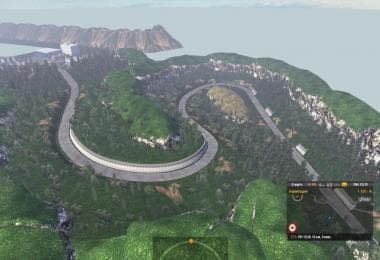
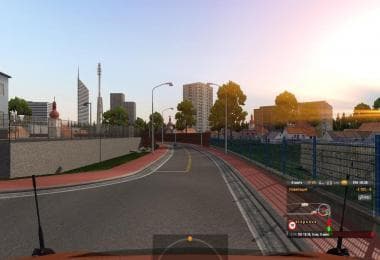
EAA MAP is a map modification for Euro Truck Simulator 2 that focuses on expanding the in-game world by adding new areas to explore. This type of mod typically brings fresh routes, cities, and regions, enhancing the variety of landscapes and driving experiences available beyond the base game. Map mods like this one are delivered as .scs files and require careful attention to load order to function correctly alongside other expansions or map packs.
This particular mod supports ETS2 versions 1.17 and 1.18, which means it's compatible with relatively recent game updates. Players should consider starting a new profile or ensuring they have compatible base-map DLCs installed to avoid conflicts. Since map mods often overlap with each other in terms of geography, managing their load order is essential to prevent issues such as missing roads or visual glitches.
In a modded setup, EAA MAP fits well among other map expansions that focus on North America or South America, offering additional routes for long-haul trucking enthusiasts looking for more variety beyond the default European settings. Users who enjoy exploring vast territories and prefer having a more diverse selection of destinations will appreciate what this kind of mod adds to their gameplay.
Map modifications like EAA MAP tend to be favored by players who want a broader scope within ETS2’s world without switching games or waiting for official updates. By increasing drivable kilometers and introducing new logistics challenges, these mods keep the simulation experience fresh and engaging over time.
Compatibility with other map mods depends largely on proper installation procedures and load order management using tools like the Mod Manager built into ETS2. Players should always back up profiles before adding large-scale maps since they can sometimes cause save corruption if not handled carefully.
How to install
1. Download every .scs file from the source page (map mods often ship multiple files). 2. Copy all files to `Documents/Euro Truck Simulator 2/mod/`. 3. Enable each file in Mod Manager **in the order documented by the modder**. Load order matters for maps. 4. Start a new save or use an existing save that already supports the map's base regions.
After the mod loads, save your game inside a safe area (parking lot or service) before deciding whether to keep it. If the game refuses to load with the mod enabled, check that all required DLCs are installed and that the supported ETS2 version chips on this page include your installed game patch.
Known conflicts
No conflicts reported for this mod yet. Running a big mod list? Check your whole setup for conflicts →
Reviews
No ratings yetNo reviews yet — be the first to rate this mod.





