DOLL VARIO 3ACHS WITH NEW BACKLIGHT AND IN TRAFFIC V2.0
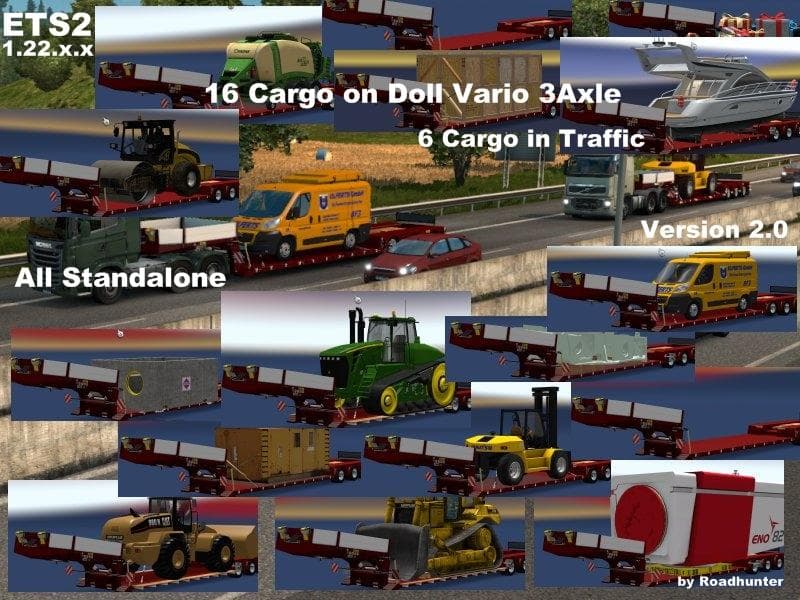
DOLL VARIO 3ACHS WITH NEW BACKLIGHT AND IN TRAFFIC is an ETS2 trailers. Listed compatible with ETS2 1.22.
This mod adds the Doll Vario 3-axle trailer to Euro Truck Simulator 2, featuring updated backlighting and integration into AI traffic. It’s designed for ETS2 version 1.22 and supports the Scandinavia DLC, providing both standalone use and presence in AI traffic with multiple cargo options. Trailer mods like this one expand your haulage possibilities by introducing new trailer types that can be purchased or appear as AI-driven vehicles on the roads.
Trailer mods generally enrich gameplay by offering fresh cargo hauling experiences. They appear in the game’s trailer dealer and cargo selection screens, allowing players to attach them to their trucks for different freight jobs. This particular trailer is part of a category focused on realistic, detailed additions that blend well with the base game’s environment and existing content from DLCs such as Scandinavia.
When it comes to fitting this mod into a modded setup, it's good practice to load trailers after map and truck mods but before any graphics or gameplay tweaks affecting traffic or physics. Since it integrates into AI traffic, you might want to check for compatibility if you’re using other mods that alter traffic behavior or add custom AI trailers.
Players who enjoy a more immersive trucking experience with diverse trailers will appreciate this addition. It’s suitable for those who like hauling standard freight while seeing these trailers around on highways driven by AI trucks too. The inclusion of updated lighting improves visual fidelity during night driving or poor weather conditions.
The mod does not specify any conflicts or special installation instructions beyond typical ETS2 mod handling. Like most trailer mods, you simply place its file in your mod folder and activate it via the in-game Mod Manager. It meshes well with both solo play and multiplayer convoys where consistent trailer appearance matters.
How to install
1. Download the .scs file. 2. Drop it into `Documents/Euro Truck Simulator 2/mod/`. 3. Enable in Mod Manager. 4. Trailer should appear in cargo selection or trailer dealer depending on the mod's design.
After the mod loads, save your game inside a safe area (parking lot or service) before deciding whether to keep it. If the game refuses to load with the mod enabled, check that all required DLCs are installed and that the supported ETS2 version chips on this page include your installed game patch.
Reviews
No ratings yetNo reviews yet — be the first to rate this mod.





