DELIVERY DISTANCE CHANGE
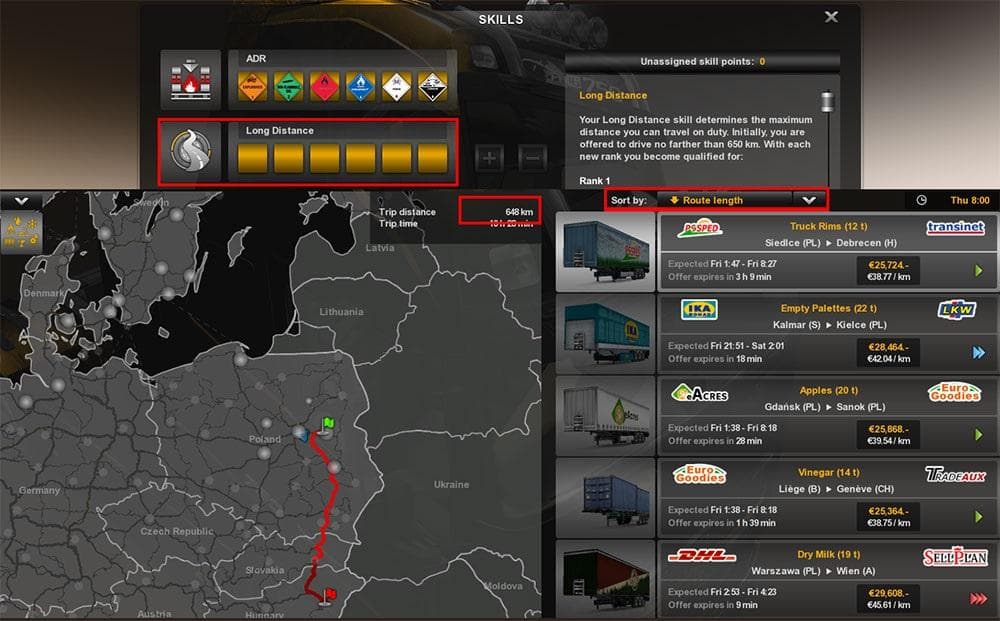
DELIVERY DISTANCE CHANGE - ETS2 mods download is an ETS2 unknown.
This mod, DELIVERY DISTANCE CHANGE, tweaks how far your deliveries can stretch within the game. It’s focused on adjusting delivery ranges so you can stay in a specific area without having to take long hauls across the map. That can be particularly handy if you enjoy spending more time in one region rather than constantly driving from one end of the map to another.
Map mods like this generally alter or enhance aspects of the drivable world in Euro Truck Simulator 2. While many add new roads or cities, others refine gameplay mechanics tied to navigation and logistics, such as delivery distances. These mods typically come as .scs files and are sensitive to load order because they interact closely with base map data and other map expansions.
If you're running a modded setup that includes large map expansions like ProMods, this kind of mod fits well by tailoring delivery experience within those expanded regions. For example, players who enjoy the France area in ProMods might prefer shorter trips confined to that locale rather than venturing into far-flung territories. However, it’s wise to test compatibility and consider your load order since map mods can conflict or require specific base DLC versions.
Delivery distance adjustments can make gameplay feel more focused and manageable. This appeals to players who want longer hauls for skill progression but also want control over where their jobs start and end. Modifying delivery range keeps your routes within familiar surroundings while still challenging your logistics skills.
In terms of installation, mods like this usually just need to be placed above any conflicting map files in your mod manager to take effect properly. Since the version details are unknown here, always back up your profiles before testing new map-related mods. They can affect save files if they drastically change core game elements.
How to install
1. Download every .scs file from the source page (map mods often ship multiple files). 2. Copy all files to `Documents/Euro Truck Simulator 2/mod/`. 3. Enable each file in Mod Manager **in the order documented by the modder**. Load order matters for maps. 4. Start a new save or use an existing save that already supports the map's base regions.
After the mod loads, save your game inside a safe area (parking lot or service) before deciding whether to keep it. If the game refuses to load with the mod enabled, check that all required DLCs are installed and that the supported ETS2 version chips on this page include your installed game patch.
Known conflicts
No conflicts reported for this mod yet. Running a big mod list? Check your whole setup for conflicts →
Reviews
No ratings yetNo reviews yet — be the first to rate this mod.





