DAF XF 95 1.21.x
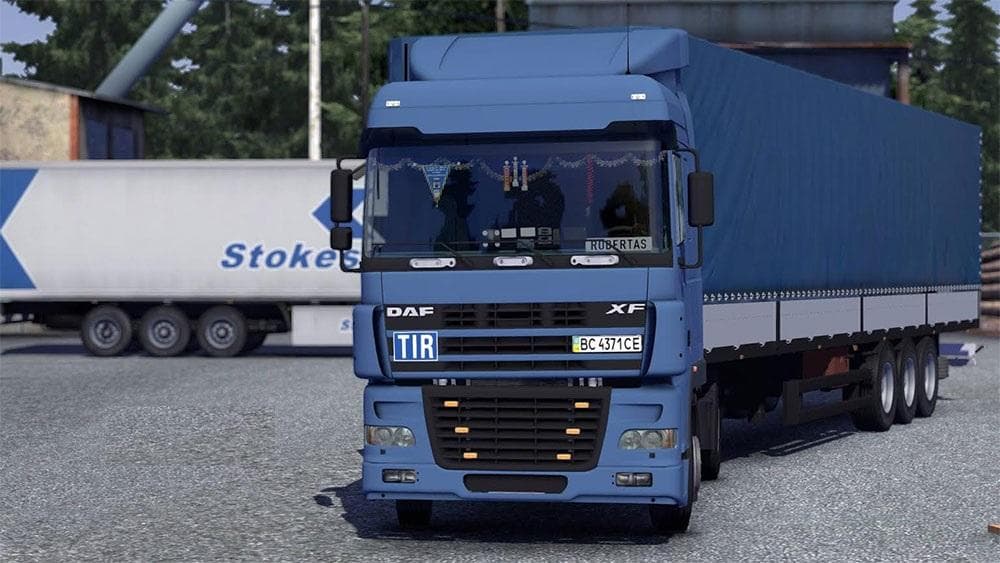
The DAF XF 95 1.21.x mod is a standalone truck for Euro Truck Simulator 2 version 1.21. It features an interior, wheels, and has been tested for compatibility.
The DAF XF 95 1.21.x mod introduces a standalone truck model to Euro Truck Simulator 2 compatible with version 1.21. It adds the classic DAF XF 95 cab, complete with its own interior and wheels, allowing players to purchase and drive this truck directly from the dealer menu. This type of truck mod replaces or extends the base game’s vehicle roster by providing a distinct driving experience with different engine and transmission options as well as customizable paint slots.
Truck mods like this one are designed to integrate smoothly into ETS2, functioning independently from other trucks in the game. Since it is a standalone addition, it won’t overwrite default vehicles or conflict with most other truck mods, which makes it easier to slot into an existing modded setup without worrying about compatibility issues. However, ensuring that the mod matches your current ETS2 version is crucial; this one specifically supports version 1.21.
When organizing your mod load order, standalone trucks should generally be placed after map and graphics mods but before any mods that alter gameplay mechanics or AI traffic. This helps maintain stability and proper function within your overall mod collection. Players should also check for any required dependencies or conflicts through their mod manager.
This DAF XF 95 model suits those who want a different driving style or aesthetic compared to the default trucks available in ETS2. Fans of older European trucks or those looking for variety in their garage will find this addition useful. Its detailed cabin and unique look can add some nostalgia or diversity when hauling freight across various regions.
In short, if you’re running ETS2 version 1.21 and want a standalone truck with its own features and design, this mod fits that niche well without complicating your existing setup.
How to install
1. Download the .scs file from the original source linked above. 2. Copy the file to `Documents/Euro Truck Simulator 2/mod/`. 3. Launch ETS2, open the Mod Manager from the main menu, enable the mod, restart the game. 4. Visit any truck dealer to spawn the new truck.
After the mod loads, save your game inside a safe area (parking lot or service) before deciding whether to keep it. If the game refuses to load with the mod enabled, check that all required DLCs are installed and that the supported ETS2 version chips on this page include your installed game patch.
Reviews
No ratings yetNo reviews yet — be the first to rate this mod.





![Fuso Supergreat Hi Cab Truck [1.50 – 1.60] – Trucks mod for Euro Truck Simulator 2](/_next/image?url=https%3A%2F%2F802software.s3.us-east-1.amazonaws.com%2Fets2modspot%2Fscreenshots%2F7494%2F0.jpg&w=3840&q=75)