DAF XF 50K + CABIN ACCESSORIES DLC
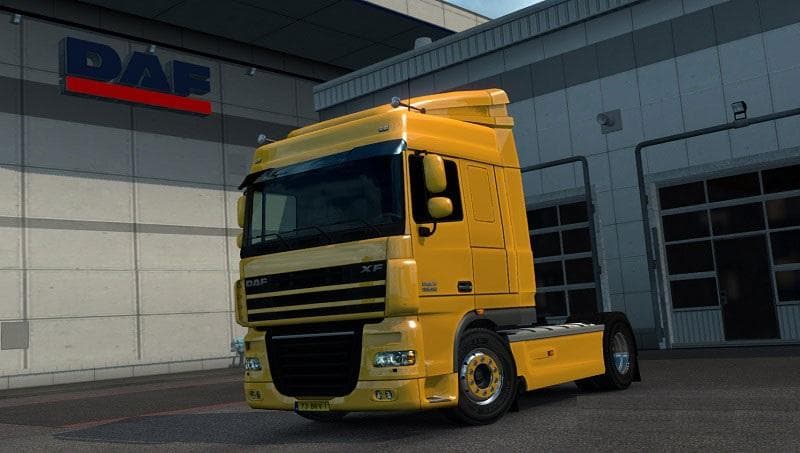
The DAF XF 50K + CABIN ACCESSORIES DLC mod version 3.3 for ETS2 adds fixed front mirrors to all cabs and supports the Cabin Accessories DLC. Created by Euro tru
This mod adds extra customization options for the DAF XF truck, specifically focusing on the cabin accessories. It enhances the visual and functional aspects of this particular truck model within ETS2 by incorporating additional parts that were tested with version 1.21.1s of the game. The mod also ensures compatibility with the official Cabin Accessories DLC, which means it integrates smoothly with existing content.
Parts mods like this one are designed to expand what you can fit onto your trucks. They include items such as mirrors, lights, and interior enhancements that players can select in the truck customization menu. Since this mod targets the DAF XF specifically, it’s ideal for players who prefer driving and modifying this brand in ETS2.
When using parts mods alongside other vehicle or tuning mods, load order matters but usually these types of mods don’t conflict heavily if placed after core truck files. Ensuring the Cabin Accessories DLC is active is necessary for full functionality here since this mod builds on those base assets. Fixed front mirrors now appear correctly across all cab variants, addressing an issue seen in earlier versions.
Truck enthusiasts who enjoy personalizing their rig will find this mod useful. It adds subtle but noticeable details that make a difference when customizing your DAF XF’s cabin area. Whether you’re aiming for a more realistic setup or just want to add some flair, these additional parts provide more options without altering gameplay mechanics.
Overall, if you drive a DAF XF and have the Cabin Accessories DLC installed, this mod complements your setup by improving accessory availability and fixing mirror visibility issues. It fits well into a broader modded profile focused on enhancing truck aesthetics and realism.
How to install
1. Download the file(s) from the original source linked above. 2. Drop them into `Documents/Euro Truck Simulator 2/mod/`. 3. Enable in Mod Manager and restart the game.
After the mod loads, save your game inside a safe area (parking lot or service) before deciding whether to keep it. If the game refuses to load with the mod enabled, check that all required DLCs are installed and that the supported ETS2 version chips on this page include your installed game patch.
Reviews
No ratings yetNo reviews yet — be the first to rate this mod.