DAF XF 105 (50K) ATE SKIN & INTERIOR & SOUND BY BORSUK
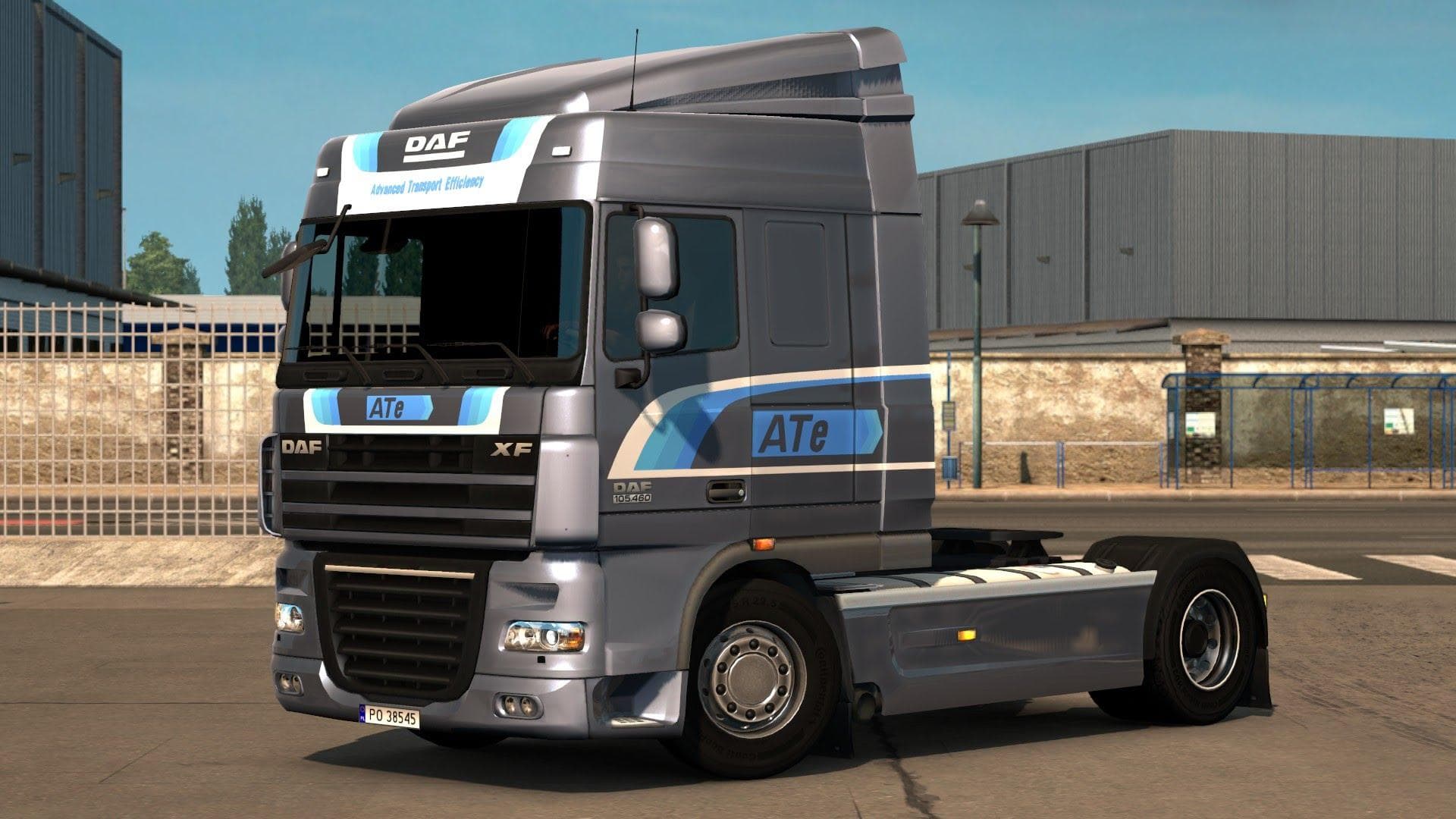
This skins mod for the DAF XF 105 by Borsuk includes four variants of ATe skins, modified interior, and engine sound enhancements. Creator, version, file size,
The DAF XF 105 (50K) ATE skin mod changes the look of the DAF truck by adding four different paint options under the Advanced Transport Efficiency theme. Along with new skins, it also includes tweaks to the interior and replaces the engine sound with that of the PACCAR MX, giving a more immersive driving experience. This type of mod is purely cosmetic, altering textures rather than changing the truck's physical model or performance.
Skin mods like this one are applied through the paint shop in Euro Truck Simulator 2 and rely on having the base vehicle they were designed for. Since this mod targets the DAF XF 105, players need that truck to see any effect. The inclusion of interior and sound updates adds a bit more depth beyond just repainting, but these elements still work within the existing game framework without affecting gameplay mechanics.
In a setup where multiple mods are used, skin packs generally load without causing conflicts because they only modify visual aspects. However, if other mods change the same truck's interior or sounds, users should consider load order to avoid overwriting changes unintentionally. It's always wise to test compatibility when combining several vehicle enhancements.
This mod fits well for players who enjoy customizing their fleet visually and want some variety with paint jobs while also appreciating subtle audio and cabin improvements. It's suited for those who run a modded profile focused on enhancing immersion through visuals and sounds without altering core gameplay features.
How to install
1. Download the .scs file. 2. Drop it into `Documents/Euro Truck Simulator 2/mod/`. 3. Enable in Mod Manager. 4. Apply the skin in the truck/trailer paint shop.
After the mod loads, save your game inside a safe area (parking lot or service) before deciding whether to keep it. If the game refuses to load with the mod enabled, check that all required DLCs are installed and that the supported ETS2 version chips on this page include your installed game patch.
Reviews
No ratings yetNo reviews yet — be the first to rate this mod.





