DAF CF85 40 AYAK KAMYON
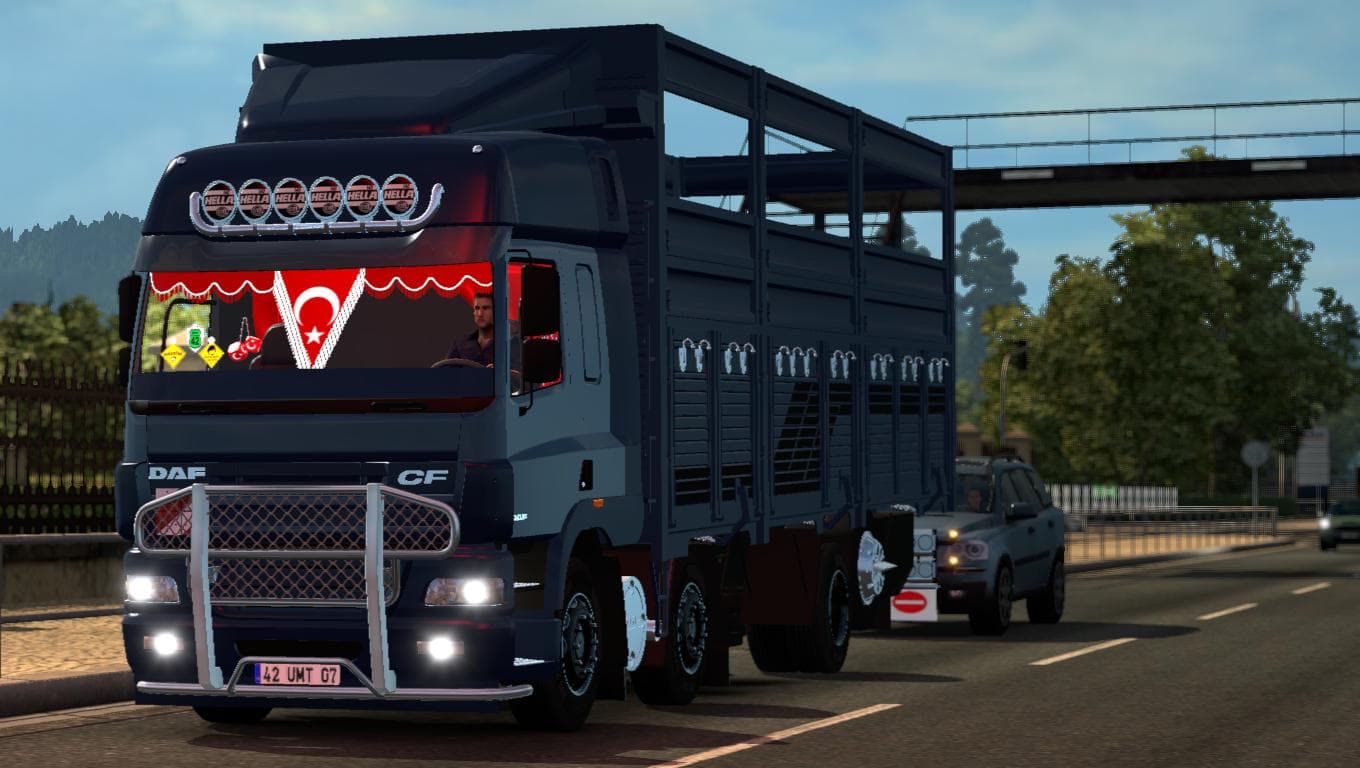
This mod adds the DAF CF85 40 AYAK KAMYON truck to Euro Truck Simulator 2. Details on the mod version, supported game versions, creator, file size, and last upd
The DAF CF85 40 AYAK KAMYON mod introduces a new truck model to Euro Truck Simulator 2, allowing players to buy and drive this specific cab and chassis combination. Truck mods like this one add variety to the available vehicles by including their own interiors, engine options, transmissions, and paint jobs, giving a fresh experience behind the wheel. This particular mod aims to replicate the truck with attention to detail, although some elements such as windshield wipers and rear wheel shading were challenging to perfect.
In ETS2, truck mods are straightforward additions that slot into your game alongside other vehicles. They usually appear at dealers where you can purchase them just like any stock truck. When using multiple mods in a setup, it's wise to consider load order—truck mods should be loaded after map and skin mods but before any heavy gameplay overhauls that affect vehicle behavior. This helps avoid conflicts or missing assets.
Because this mod adds a completely new truck rather than tweaking existing ones, it generally fits well with other content mods without causing issues. Players who enjoy expanding their garage beyond the default trucks will find it useful for diversifying their fleet. It also suits those looking for something different visually and mechanically from the standard options in ETS2.
Drivers interested in Turkish or regional trucks might appreciate this mod if they want to see something less common on European roads within the game. While specific compatibility details or supported game versions aren’t provided, typical installation involves placing the mod file into your ETS2 mod folder and activating it through the game’s mod manager.
Overall, anyone looking for additional truck choices with unique design touches could give this DAF CF85 variant a try. It's especially handy if you want a change from mainstream trucks but still want an option that integrates smoothly into your usual ETS2 gameplay setup.
How to install
1. Download the .scs file from the original source linked above. 2. Copy the file to `Documents/Euro Truck Simulator 2/mod/`. 3. Launch ETS2, open the Mod Manager from the main menu, enable the mod, restart the game. 4. Visit any truck dealer to spawn the new truck.
After the mod loads, save your game inside a safe area (parking lot or service) before deciding whether to keep it. If the game refuses to load with the mod enabled, check that all required DLCs are installed and that the supported ETS2 version chips on this page include your installed game patch.
Reviews
No ratings yetNo reviews yet — be the first to rate this mod.





![Fuso Supergreat Hi Cab Truck [1.50 – 1.60] – Trucks mod for Euro Truck Simulator 2](/_next/image?url=https%3A%2F%2F802software.s3.us-east-1.amazonaws.com%2Fets2modspot%2Fscreenshots%2F7494%2F0.jpg&w=3840&q=75)