DAF CF 85 V1.0 1.21.X
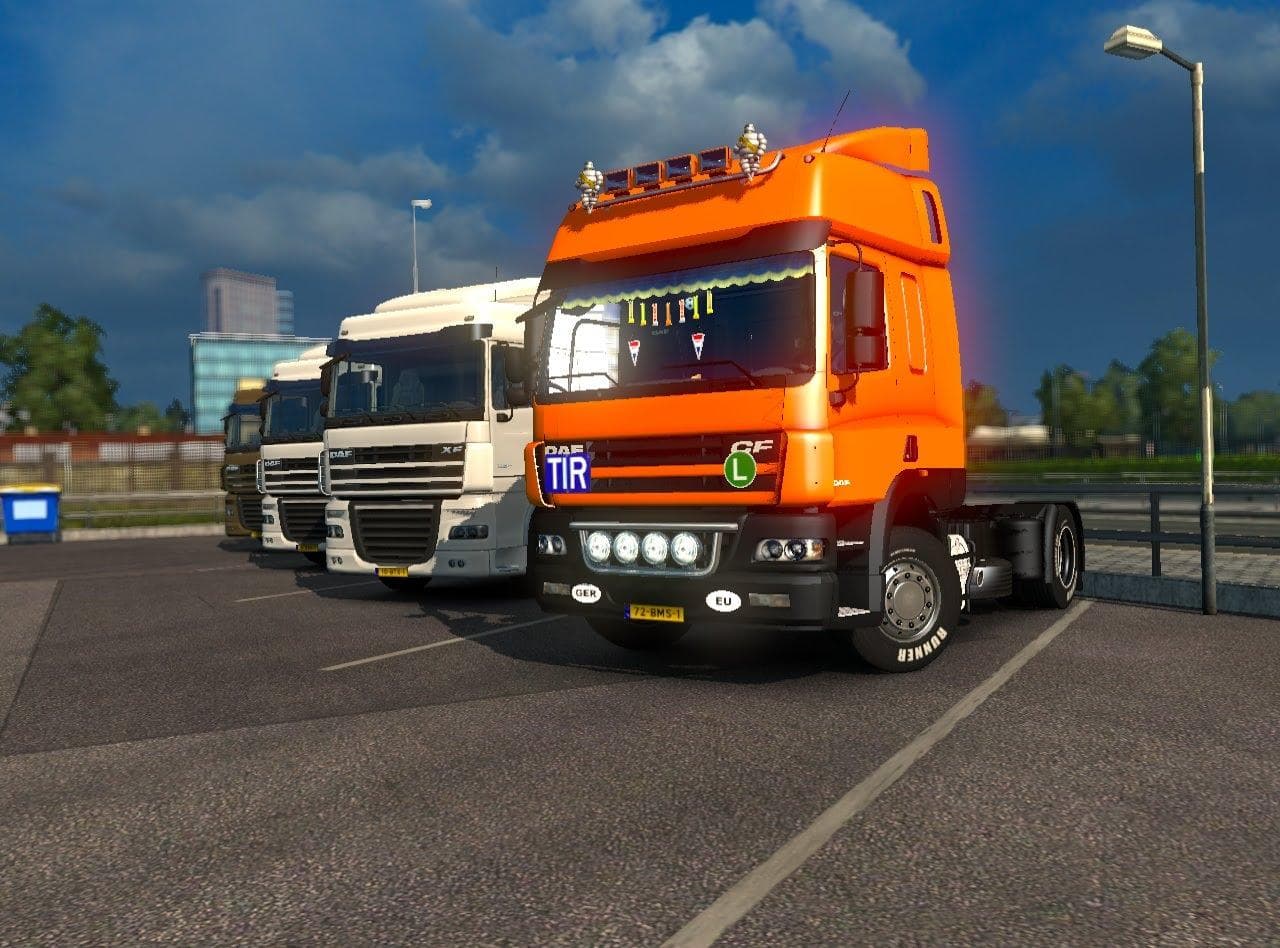
The DAF CF 85 1.21.X mod is a parts category mod created by Euro truck simulator 2. It is tested and works perfectly in ETS2 versions 1.0 and 1.21, with credits
This mod focuses on the DAF CF 85, tailored for ETS2 versions 1.0 and 1.21. It adds parts that can be accessed through the truck customization menu, letting players modify their truck with various accessories. Parts mods like this one typically include items such as lights, mirrors, and exhausts, enhancing the visual and functional aspects of a specific truck model.
Mods in the parts category serve to expand the options available when tuning your vehicle. By installing this mod, you get access to additional components that fit specifically on the DAF CF 85. These additions don't overhaul gameplay but rather enrich your truck's appearance and personalization possibilities.
When setting up a modded ETS2 environment, parts mods like this usually slot in smoothly alongside other add-ons. They tend to have minimal conflicts since they target specific trucks and usually modify distinct features. Still, it's wise to place parts mods after any large-scale truck or map modifications in your load order to avoid potential overlap.
Players who enjoy customizing their trucks down to small details will find this mod useful. It's ideal for those running a setup centered around the DAF brand or those wanting more variety in parts for their CF 85 model without changing core game mechanics or adding heavy content.
Since it was tested without other mods and performed well on version 1.21, compatibility is likely straightforward if you keep your game updated accordingly. This makes it a reliable choice for anyone looking to tweak their DAF CF 85's look with some extra parts.
The **truck customization menu** is where you'll interact with these new components, giving you direct control over how your vehicle appears on roads across **Germany**, **France**, or wherever your virtual trucking takes you.
How to install
1. Download the file(s) from the original source linked above. 2. Drop them into `Documents/Euro Truck Simulator 2/mod/`. 3. Enable in Mod Manager and restart the game.
After the mod loads, save your game inside a safe area (parking lot or service) before deciding whether to keep it. If the game refuses to load with the mod enabled, check that all required DLCs are installed and that the supported ETS2 version chips on this page include your installed game patch.
Reviews
No ratings yetNo reviews yet — be the first to rate this mod.