Czech names for cities v1.0.2
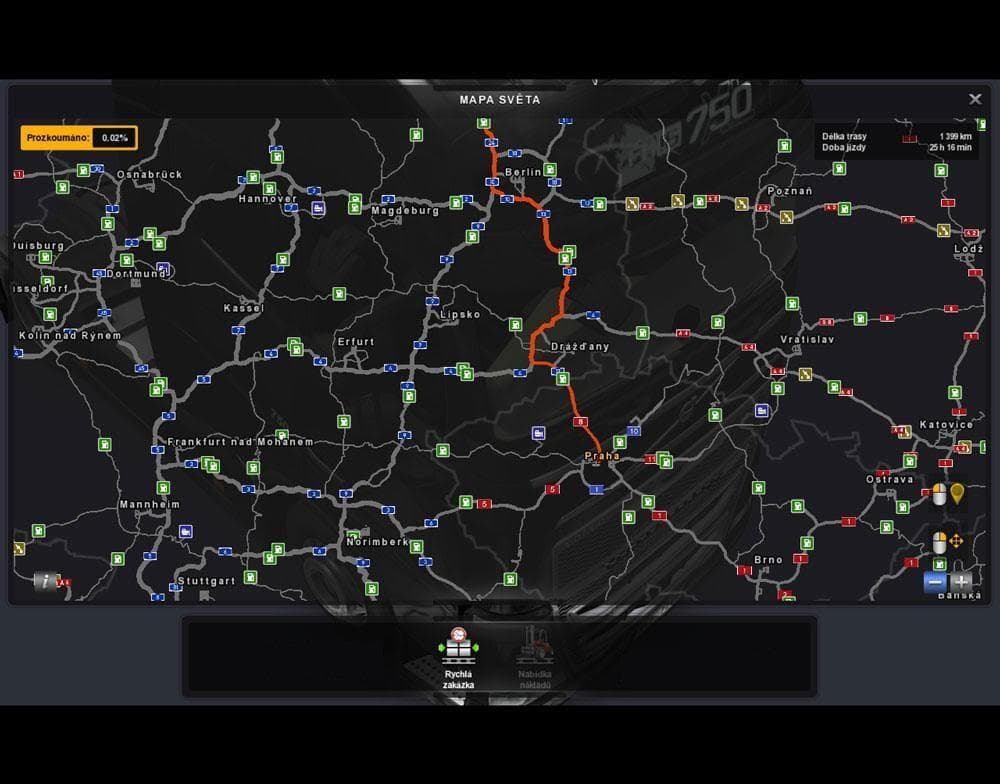
This mod changes city names to Czech versions in ETS2, compatible with game version 1.21 and ProMods 1.98. Created by Euro Truck Simulator 2.
Czech names for cities v1.0.2 is a map mod that replaces the standard city names with their Czech equivalents. Rather than adding new roads or locations, it focuses on localizing the in-game geography to reflect Czech naming conventions. This kind of mod can add an extra layer of immersion for players who want their map labels to match regional languages more closely.
Map mods like this one typically come as .scs files and are sensitive to load order within your mod list. Since this mod supports ETS2 versions 1.0 through 1.21, it works with a range of setups but might require attention if you're running other map expansions or overhauls. The description notes compatibility with ProMods 1.98, although ProMods itself isn't required, so it should slot in smoothly alongside many popular map mods.
Because it doesn't change the physical layout of roads or cities, this mod can fit easily into a modded setup without causing conflicts that some large map packs might introduce. Players who enjoy exploring **Czechia** or want a more authentic feel when driving through that region will appreciate seeing city names in their original language form rather than default English or international versions.
Those interested in regional accuracy or language-specific details will find this mod useful, especially if they run other map mods but want just the city names adjusted for Czech localization. It's also helpful for players familiar with Czech geography who prefer the native terms while trucking across Europe.
How to install
1. Download every .scs file from the source page (map mods often ship multiple files). 2. Copy all files to `Documents/Euro Truck Simulator 2/mod/`. 3. Enable each file in Mod Manager **in the order documented by the modder**. Load order matters for maps. 4. Start a new save or use an existing save that already supports the map's base regions.
After the mod loads, save your game inside a safe area (parking lot or service) before deciding whether to keep it. If the game refuses to load with the mod enabled, check that all required DLCs are installed and that the supported ETS2 version chips on this page include your installed game patch.
Known conflicts
No conflicts reported for this mod yet. Running a big mod list? Check your whole setup for conflicts →
Reviews
No ratings yetNo reviews yet — be the first to rate this mod.





