CRASH BARRIER WHITE
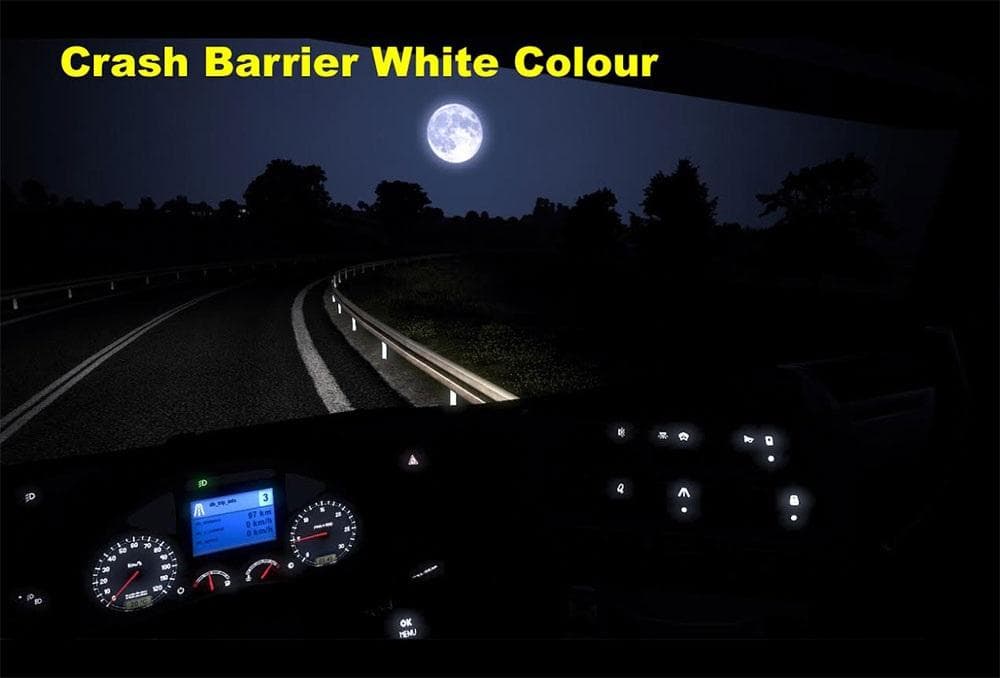
This ETS2 mod adds white crash barriers to the game, with the option for other colors available upon request. The creator is BLiNKT, and the file size is 54 MB.
The CRASH BARRIER WHITE mod adds a white-colored crash barrier part to your truck in Euro Truck Simulator 2. This type of parts mod enhances the visual customization options available in the truck customization menu, allowing you to fit additional accessories that can change your vehicle's look or style. Parts mods like this often target specific trucks but can be used broadly depending on compatibility.
In ETS2, parts mods are installed through the mod manager and loaded alongside other mods. Since this one changes an accessory color, it fits well into a setup that already includes tuning or parts enhancements. Players usually load these after map or gameplay mods to avoid conflicts, especially if multiple parts mods affect the same component area.
Crash barrier accessories typically attach to the front or sides of trucks and are part of cosmetic upgrades rather than gameplay changes. This white variant could blend nicely with trucks sporting lighter paint jobs or add contrast on darker models. Being a simple color swap, it's unlikely to cause issues with other tuning mods but always check load order when using multiple parts packs.
This mod is for players who enjoy tweaking their trucks’ appearance beyond factory options. If you prefer customizing your rig with unique colors and details, adding a white crash barrier might complement your design theme well. It’s also useful if you want specific colored accessories without installing larger overhaul packs.
Since no version details are given, it's wise to test compatibility with your current ETS2 version before using it extensively. The author offers contact for custom colors, which suggests some flexibility if you want different looks beyond white.
**crash barrier part**
**truck customization menu**
**parts mods**
**color swap accessory**
**load order**
How to install
1. Download the file(s) from the original source linked above. 2. Drop them into `Documents/Euro Truck Simulator 2/mod/`. 3. Enable in Mod Manager and restart the game.
After the mod loads, save your game inside a safe area (parking lot or service) before deciding whether to keep it. If the game refuses to load with the mod enabled, check that all required DLCs are installed and that the supported ETS2 version chips on this page include your installed game patch.
Reviews
No ratings yetNo reviews yet — be the first to rate this mod.