COORS 1.22.X
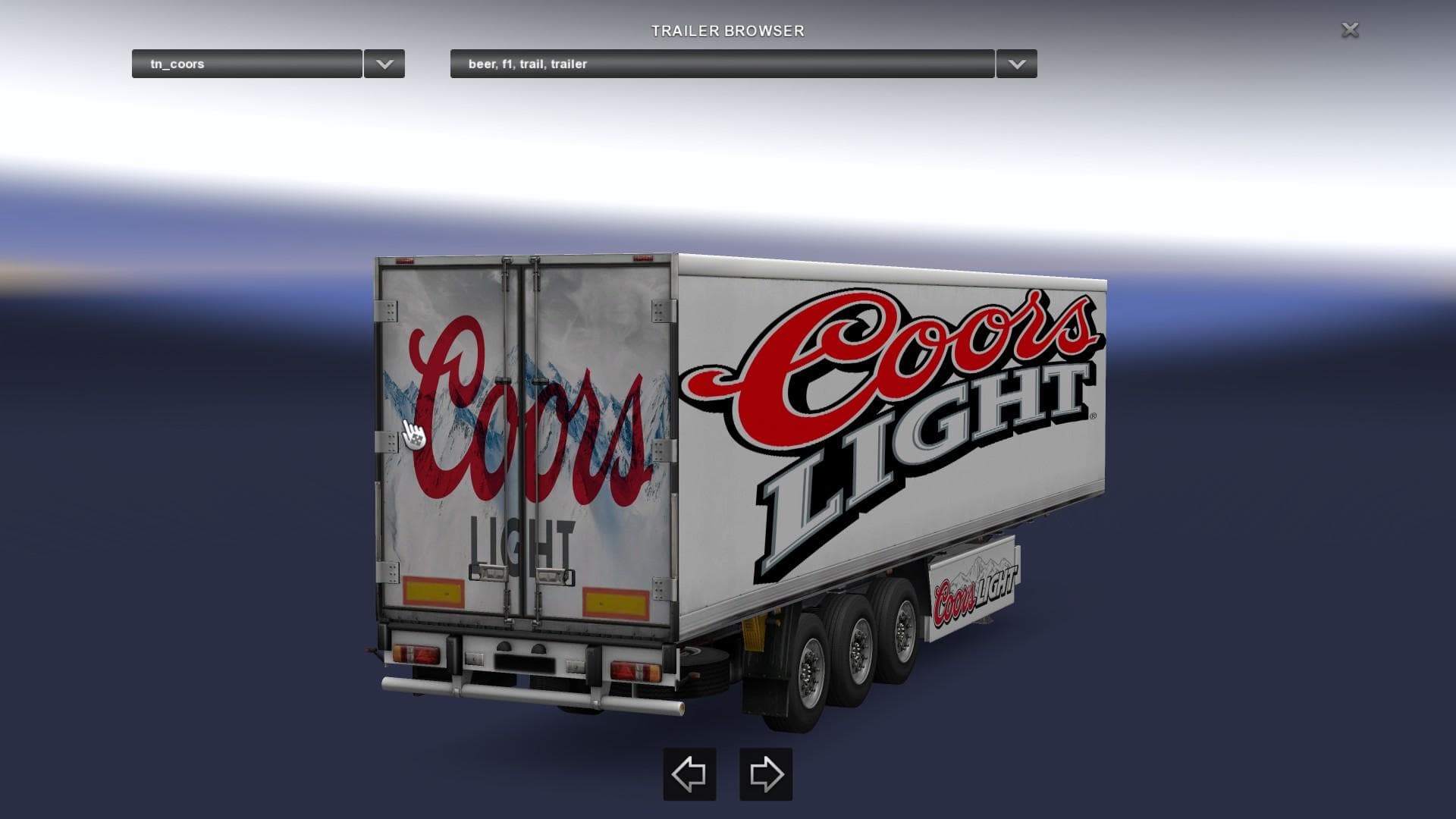
COORS 1.22.X is a trailer mod for ETS2 version 1.22 featuring a Coors beer trailer. Created by Euro truck simulator 2, the mod credits welshyzxr750 for the 8.9
The COORS 1.22.X mod brings a Coors beer trailer into Euro Truck Simulator 2, designed for version 1.22 of the game. It adds a new trailer to your lineup, representing a haulable cargo type featuring the iconic Coors branding. This sort of trailer mod usually integrates with the existing cargo system, appearing in the trailer dealer or cargo selection menus, allowing you to pick it up like any other load.
Trailer mods like this one expand your options on the road by offering different types of trailers to haul. They're especially useful for players who want to diversify their fleet or add more realism with branded trailers that you'd find in real-world trucking. Once installed, these mods usually slot right into your gameplay without requiring extra tweaks, but it’s always wise to check compatibility if you run multiple trailer mods.
In terms of fitting into a modded setup, COORS 1.22.X should work well alongside other trailer additions as long as they target ETS2 version 1.22 too. Trailer mods generally don’t conflict with truck or map mods but can overlap if two mods try to replace the same trailer models or IDs. Players often manage load order carefully when using several trailer packs to avoid such issues.
This mod appeals mostly to those who enjoy hauling branded cargo and want a bit more variety in their trailers without changing core gameplay drastically. Fans of American trucking culture might appreciate having a familiar beer brand represented on their hauls across Europe or in custom scenarios.
Installing this kind of trailer mod is straightforward: place it in your mod folder and activate it through the game's mod manager before starting a profile that matches the supported version. Keep an eye out for updates or patches if you upgrade ETS2 beyond 1.22 since older mods sometimes need adjustments.
How to install
1. Download the .scs file. 2. Drop it into `Documents/Euro Truck Simulator 2/mod/`. 3. Enable in Mod Manager. 4. Trailer should appear in cargo selection or trailer dealer depending on the mod's design.
After the mod loads, save your game inside a safe area (parking lot or service) before deciding whether to keep it. If the game refuses to load with the mod enabled, check that all required DLCs are installed and that the supported ETS2 version chips on this page include your installed game patch.
Reviews
No ratings yetNo reviews yet — be the first to rate this mod.





