Bulgaria in Focus v1.37 1.60
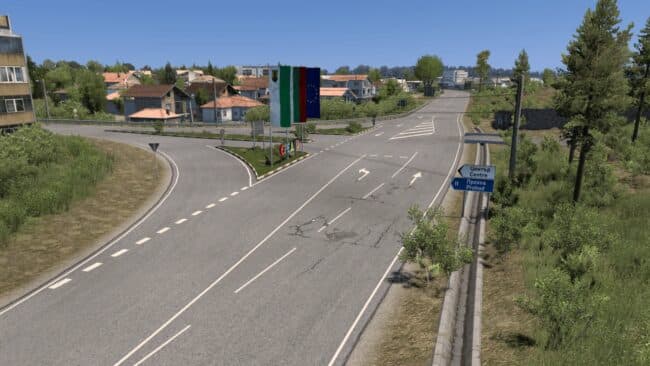
Bulgaria in Focus 1.60 is a map mod for ETS2 version 1.37, featuring critical bug fixes and visual improvements. The update also replaces Carrefour (Yambol) wit
Bulgaria in Focus v1.37 1.60 is a map mod that enhances the drivable area within Euro Truck Simulator 2 by expanding and improving Bulgaria's roads, cities, and scenery. This version addresses critical bugs from previous releases and replaces certain companies with custom ones, offering a more immersive experience of the region. Visual upgrades help make the environment feel more detailed and authentic to the Bulgarian setting.
Map mods like this one add or overhaul sections of the ETS2 world, allowing players to explore new routes and destinations beyond the base game. They typically come as .scs files that need to be placed in your mod folder. Loading order matters here; this mod should be loaded after any required base map DLCs but before gameplay-affecting mods for smooth operation.
When using Bulgaria in Focus in a modded setup, it's advisable to start with a fresh profile or ensure compatibility with other map expansions you have installed. Conflicts can arise if multiple mods alter the same geographic areas or companies, so checking load order is important to avoid visual glitches or crashes. This mod supports ETS2 versions 1.36 through 1.60, which covers a broad range of players still running different updates.
This type of map expansion will appeal most to players who enjoy exploring Eastern Europe in ETS2 or want additional variety on their long hauls through The Balkans region. It fits well into setups that already include other Balkan or nearby country maps for a connected experience across borders.
Overall, Bulgaria in Focus provides focused improvements on Bulgaria's transport network and scenery. Those looking for an enhanced regional map with updated company placements and bug fixes will find it worth considering for their collection.
How to install
1. Download every .scs file from the source page (map mods often ship multiple files). 2. Copy all files to `Documents/Euro Truck Simulator 2/mod/`. 3. Enable each file in Mod Manager **in the order documented by the modder**. Load order matters for maps. 4. Start a new save or use an existing save that already supports the map's base regions.
After the mod loads, save your game inside a safe area (parking lot or service) before deciding whether to keep it. If the game refuses to load with the mod enabled, check that all required DLCs are installed and that the supported ETS2 version chips on this page include your installed game patch.
Known conflicts
No conflicts reported for this mod yet. Running a big mod list? Check your whole setup for conflicts →
Reviews
No ratings yetNo reviews yet — be the first to rate this mod.





