BRAZIL MAP V5.0
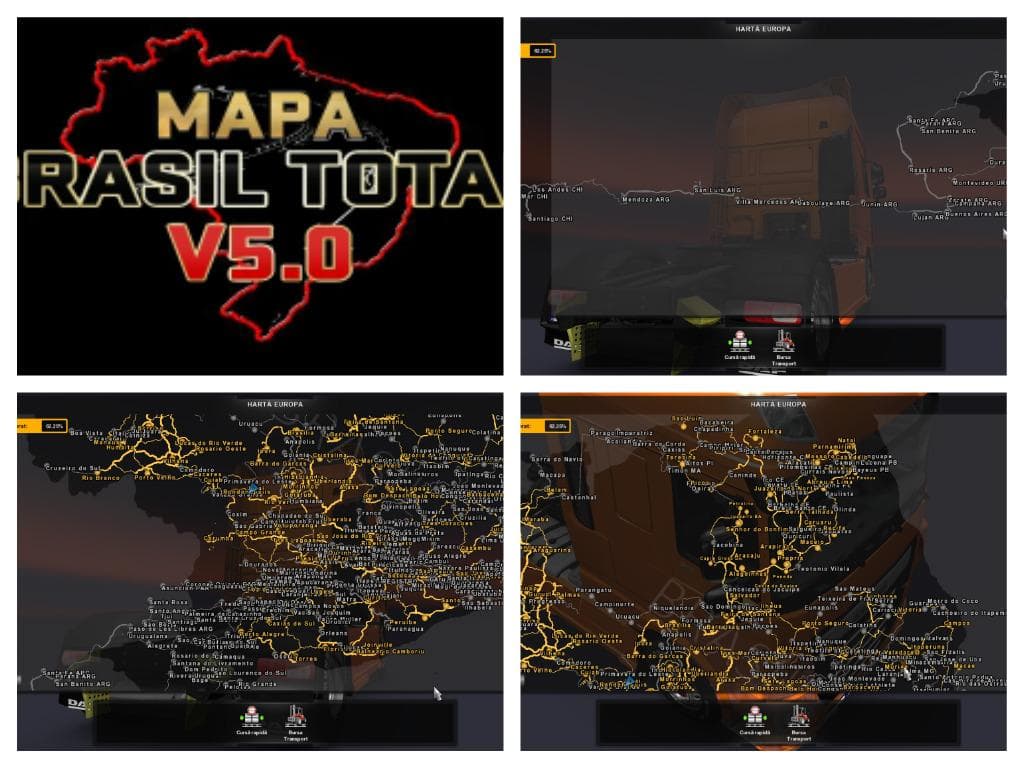
The BRAZIL MAP mod version 5.0 adds 29 new cities to Euro Truck Simulator 2, including Marilia, Bauru, and Botucatu. It is supported on ETS2 version 1.21 by the
BRAZIL MAP V5.0 is a map modification for Euro Truck Simulator 2 that introduces a significant expansion of the drivable area within Brazil. This version adapts the map to be compatible with ETS2 version 1.21, adding 29 new cities such as Marilia, Bauru, and Botucatu. Map mods like this one are designed to enhance gameplay by providing new routes and regions to explore beyond the base game’s coverage.
Map mods typically come as .scs files that replace or extend parts of the game's world map. Since they affect core game data related to geography, they are sensitive to load order and might require either a fresh profile or compatibility with certain base DLCs. Players often need to ensure this mod is loaded after any other map expansions to avoid conflicts.
In a modded setup, BRAZIL MAP V5.0 fits well if you're looking to diversify your hauling routes with South American landscapes. It's wise to check for any overlaps with other large-scale map mods and keep an eye on which mods load first in the launcher. Because it's tailored for version 1.21, using it on later game versions might lead to issues unless updates are provided.
This type of mod appeals mostly to players wanting a more extensive exploration experience in Brazil's territory specifically. If you enjoy long-distance trucking across diverse urban and rural areas in ETS2, expanding your map with additional cities can make each trip feel fresher and more immersive.
Installing BRAZIL MAP V5.0 usually involves placing its .scs file into the mod folder and activating it via the game's mod manager. As always, backing up your profile before adding major map expansions is recommended since these mods can alter save data.
How to install
1. Download every .scs file from the source page (map mods often ship multiple files). 2. Copy all files to `Documents/Euro Truck Simulator 2/mod/`. 3. Enable each file in Mod Manager **in the order documented by the modder**. Load order matters for maps. 4. Start a new save or use an existing save that already supports the map's base regions.
After the mod loads, save your game inside a safe area (parking lot or service) before deciding whether to keep it. If the game refuses to load with the mod enabled, check that all required DLCs are installed and that the supported ETS2 version chips on this page include your installed game patch.
Known conflicts
No conflicts reported for this mod yet. Running a big mod list? Check your whole setup for conflicts →
Reviews
No ratings yetNo reviews yet — be the first to rate this mod.





