BRAZIL EAA MAP FIXES (AI TRAFFIC HEADLIGHTS + BRAZIL POLICE) V2.1
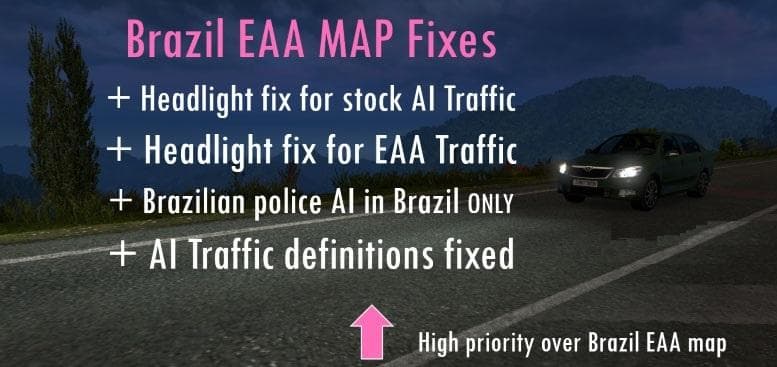
BRAZIL EAA MAP FIXES (AI TRAFFIC HEADLIGHTS + BRAZIL POLICE) is a map mod by Euro Truck Simulator 2, version 2.1. It includes fixes for the EAA Brazil Map, with
BRAZIL EAA MAP FIXES (AI TRAFFIC HEADLIGHTS + BRAZIL POLICE) V2.1 is a mod designed to improve the EAA Brazil Map by addressing specific issues related to AI traffic and police vehicles. This fix enhances the realism of night driving by enabling high intensity headlights on stock AI trucks, making it easier to see and react during low-light conditions. The mod also introduces adjustments for Brazil police units, aiming to bring more authenticity to law enforcement representation in the map environment.
Map mods like this one generally expand or tweak existing regions within Euro Truck Simulator 2, offering new routes, cities, or corrections that enhance gameplay immersion. These kinds of fixes usually come as .scs files and must be loaded carefully to avoid conflicts with the base map or other add-ons. Placing this fix higher in the load order than the original EAA Brazil Map ensures that its changes take effect properly.
In a heavily modded setup, especially one focusing on South American content or specifically Brazilian maps, such a fix can help maintain consistency and polish. Since map mods can be sensitive to load order and compatibility with DLCs, users should verify their profiles are compatible before adding this file. It’s also common practice not to mix too many large map expansions without confirming they work together.
Players who spend time exploring Brazil in ETS2 or those wanting a more authentic night driving experience on this specific map would find this mod useful. It’s particularly relevant for those who use AI traffic extensively and want better visual feedback from other vehicles at night. Additionally, anyone looking for improved police vehicle behavior within the Brazil map will notice these tweaks.
Overall, fixes like these represent smaller but meaningful improvements that address shortcomings overlooked in larger map releases. They don’t add new roads but refine existing elements to create smoother gameplay moments without drastically changing your core experience.
How to install
1. Download every .scs file from the source page (map mods often ship multiple files). 2. Copy all files to `Documents/Euro Truck Simulator 2/mod/`. 3. Enable each file in Mod Manager **in the order documented by the modder**. Load order matters for maps. 4. Start a new save or use an existing save that already supports the map's base regions.
After the mod loads, save your game inside a safe area (parking lot or service) before deciding whether to keep it. If the game refuses to load with the mod enabled, check that all required DLCs are installed and that the supported ETS2 version chips on this page include your installed game patch.
Known conflicts
No conflicts reported for this mod yet. Running a big mod list? Check your whole setup for conflicts →
Reviews
No ratings yetNo reviews yet — be the first to rate this mod.





