Brazil EAA Map AI Traffic Fixes v2.3
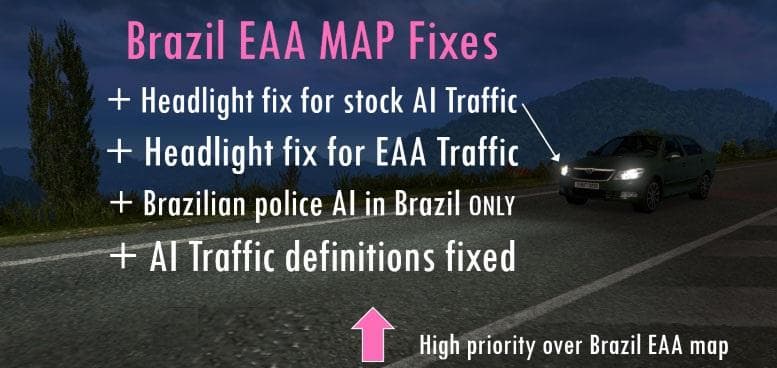
Brazil EAA Map AI Traffic Fixes v2.3 by Euro Truck Simulator 2 offers new country definitions for South Korea. It must be placed in higher priority than the EAA
The Brazil EAA Map AI Traffic Fixes v2.3 mod addresses issues related to the artificial intelligence traffic on the EAA Brazil Map. It improves how AI vehicles behave and interact within this specific map, aiming to make traffic flow more realistic or error-free. This kind of mod focuses on tweaking the in-game traffic patterns rather than adding new roads or locations.
Map mods like this one typically come as .scs files that alter or enhance aspects of the game world. Since it modifies AI traffic for a particular map, it needs to be loaded with priority over the base EAA Brazil Map mod to function correctly. The load order is crucial here; placing this fix above the main map ensures its changes take effect without being overridden.
In a modded setup featuring multiple maps or map expansions, compatibility and proper loading sequence are important to avoid conflicts. This AI traffic fix complements the existing Brazil EAA Map by refining vehicle behavior but would not add new areas itself. Players often combine such fixes with other map mods to improve realism and immersion.
This mod suits players who enjoy driving through Brazilian regions in ETS2 and want smoother, more believable traffic dynamics on that map. It benefits those who have already installed the EAA Brazil Map and are looking for ways to enhance their experience by addressing AI-related issues.
The changelog for version 2.3 notes an update involving new country definitions for South Korea, hinting at broader improvements or added regional details beyond just traffic fixes within Brazil.
How to install
1. Download every .scs file from the source page (map mods often ship multiple files). 2. Copy all files to `Documents/Euro Truck Simulator 2/mod/`. 3. Enable each file in Mod Manager **in the order documented by the modder**. Load order matters for maps. 4. Start a new save or use an existing save that already supports the map's base regions.
After the mod loads, save your game inside a safe area (parking lot or service) before deciding whether to keep it. If the game refuses to load with the mod enabled, check that all required DLCs are installed and that the supported ETS2 version chips on this page include your installed game patch.
Known conflicts
No conflicts reported for this mod yet. Running a big mod list? Check your whole setup for conflicts →
Reviews
No ratings yetNo reviews yet — be the first to rate this mod.





