BRAZIL EAA MAP AI TRAFFIC FIXES V2.2
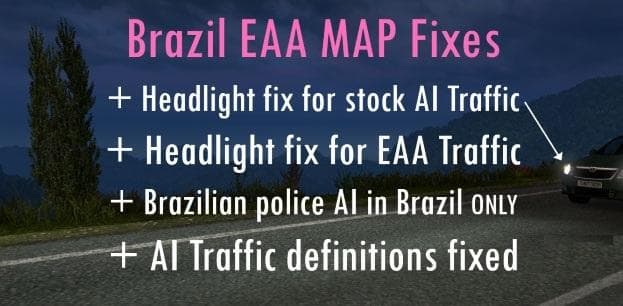
BRAZIL EAA MAP AI TRAFFIC FIXES is a map mod version 2.2 by Euro Truck Simulator 2. It provides AI Traffic Fixes for EAA Brazil Map 2.9, requiring higher priori
The BRAZIL EAA MAP AI TRAFFIC FIXES V2.2 mod is designed to improve the AI traffic behavior on the EAA Brazil Map, particularly for version 2.9 of this map. It addresses issues related to how non-player vehicles navigate roads and intersections, making the traffic flow more realistic and less prone to glitches or jams. This kind of mod is essential for anyone using the EAA Brazil Map who wants a smoother driving experience with fewer traffic anomalies.
Map mods like this one expand or adjust the drivable world by adding new regions, roads, or cities, but they can sometimes introduce AI traffic problems due to complex routing or map layouts. The BRAZIL EAA MAP AI TRAFFIC FIXES works by correcting these specific AI navigation paths without altering the visual content of the map itself.
When using this fix, it should be loaded with higher priority than the main EAA Brazil Map version 2.9 mod. This means placing it above that map in your mod manager load order so that its adjustments take effect properly. As with many map-related mods, compatibility with other maps depends on their base files and whether they modify similar areas of the game world, so players should ensure their profiles and DLCs support these versions.
Players who use extensive map modifications in ETS2 and want a more consistent traffic flow on Brazilian roads will find this fix useful. It fits well into a setup where realism and immersion are priorities but without introducing additional maps or content beyond traffic improvements.
How to install
1. Download every .scs file from the source page (map mods often ship multiple files). 2. Copy all files to `Documents/Euro Truck Simulator 2/mod/`. 3. Enable each file in Mod Manager **in the order documented by the modder**. Load order matters for maps. 4. Start a new save or use an existing save that already supports the map's base regions.
After the mod loads, save your game inside a safe area (parking lot or service) before deciding whether to keep it. If the game refuses to load with the mod enabled, check that all required DLCs are installed and that the supported ETS2 version chips on this page include your installed game patch.
Known conflicts
No conflicts reported for this mod yet. Running a big mod list? Check your whole setup for conflicts →
Reviews
No ratings yetNo reviews yet — be the first to rate this mod.





