BMW X6 V3.4 FOR 1.22.X + ADDONS
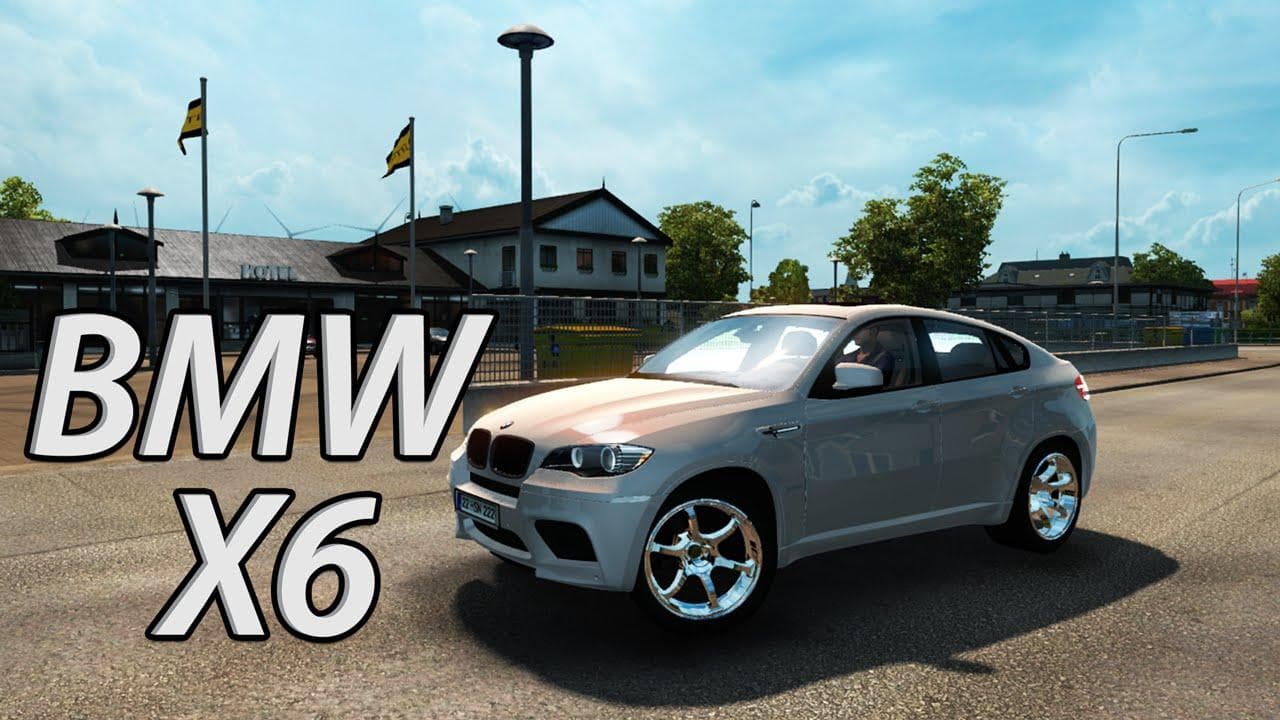
This mod adds the BMW X6 to Euro Truck Simulator 2, including version 3.4, sounds, and a wheel pack. It is compatible with the car trailer mod and features a ho
The BMW X6 V3.4 mod for ETS2 is a parts pack designed for version 1.22 of the game. It brings a variety of accessories related to the BMW X6, including sounds and a wheel pack, all tailored to enhance the truck customization options in your garage. This mod also ensures compatibility with car trailer mods, which can be handy if you like hauling vehicles alongside your cargo.
Parts mods like this one focus on adding specific components such as lights, mirrors, exhausts, or unique sound sets that fit certain vehicle models. In this case, it targets the BMW X6 style elements, allowing players to customize their trucks with distinctive features inspired by this particular model. These mods are typically accessed via the truck upgrade menu where you can mix and match parts.
When setting up a modded ETS2 environment, parts packs should be loaded carefully to avoid conflicts, especially when they alter sounds or wheels. Since this package supports game version 1.22 and includes multiple add-ons under one umbrella, it simplifies installation but still requires placing it correctly in the load order relative to other tuning or vehicle mods.
This kind of mod suits players who enjoy detailed customization and want their trucks to stand out with specific brand-themed accessories. If you're running mods that bring new trailers or cars into your game, having compatible parts like these can help maintain visual consistency and immersive gameplay.
While the creator remains unknown and exact file size details aren't provided, the focus here is on providing additional realism through authentic sounds and wheels tied to the BMW X6 look. It’s a solid choice for anyone who appreciates fine-tuning their rig beyond just paint jobs and basic upgrades.
How to install
1. Download the file(s) from the original source linked above. 2. Drop them into `Documents/Euro Truck Simulator 2/mod/`. 3. Enable in Mod Manager and restart the game.
After the mod loads, save your game inside a safe area (parking lot or service) before deciding whether to keep it. If the game refuses to load with the mod enabled, check that all required DLCs are installed and that the supported ETS2 version chips on this page include your installed game patch.
Reviews
No ratings yetNo reviews yet — be the first to rate this mod.